260
Muting individual inputs
Although you will be able to record eight inputs whenever
either [MULTI-TRACK] or [STEREO TRACKS] has been
selected from INPUT SELECT, you may in certain cases
prefer not to record some of these input sources.
In such a case, you can use Level Calibration’s muting
function to turn muting on and off using a single button.
1. Confirm that [MULTI-TRACK] or [STEREO TRACKS]
from INPUT SELECT is currently turned on, and then
press [LEVEL CALIBRATION].
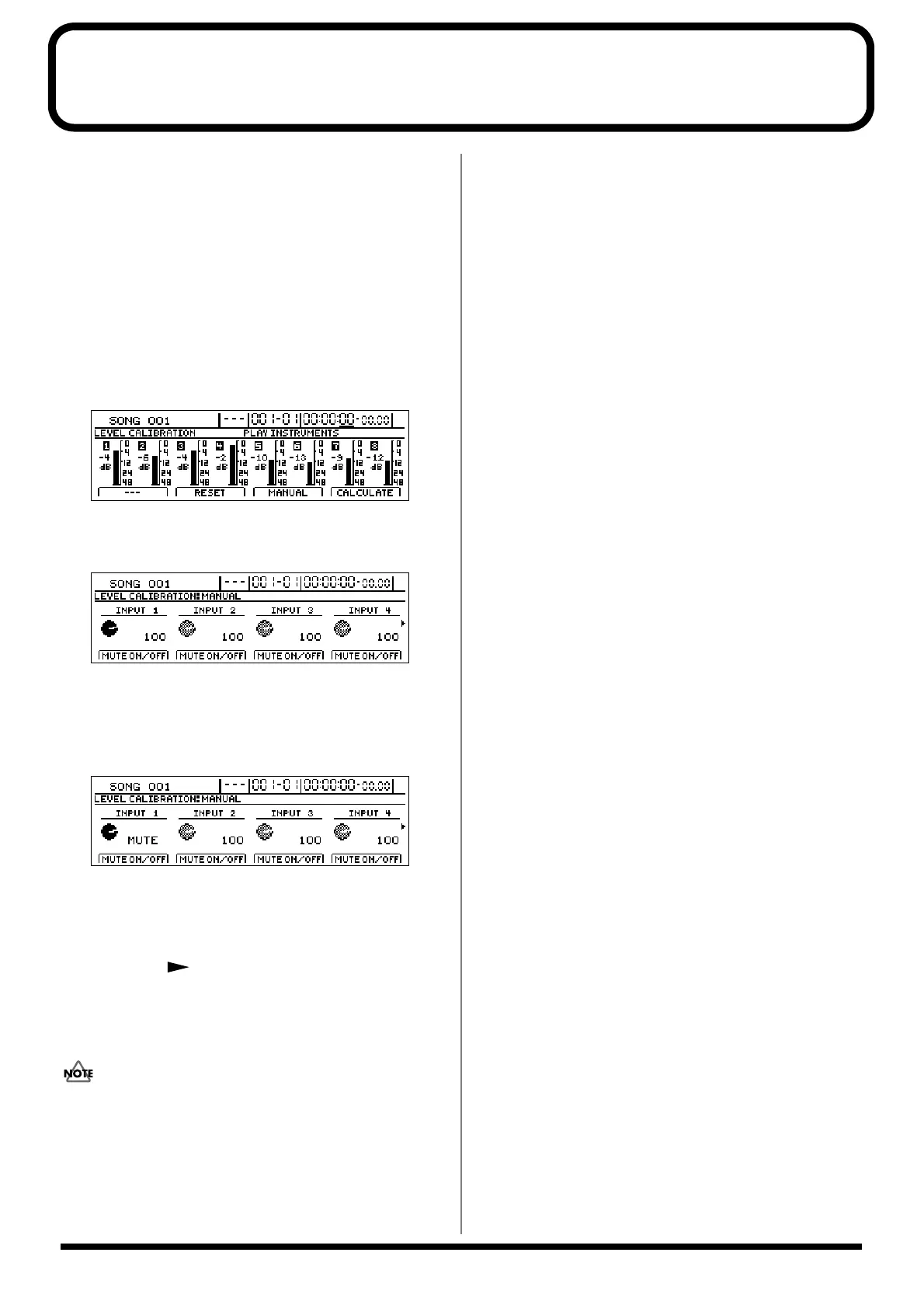
[LEVEL CALIBRATION] will light up and the message
“PLAY INSTRUMENTS” will appear.
fig.53-06d
2. Press [F3] (MANUAL).
Levels will be displayed for each input.
fig.53-100d
3. Turn muting for input sources on and off using the
FUNCTION buttons [F1] through [F4].
When muting has been turned on for an input source,
“MUTE” will be displayed.
fig.53-200d
If the same FUNCTION button is pressed once again, the
corresponding input level will be displayed as a value,
and muting will be turned off.
To switch the muting status for INPUT 5 through INPUT
8, press the [ ] PAGE SCROLL button to display the
corresponding levels.
4. Press [EXIT/NO] several times to return to the top
screen.
These settings for muting will be lost when the BR-
1600CD is turned off. Muting for all tracks will be
initially off when the BR-1600CD is turned on again.





 To Next Page