266
Mixing audio-device output with the BR-1600CD’s output (Audio Sub Mix)
The Audio Sub Mix function treats the audio sources for
INPUT 7 and INPUT 8 as a stereo input and allows this input
to be directly mixed with the audio being output via the
LINE OUT jacks.
Accordingly, you can use this function to mix the BR-
1600CD’s audio output with audio from an external audio
device without having to prepare a separate mixer.
Note that when Audio Sub Mix is activated, you will not be
able to apply effects to the audio coming from INPUT 7 and
INPUT 8. In addition, it will not be possible to record this
audio to tracks.
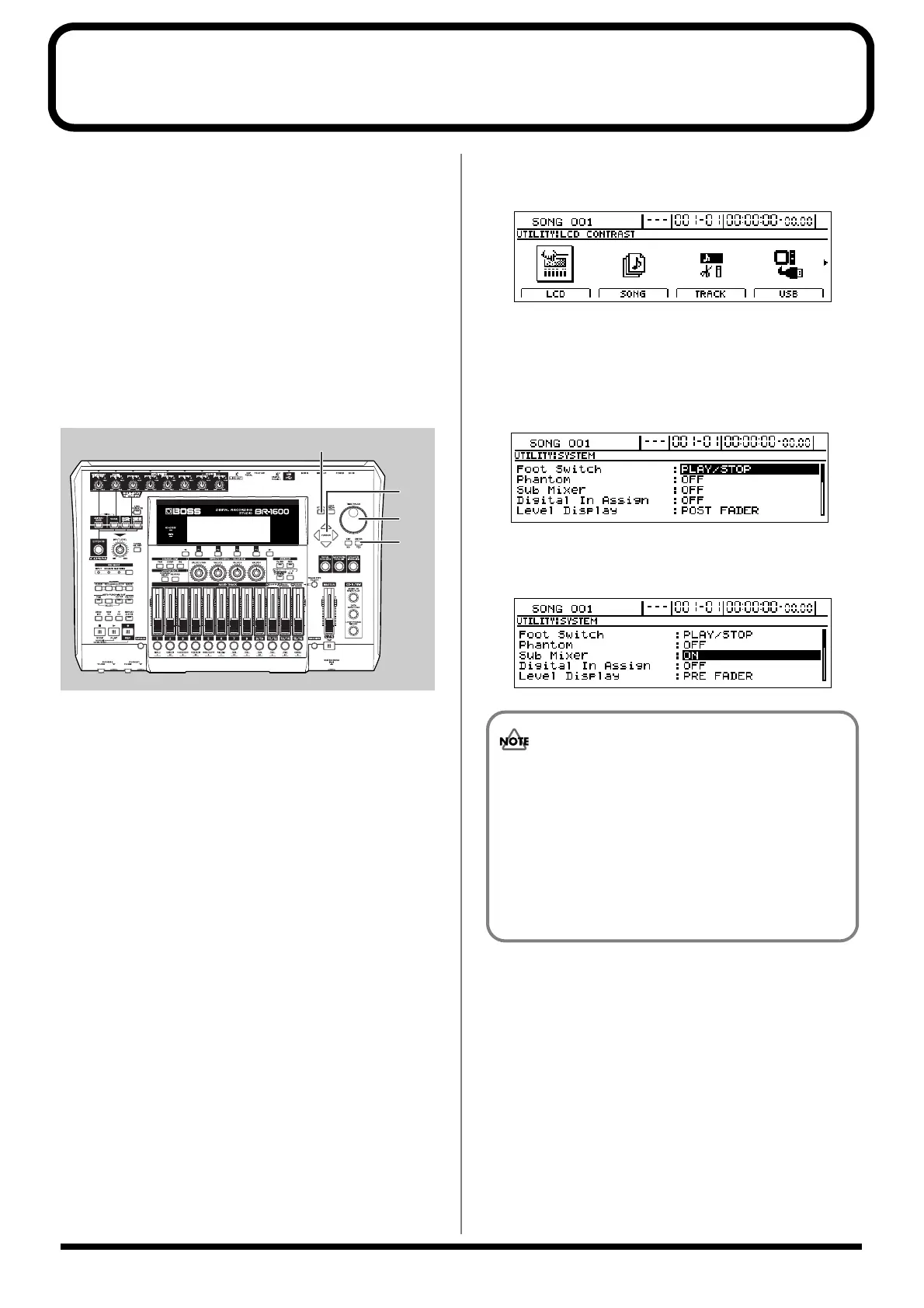
Audio Sub Mix is set up as described below.
fig.53-21
1. Press [UTILITY].
The Utility screen will appear.
fig.12-12d
2. Move the cursor to the SYSTEM icon and press
[ENTER/YES].
Alternatively, you can press [F1] (SYSTEM) if the
SYSTEM icon is currently displayed.
The System Parameter screen will appear.
fig.10-03d
3. Move the cursor to “Sub Mixer” and select “ON” using
the TIME/VALUE dial.
fig.53-24d
1
2
2, 3
3
Precautions for Audio Sub Mix usage
• The Audio Sub Mix setting is returned to “OFF”
whenever the BR-1600CD is turned on.
• When either [MULTI-TRACK] or [STEREO
TRACKS] has been selected from INPUT SELECT,
INPUT 7 and INPUT 8 will give priority to track
recording; therefore, the Audio Sub Mix function
will remain inactive even if it is turned on.




 To Next Page