232
Controlling track volumes via MIDI (MIDI Fader)
The BR-1600CD can both transmit and receive fader
operations in the form of MIDI signals (MIDI Fader). And in
addition to fader signals, expression pedal signals can also be
transmitted and received in the same way. By using this
function to record and playback fader and expression pedal
operations on an external device such as a MIDI sequencer,
you will be able to carry out remote control of BR-1600CD
mix-downs and other procedures.
Signals can be transmitted and received for the following
types of faders.
• Faders for Tracks 1 through 8 and 9/10 through 15/16
• The MASTER fader
• An expression pedal
Turning MIDI Fader on and off
Use the following procedure to turn the transmission and
reception of fader operations via MIDI on and off. At the
time of purchase, MIDI Fader will be turned off, so you will
need to turn this function on if you intend to use it.
1. Press [UTILITY].
The Utility Menu screen will appear.
fig.12-12d
2. Move the cursor to the MIDI icon and press [ENTER/
YES].
Alternatively, you can press [F4] (MIDI) if the MIDI icon
is currently displayed.
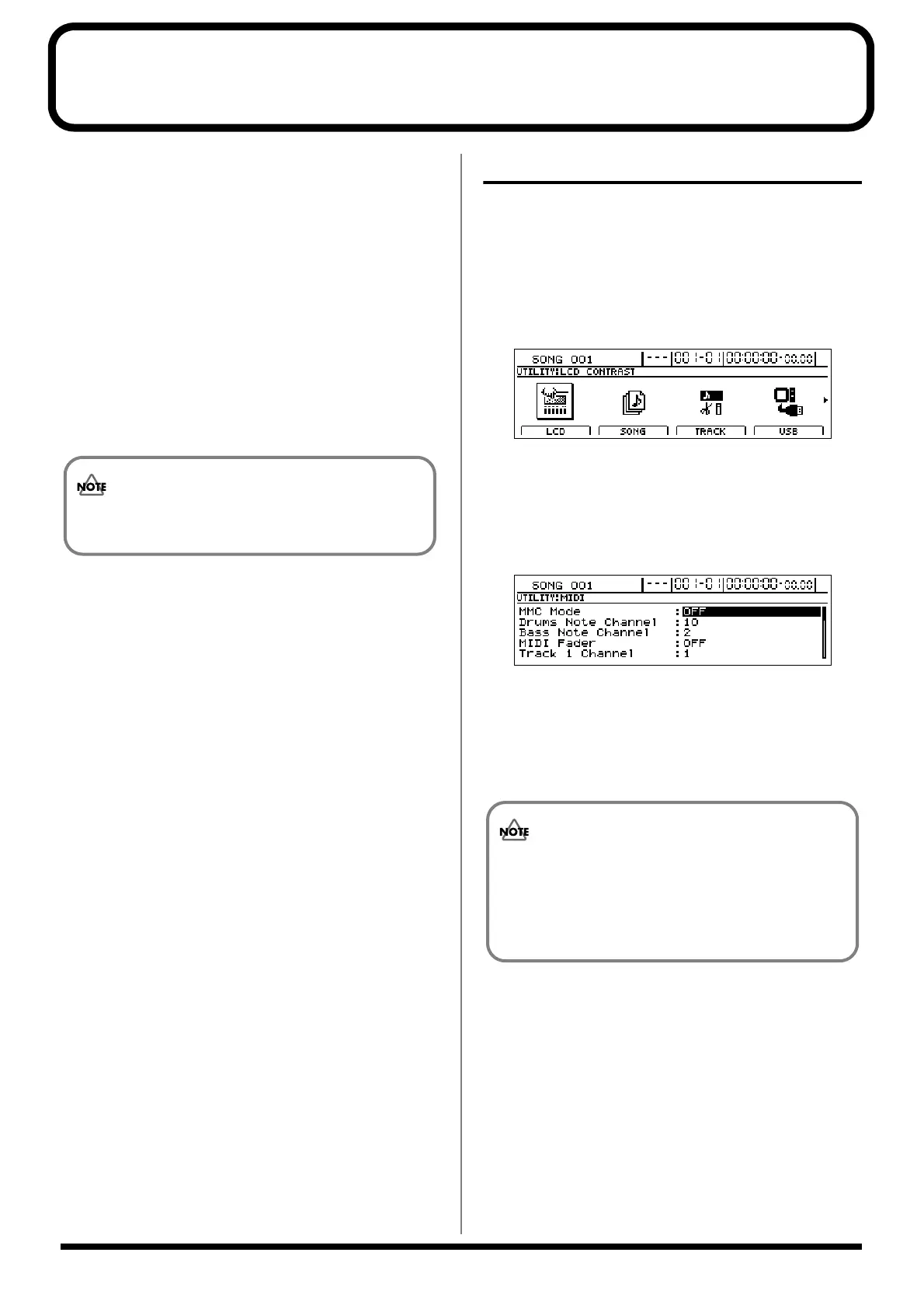
The MIDI screen will appear.
fig50-21d
3. Move the cursor to “MIDI Fader” and select “ON”
using the TIME/VALUE dial.
Fader operation data will now be transmitted and
received using controller number 7 (i.e., channel
volume).
Operation signals for the INPUT SENS and INPUT
LEVEL knobs cannot be communicated via MIDI.
The MIDI Fader on/off setting will be maintained
when the BR-1600CD is turned off. Note, however,
that if you fail to turn the BR-1600CD off in
accordance with the correct shutdown procedure,
this setting data will be lost.




 To Next Page