197
Creating rhythm arrangements
Section 3
Deleting a rhythm arrangement
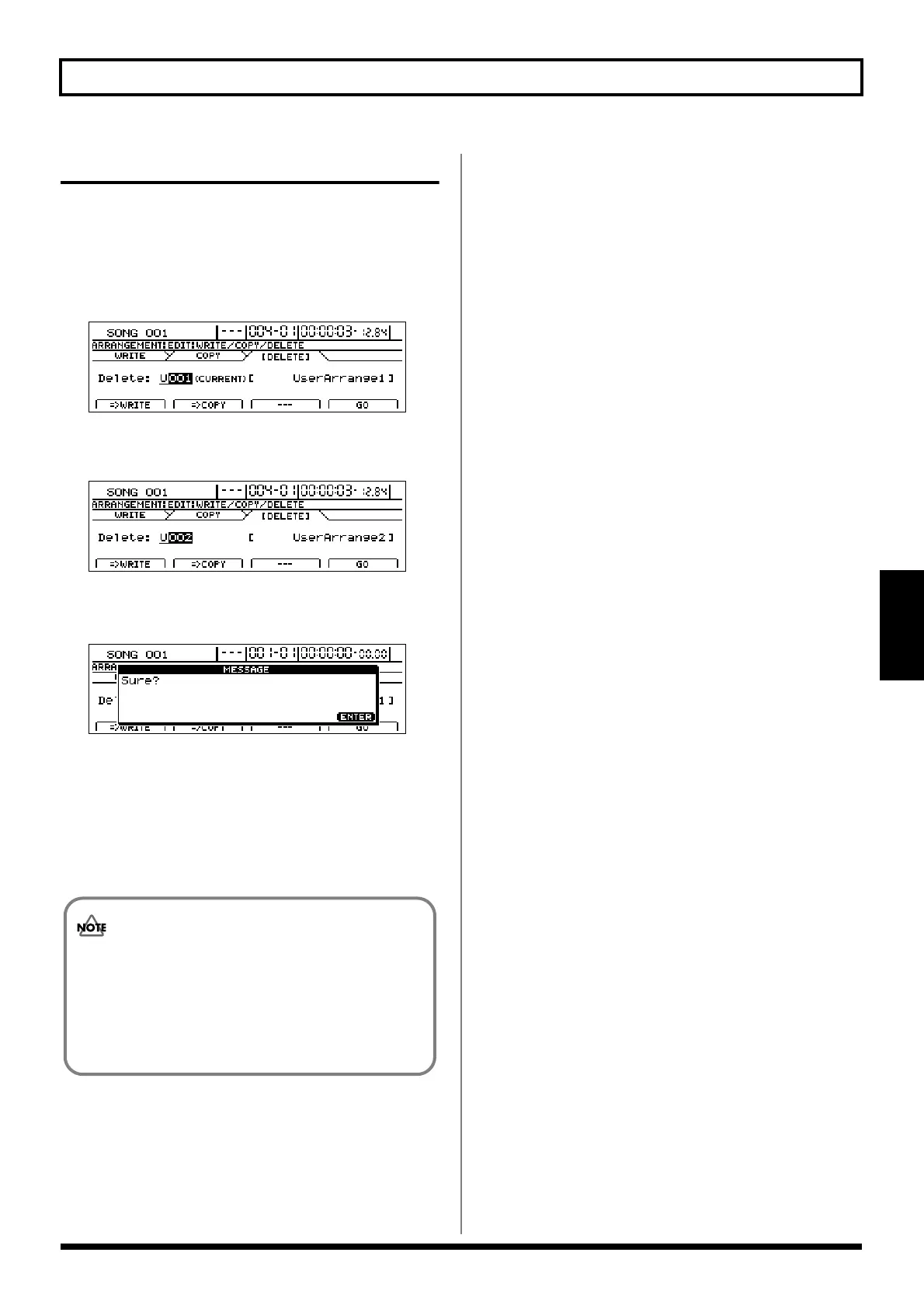
1. Press [F4] (WRITE/COPY/DEL) on the Rhythm
Arrangement Edit screen.
2. Press [F3] (=>DELETE).
The Write/Copy/Delete screen for rhythm
arrangements will appear.
fig.21-30d
3. Select the rhythm arrangement to be deleted using the
TIME/VALUE dial.
fig.21-31d
4. Press [F4] (GO).
A confirmation message will appear.
fig.21-32d
5. If you are sure you want to delete the rhythm
arrangement, press [ENTER/YES].
Press [EXIT/NO] to cancel deletion.
The rhythm arrangement will be deleted. When the
message “Complete!” appears, it indicates that the
deletion has been completed.
• Preset rhythm arrangements cannot be deleted.
• As it will not be possible to restore deleted rhythm
arrangements, care should be taken to ensure that
important arrangements are not accidentally
deleted.





 To Next Page