81
Using insert effects
Section 2
Saving insert effect settings
(Effect Patch Write)
Modified effect settings are saved by writing them together
with a new patch name.
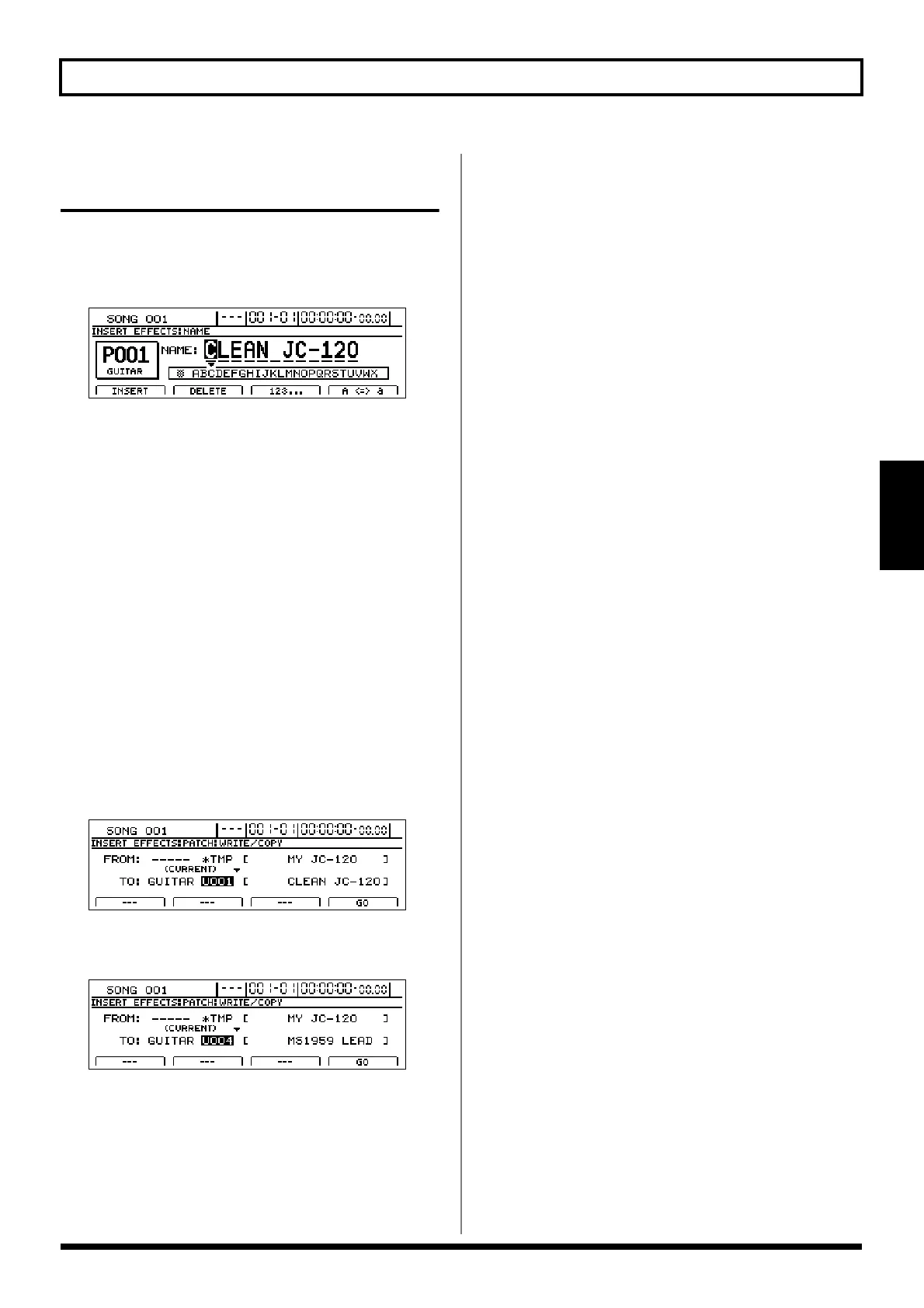
1. Press [F1] (NAME) on the Effects Edit screen.
fig.31-05d
2. Move the cursor to the characters in the patch name you
want to change and select new characters using the
TIME/VALUE dial.
At this time, the FUNCTION buttons operate as follows.
[F1] (INSERT):
An empty space of one character in length will be
inserted.
[F2] (DELETE):
A single character will be deleted.
[F3] (123...):
The character type will switch to numbers.
[F4] (A<=>a):
The character type will toggle between uppercase and
lowercase.
3. Press [EXIT/NO] to return to the Effects Edit screen.
4. Press [F4] (WRITE/COPY).
The Effects Patch Write/Copy screen will appear.
fig.31-06d
5. Move the cursor to the “TO:” field and select a
destination patch using the TIME/VALUE dial.
fig.31-07d
FROM:
This field should be left unchanged at
“*TMP(CURRENT)” If a different message is displayed,
however, move the cursor to this field and turn the
TIME/VALUE dial counterclockwise to restore
“*TMP(CURRENT).”
TO:
This field sets the effect patch to which your new settings
are to be written. Whenever you call up the Effects Patch
Write/Copy screen, the cursor will be automatically
positioned here. Note that you can also move the cursor
to the bank field and turn the TIME/VALUE dial to
select a new destination bank.
6. Press [F4] (GO).
The effect patch will be written. When finished, the
message “Complete!” will appear and the display will
automatically return to the Effects Patch screen. If you
selected a different destination bank than that specified
with the INPUT SELECT button, this new bank selection
will be maintained after writing has been completed.
7. Press [EXIT/NO] several times to return to the top
screen.





 To Next Page