175
Creating bass patterns
Section 3
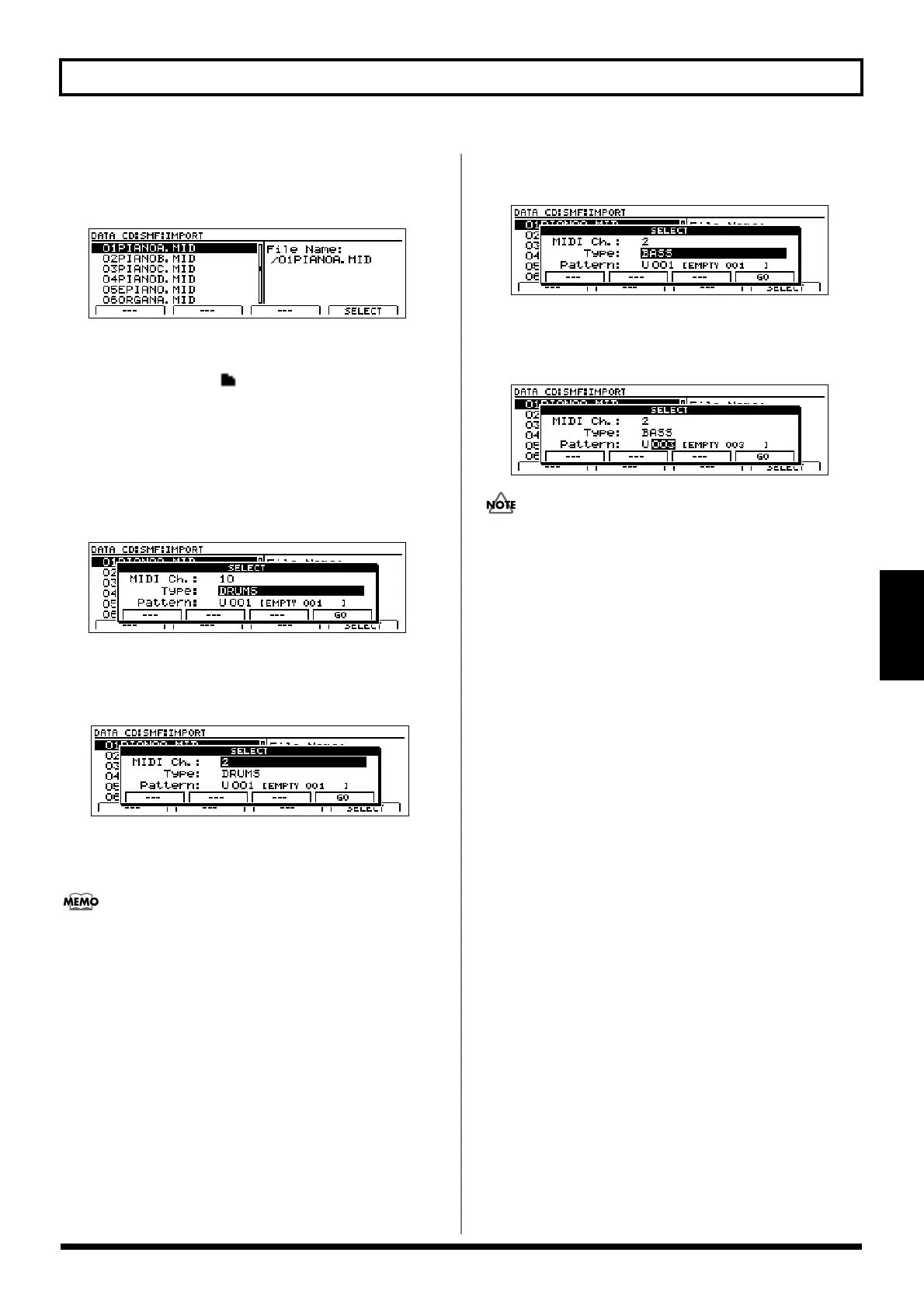
5. Press [F1] (IMPORT).
The SMF Import screen will appear, displaying a list of
the SMFs contained on the CD-R/RW.
fig.20-083d
If files are grouped into different folders on the current
CD-R/RW, the folder names will be displayed together
with the folder icon ( ). To view the list of files within
a folder, move the cursor to the corresponding cursor
name and press [ENTER/YES].
6. Move the cursor to the SMF to be imported and press
[F4] (SELECT).
A screen will appear to allow the setting of a MIDI
channel for this SMF.
fig.20-084d
7. Move the cursor to “MIDI Ch.” and select a MIDI
channel for the SMF to be imported using the TIME/
VALUE dial.
fig.20-084ad
Only the data with the corresponding MIDI channel will
be extracted from the selected SMF and imported as a
bass pattern.
In the case of SMFs supporting the GM, GS, or XG
standards, bass-type performance data is generally
assigned to MIDI channel 2. By setting the MIDI channel
to 2 in such a case, you can ensure that only the bass data
will be extracted from the SMF. (Note that bass-type data
will not necessarily be assigned to channel 2, and it will
be important to confirm the actual channel in advance.)
8. Move the cursor to “Type” and use the TIME/VALUE
dial to select “BASS.”
fig.20-084bd
9. Move the cursor to “Pattern” and use the TIME/VALUE
dial to select the bass pattern to which the data is to be
imported.
fig.20-084c
It will not be possible to select preset bass patterns as
destinations for SMF import.
10. Press [F4] (GO).
Importing of the selected SMF will begin. When the
message “Complete!” appears, it indicates that the
import has been completed.





 To Next Page