26
Synchronizing with a DAW or External MIDI Device
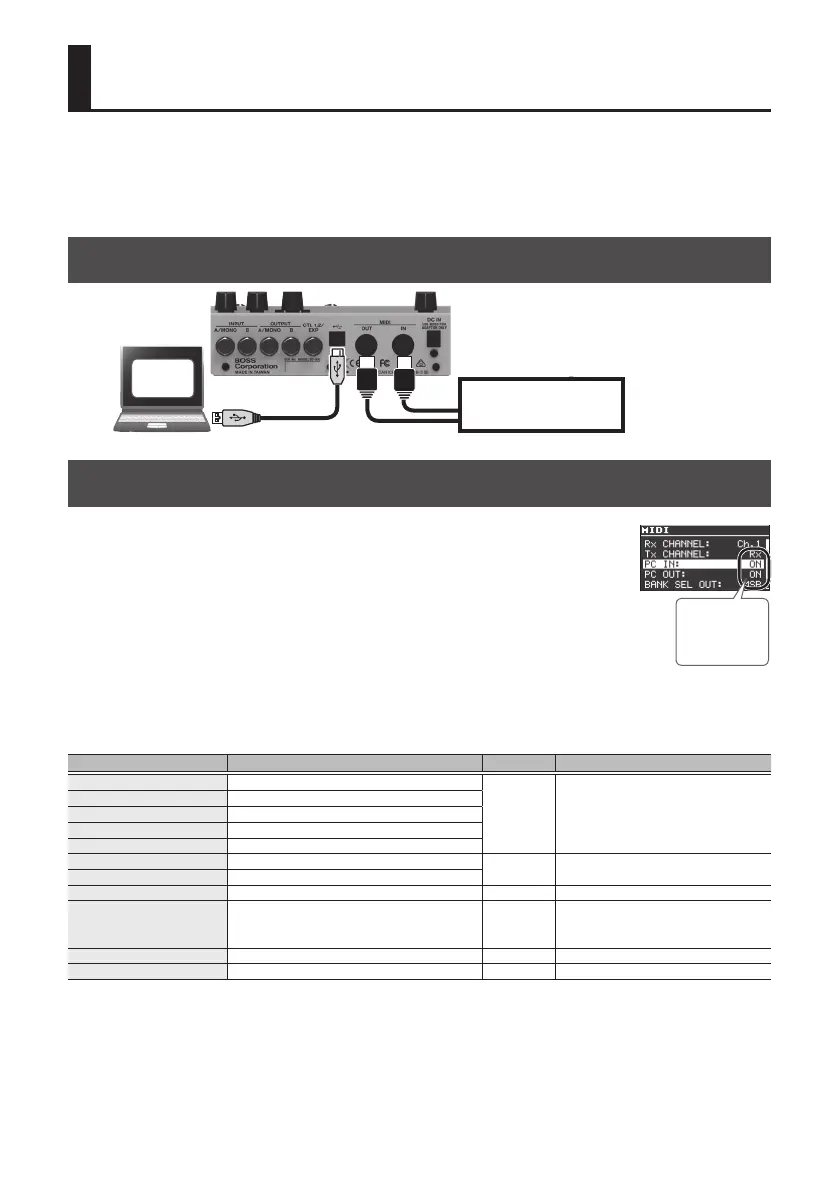
You can synchronize your MD-500 performance with a computer or an external MIDI device by
sending and receiving MIDI messages.
For example, an external MIDI device or DAW could switch patches on the MD-500 or control its
tempo.
Connection Example
External MIDI device
DAW
MIDI Messages That Can Be Transmitted and Received
Patch changes
Bank select (CC#0, #32) and program change
Synchronization
Tempo clock (F8)
Patch data
System exclusive messages
Other messages
Switch, knob MIDI message Value Remarks
[RATE/VALUE] knob Controller Number 17
0–127 –
[DEPTH] knob Controller Number 18
[E. LEVEL] knob Controller Number 19
[PARAM 1] knob Controller Number 20
[PARAM 2] knob Controller Number 21
CTL 1 switch Controller Number 80
0, 127
Transmits “127” when pressed, “0” when
released
CTL 2 Switch Controller Number 81
EXP pedal Controller Number 16 0–127 –
Eect on, Bypass Controller Number 27 ON, OFF
ON = Eect on, OFF = Bypass
In simul mode, this turns the selected
patch on/o.
Eect A on, Bypass Controller Number 28 ON, OFF ON = Eect (patch A) on, OFF = Bypass
Eect B on, Bypass Controller Number 29 ON, OFF ON = Eect (patch B) on, OFF = Bypass
Must be ON



 To Next Page