5
Basic Operation
Turning Eect On/O
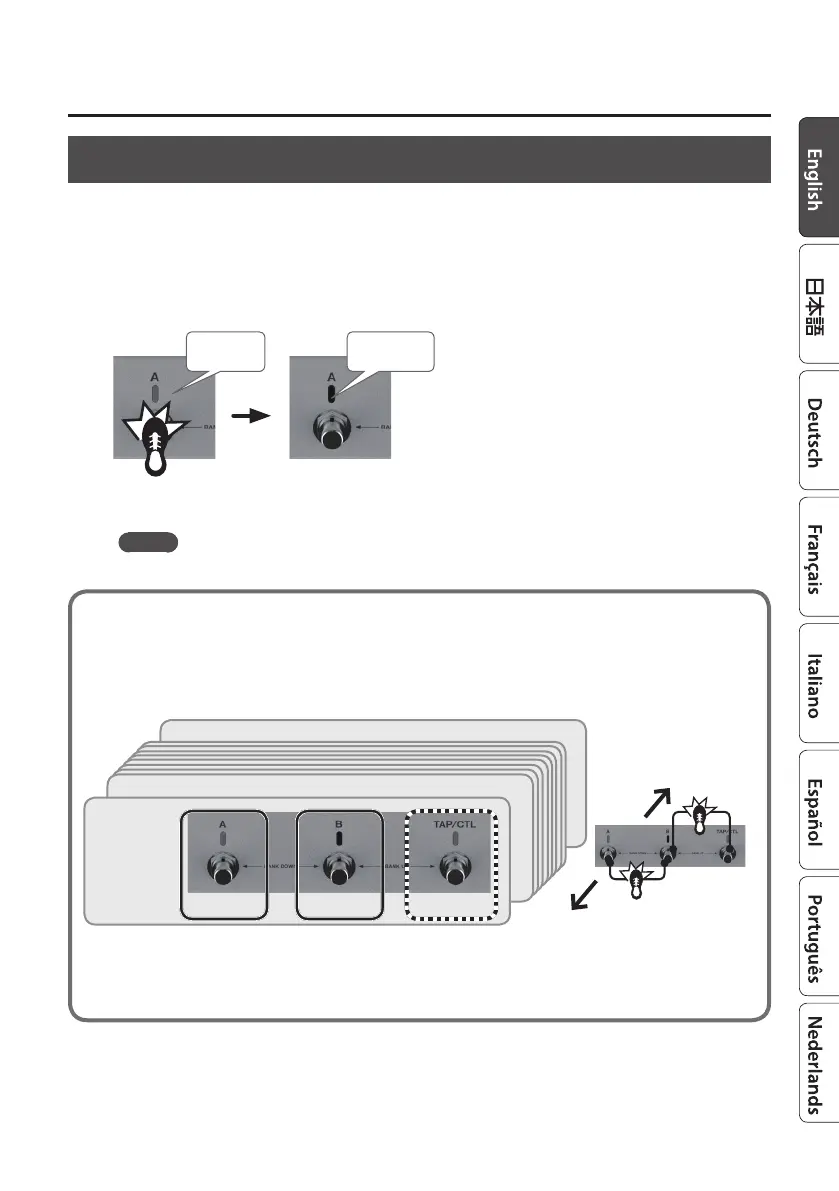
Patch A eect
Each time you press the [A] switch, the eect alternately turns on (lit blue) / o (unlit).
Patch B eect
Each time you press the [B] switch, the eect alternately turns on (lit blue) / o (unlit).
Press once
Blue: on Unlit: o
MEMO
You can also make settings so that patches A and B are used simultaneously (p. 22).
Patches and Banks
Settings for MODE, DEPTH, and EFFECT LEVEL are collectively called a “patch.” You can select
patches using [A], [B], and [TAP/CTL] switches (p. 22). A combination of patches A, B, and C is
called a “bank.”
Bank down
Bank up
BANK 02
BANK 99
BANK 01
Patch 01A Patch 01B Patch 01C
* If you want to use the [TAP/CTL] switch to select patch C, refer to “Assigning the Functions of the [A], [B], and [TAP/CTL]
Switches” (p. 22).



 To Next Page