8
Editing a Patch
You can edit a variety of patch-related parameters.
1. Press the [EDIT] button.
2. Use the [
H
] [
I
] buttons to select “PATCH,” and then press the
[EDIT] button.
3. Use the [
H
] [
I
] buttons to select a parameter, and use the [RATE/
VALUE] knob to edit the value.
4. Press the [EXIT] button to return to the top screen.
* Save the edited patch as described in the procedure on “Saving a Patch” (p. 9).
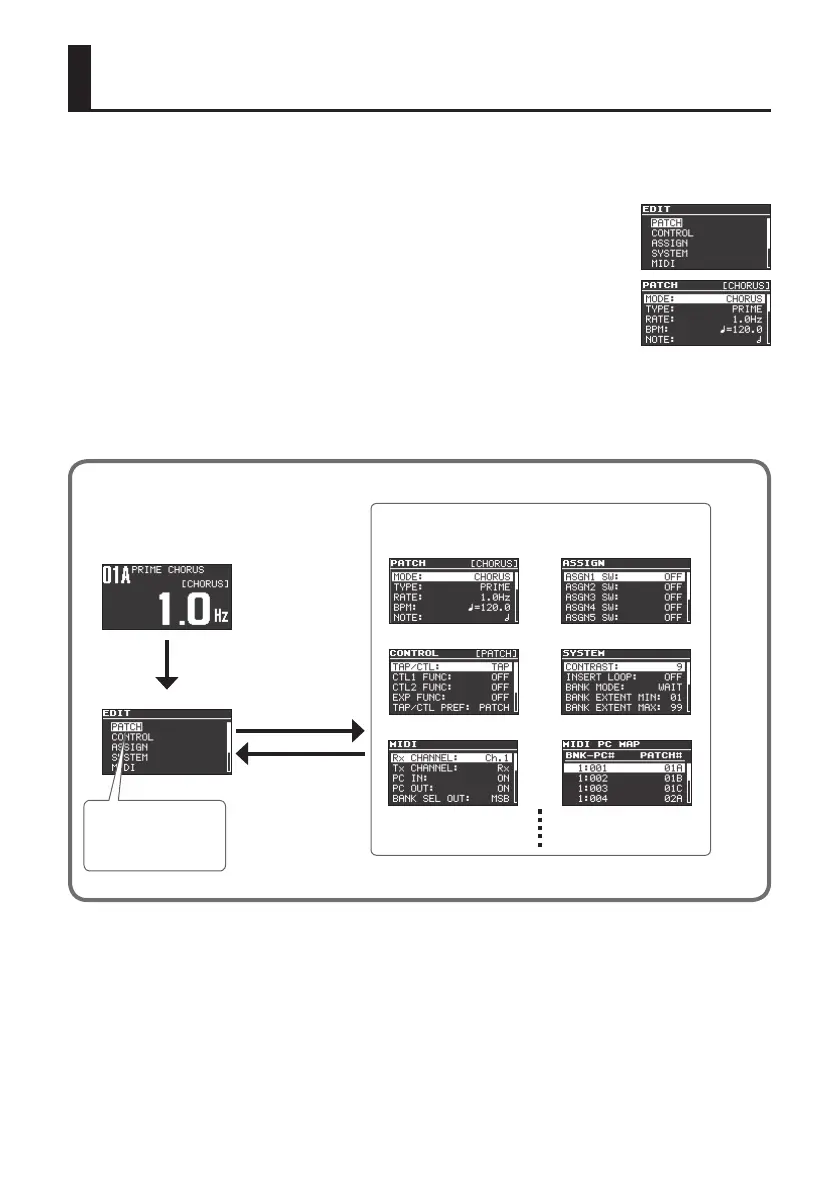
Basic [EDIT] operations
Use the [
H
] [
I
] buttons to move the cursor
Use the [RATE/VALUE] knob to edit the value
[EDIT] button
Use the [
H
] [
I
] buttons
to move the cursor
[EDIT] button
[EXIT] button



 To Next Page