28
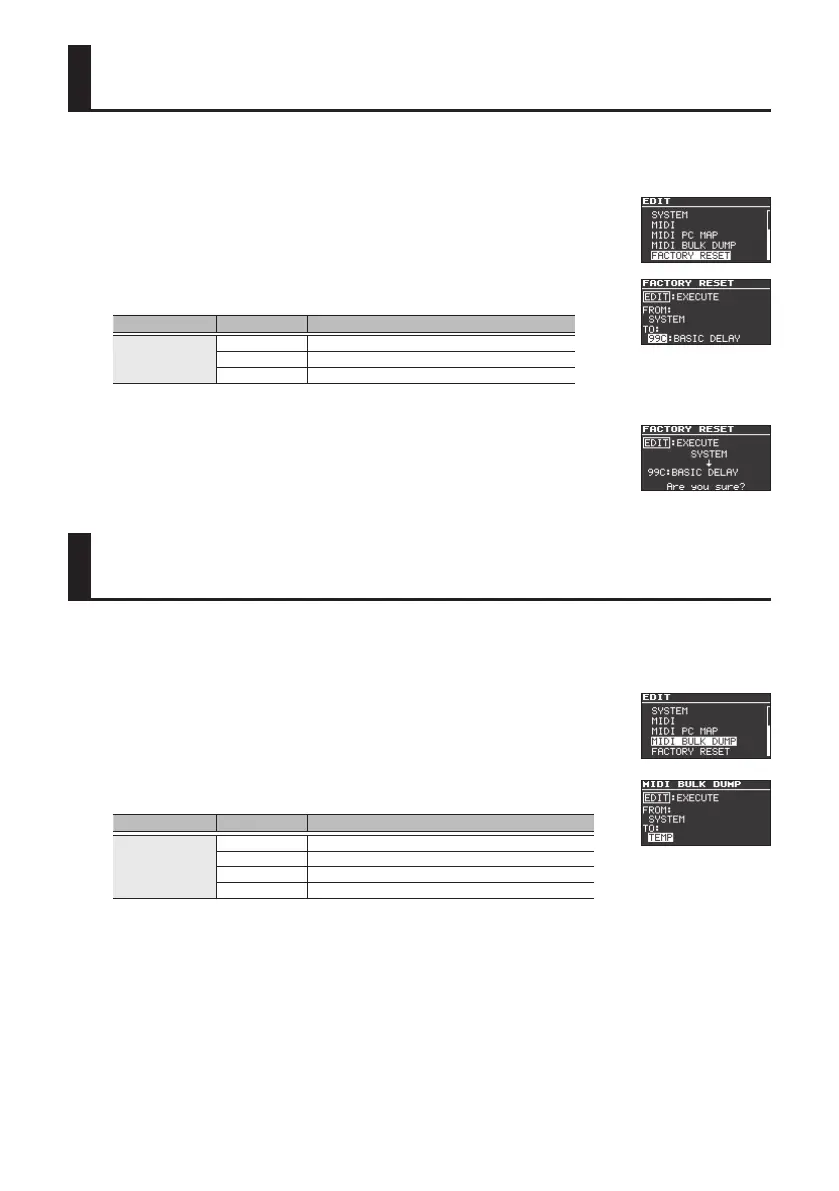
Restoring the Factory Default Settings
Here’s how to reset the settings to their factory state. If you like, you can also reset the system
settings or just a specic range of patches.
1. Press the [EDIT] button.
2. Use the [
H
] [
I
] buttons to select “FACTORY RESET,” and then press
the [EDIT] button.
3. Use “FROM” and “TO” to specify the range that you want to reset.
Parameter Value Explanation
FROM
TO
SYSTEM System parameter settings.
01A–99C Settings for Patches.
BANK01–99 Settings for Banks (Patch A–C, BANK parameters).
4. Press the [EDIT] button.
A conrmation message appears.
5. Press the [EDIT] button to reset the settings.
If you decide to cancel without resetting, press the [EXIT] button.
Transmitting Data to an External MIDI Device
You can use Exclusive messages to set another MD-500 to the same settings or to save eect sound
settings to MIDI sequencers and other such devices. This transmission of data is referred to as bulk
dump.
1. Press the [EDIT] button.
2. Use the [
H
] [
I
] buttons to select “MIDI BULK DUMP,” and then
press the [EDIT] button.
3. Use “FROM” and “TO” to specify the range that you want to reset.
Parameter Value Explanation
FROM
TO
SYSTEM System parameter settings.
01A–99C Settings for Patches.
BANK01–99 Settings for Banks (Patch A–C, BANK parameters).
TEMP Current eect settings in the panel display.
4. Press the [EDIT] button.
The bulk dump is executed.



 To Next Page