6
Basic Operation
Switching Banks/Patches
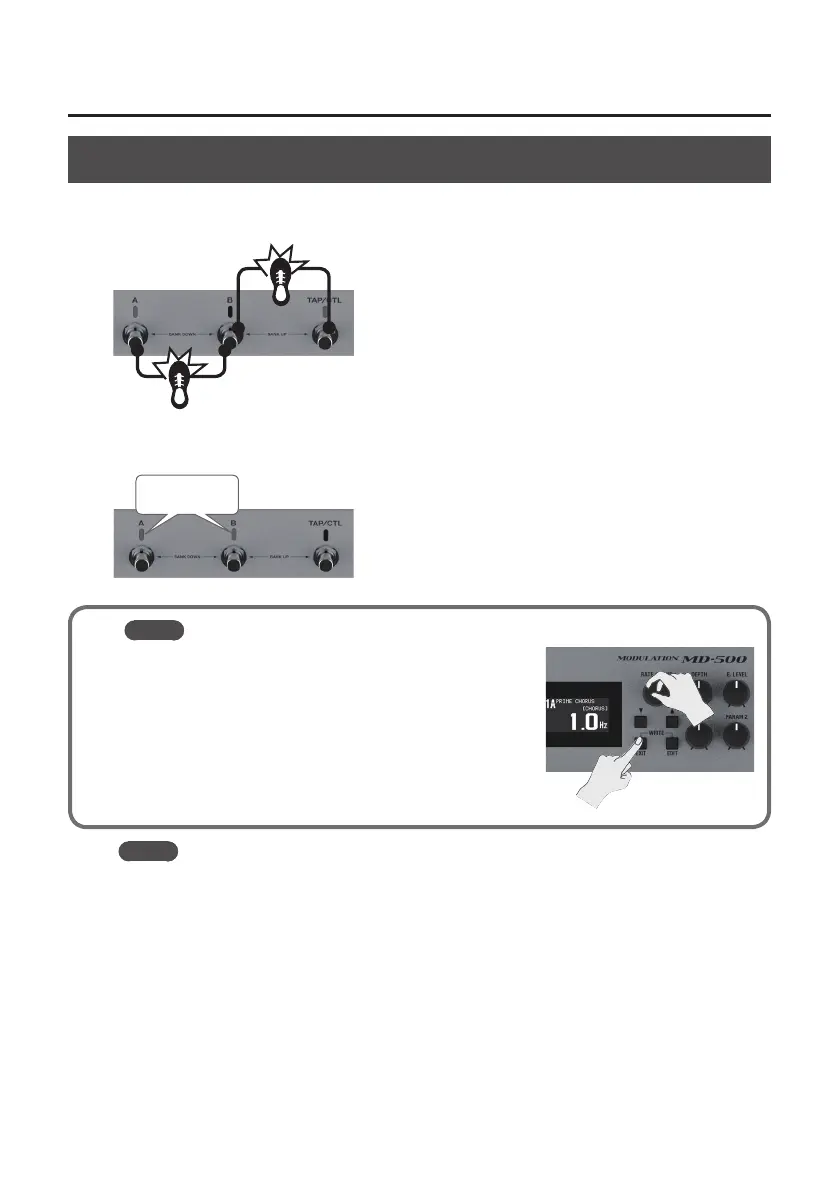
1. Switch banks (01–99).
Bank down (press the [A] and [B] switches simultaneously)
Bank up (press the [B] and [TAP/CTL] switches simultaneously)
2. Press a blinking switch ([A] or [B]) to switch patches.
Blinking blue
MEMO
You can recall a dierent patch by turning the [RATE/VALUE]
knob while you hold down the [EXIT] button.
MEMO
You can change the functions that are controlled by the [A], [B], and [TAP/CTL] switches; for
example, you can make the [A] switch turn eect on/o.



 To Next Page