Multi-DM™ User Manual Section 8 - Verifying the DM Installation
BMC Document Number: DOC-0009 Rev. 5.2 Page 28
8.3 Performing Angular Alignment
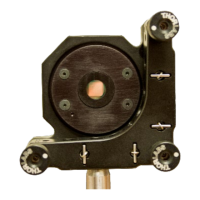
Angular alignment refers to the direction of an axis perpendicular to the DM surface.
Angular alignment requires the surface of the DM to be flat. This can be done
with the DM driven flat with the Flat Map file or by replacing the DM with the
Setup Mirror Assembly
To perform the angular alignment of the DM using the Flat Map File
1. Turn on the Multi Driver, start the DMShapes application,
and load the Profile for the Multi Driver and the DM.
2. Load the Flat Map for the DM.
3. Adjust the angle of the DM surface as necessary.
To perform the angular alignment of the DM using the Setup Mirror Assembly
1. Install the Setup Mirror Assembly in place of the DM.
2. Adjust the angle of the DM surface as necessary.
3. Replace the Setup Mirror Assembly with the DM.
8.4 Performing Positional Alignment
Positional alignment refers to the displacement and rotation of the X and Y coordinate
system of the actuators.
Positional alignment requires a discernable shape to be formed by the DM surface.
Typically this can be deflected actuators at the corners, or deflected actuators forming
a cross, or some other type of regular pattern of deflected actuators.
1. Turn on the Multi Driver, start the DMShapes application,
and load the Profile for the Multi Driver and the DM.
2. Load the desired shape file.
3. Adjust the displacement position or rotation of the DM as necessary.


 To Next Page