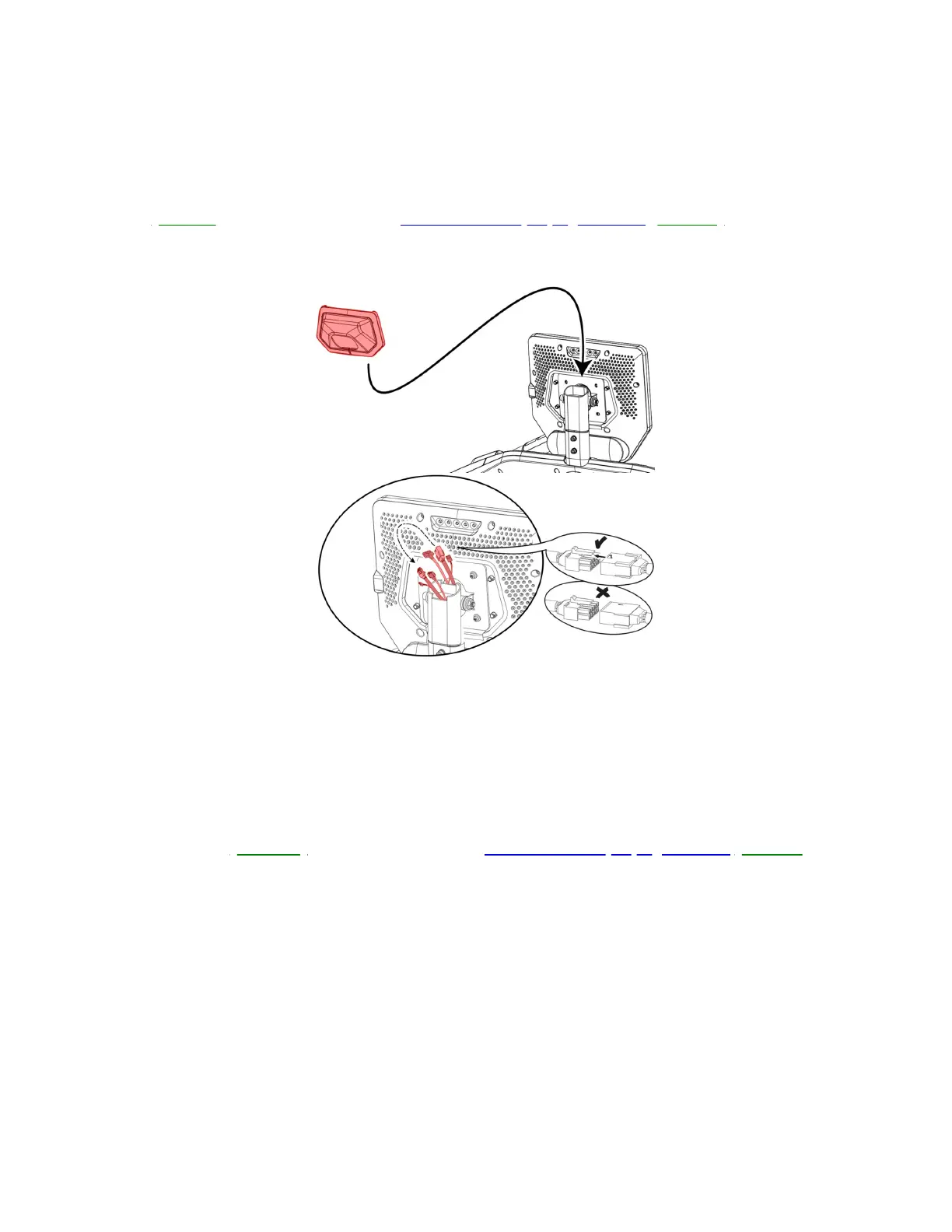
Treadmill 22 shown. Your treadmill may vary slightly.
Remove the right outer junction cover to access the 6-pin connector.
5. If the issue persists, inspect the white 6-pin connector at the back of the console. Remove the cover from the back of
the console. Gently pull the cables between the console and console mast up to expose the cable connections
(reference 4).Unplug the white 6-pin connector and check for damage to the connector or cable. Do not let any
cables fall into the mast during inspection. If undamaged, firmly reconnect the cable, ensuring the connector is
oriented properly; the tabs on top should line up and audibly click into place when firmly connected.Test if the issue
persists[11407.I].If the cable is damaged,order MCB to Top Upright Cables[11407.J].
(Reference 4)
Treadmill 22 shown. Your treadmill may vary slightly.
Remove the console rear cover to access the 6-pin connector.
6. If the issue persists, inspect the white 6-pin connector at the power switching supply. Remove the motor and Motor
Control Board (MCB) cover using a Phillips head screwdriver (reference 5). On the left side of the motor compartment
locate the power switching supply; this is a circuit board connected to the MCB (reference 6). Unplug the white 6-pin
connector and check for damage to the connector or cable. If undamaged, firmly reconnect the cable, ensuring the
connector is oriented properly; the tabs on top should line up and audibly click into place when firmly connected. Test
if the issue persists[11407.K].If the cable is damaged,order MCB to Top Upright Cables[11407.L].
(Reference 5)













 To Next Page