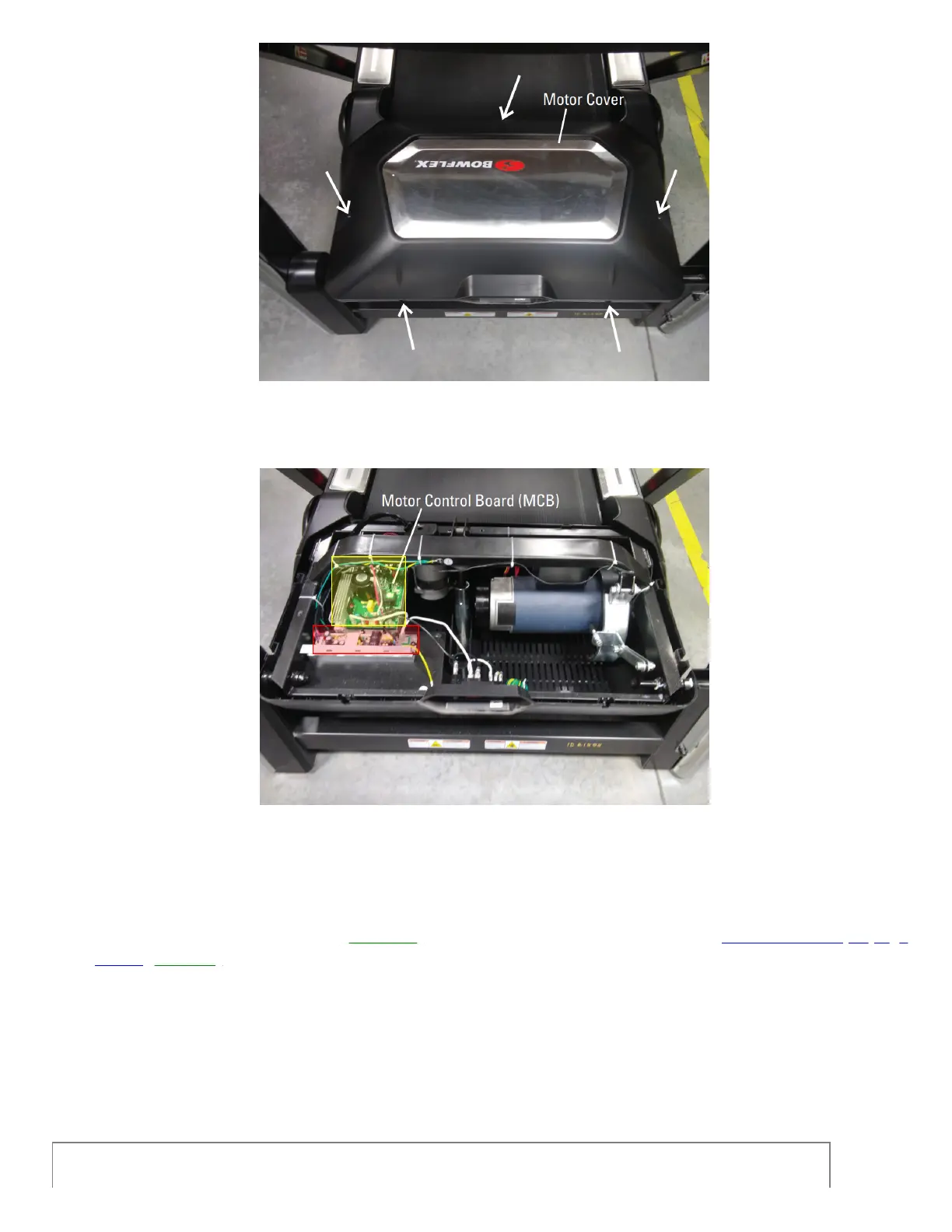
The white arrows indicate the locations of the screws to remove to take the motor and MCB cover off.
(Reference 6)
The MCB (yellow) and switching power supply (red) are shown on the left side of the image.
7. If the issue persists,check the connections of all cables at the top and bottom of the right upright.One at a time,
unplug each cable and check for damage to the connector or cable. If undamaged, firmly reconnect the cable,
ensuring the connector is oriented properly; the tabs on top should line up and audibly click into place when firmly
connected. Test if the issue persists[11407.M].If damage is present or the issue persists, order MCB to Top Uprigh
Cables[11407.E].
Need to order replacement parts?













 To Next Page