e. Attempt to adjust the speed and incline up and down using the controls on the upper (ergonomic) handlebar
on the side you reconnected.
f. If there is no button response, order an Upper Handlebar(Right or Left, depending on which handlebar is
affected)[15099.C].
g. If the button responds, unplug the power cord from your machine. Unplug the 4-pin connectorand return to
step 4a to check for button response on the opposite upper handlebar.
h. If both upper handlebars have proper button response, unplug the power cord from your machine. Unplug the
4-pin connector and proceed to the next step to check the lower handlebars.
3. Check the Lower (Arm ) Handlebar buttons:
a. Disconnect the power cord from your machine.
b. Plug the 3-pin connector back in on one side only.
c. Plug your treadmill back in and power it on.
d. Start a workout.
e. Attempt to adjust the speed and incline up and down using the controls on the lower (arm) handlebar on the
side you reconnected.
f. If there is no button response, order aLower Handlebar(Right or Left, depending on which handlebar is
affected)[15099.D].
g. If the button responds, unplug the power cord from your machine. Unplug the 4-pin connectorand return to
step 5a to check for button response on the opposite lower handlebar.
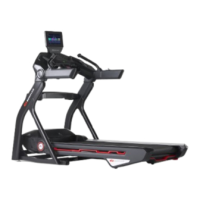
4. You can continue to use your machine while waiting for a replacement part to be shipped to you by disconnecting the
wire to the affected part.The rest of your treadmill will function normally but you will not be able to adjust settings
using the disconnected button.
Part Affected Wire to Disconnect
Upper (Ergo) Handlebar 4-pin connector on affected side
Lower (Arm) Handlebar 3-pin connector on affected side
Need to order replacement parts?
Please contact Customer Care at 1-800-605-3369 for additional help or to order replacement parts.
Some replacement parts may also be available for purchase online here.
A list of part numbers referenced within this guide can be located at the bottom of this page.
Customer Care - Hours of Operation:
Monday - Friday 6:00am - 5:00pm PST
The replacement part will be provided to you at no cost assuming your machine meets the warranty eligibility
requirements. A Customer Care Agent will be able to assess your current warranty eligibility and provide you with your
options.
Please note that if you did not purchase your machine directly from BowFlex, Schwinn, or Nautilus, we will need a copy
of your purchase receipt in order to register your machine for warranty.













 To Next Page