55
Flight control system user manual Agriculture
©2024 Boying General Aviation All Rights Reserved
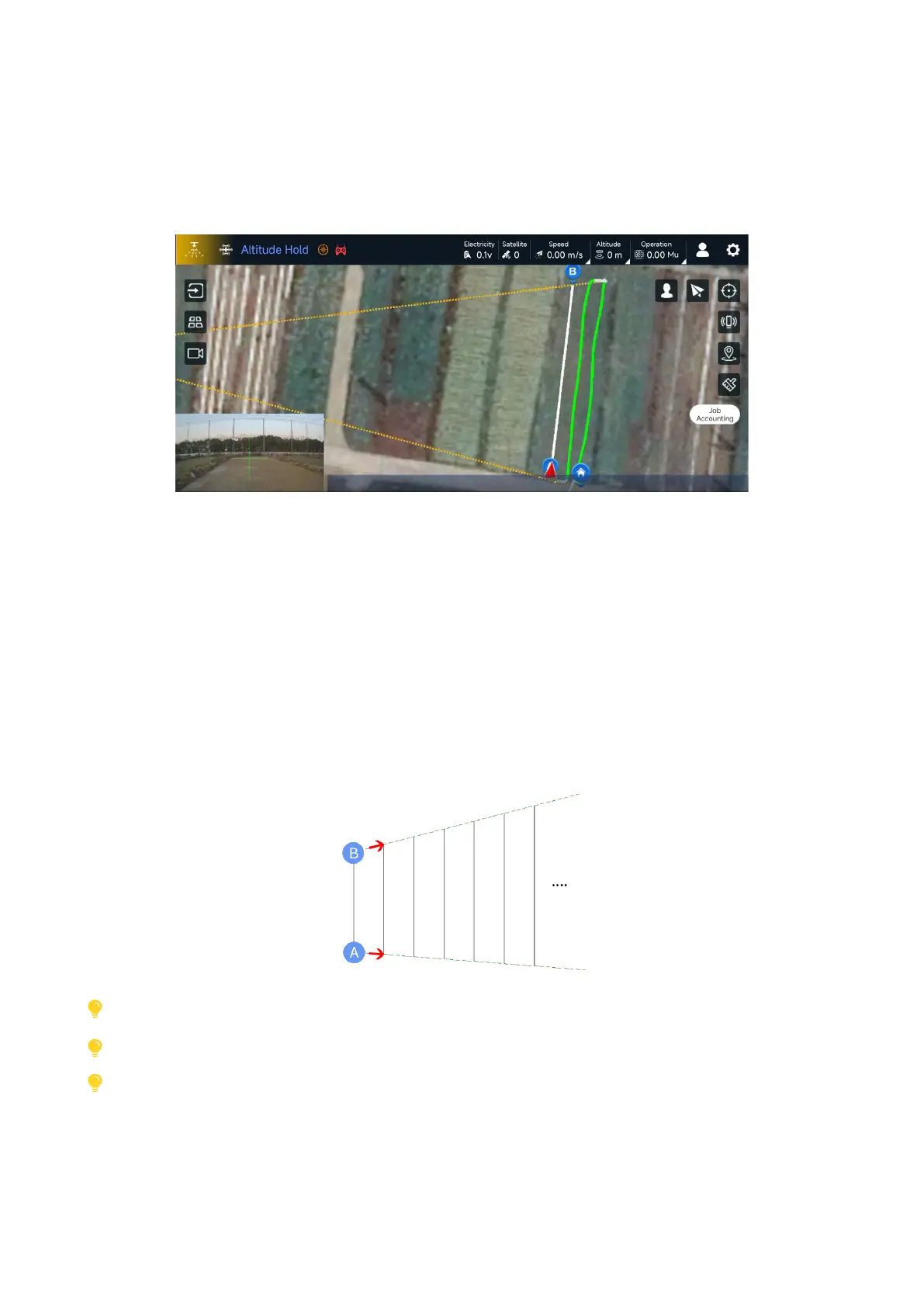
AB point trapezoidal mode (hereinafter referred to as AB-T) is to add heading input at the positions
of A and B in the original AB point mode, thereby confirming the approximate scope of the AB point
operation, focusing on non-level plot boundaries. The situation has enhanced the applicable scope of the
AB point operation. The specic operation diagram is as follows:
Operating procedures:
1. Turn on the AB-T switch;
2. After takeoff, the aircraft flies to point A, manually turns to the direction of the line change,
cooperates with FPV, adjusts the position and heading of the aircraft, aligns the nose of the aircraft
in the direction of the plot boundary, and then adds point A through the regular operation of adding
point AB;
3. Fly the aircraft to point B, follow the same operation method, and add point B. Note that the heading
of point B diers from point A by up to 180° ;
4. At this time, extension lines are generated at two points AB as the starting point, and the direction of
the extension line determines the working direction of point AB;
5. Switch to autonomous mode, and the aircraft will automatically change lines in the direction of the
AB extension line.
AB-T (ladder) mode
The use of AB-T mode requires the V3.4.3 version of the ground station, enable AB-T in the AB point settings, and the rmware
version requires V3.4 or above
If the two extended lines AB-T do not intersect, the operation needs to be interrupted manually; if they intersect, the operation
will automatically end when the AB point is shortened to 10 meters.
AB-T mode does not currently support ne-tuning



 To Next Page