Step
8. Apply slight pressure to the Skull Reference Base to insert the pins ② into the patient's
skull.
9. Turn the tube cap nut clockwise to press the pins into the bone, securing the Skull Refer-
ence Base.
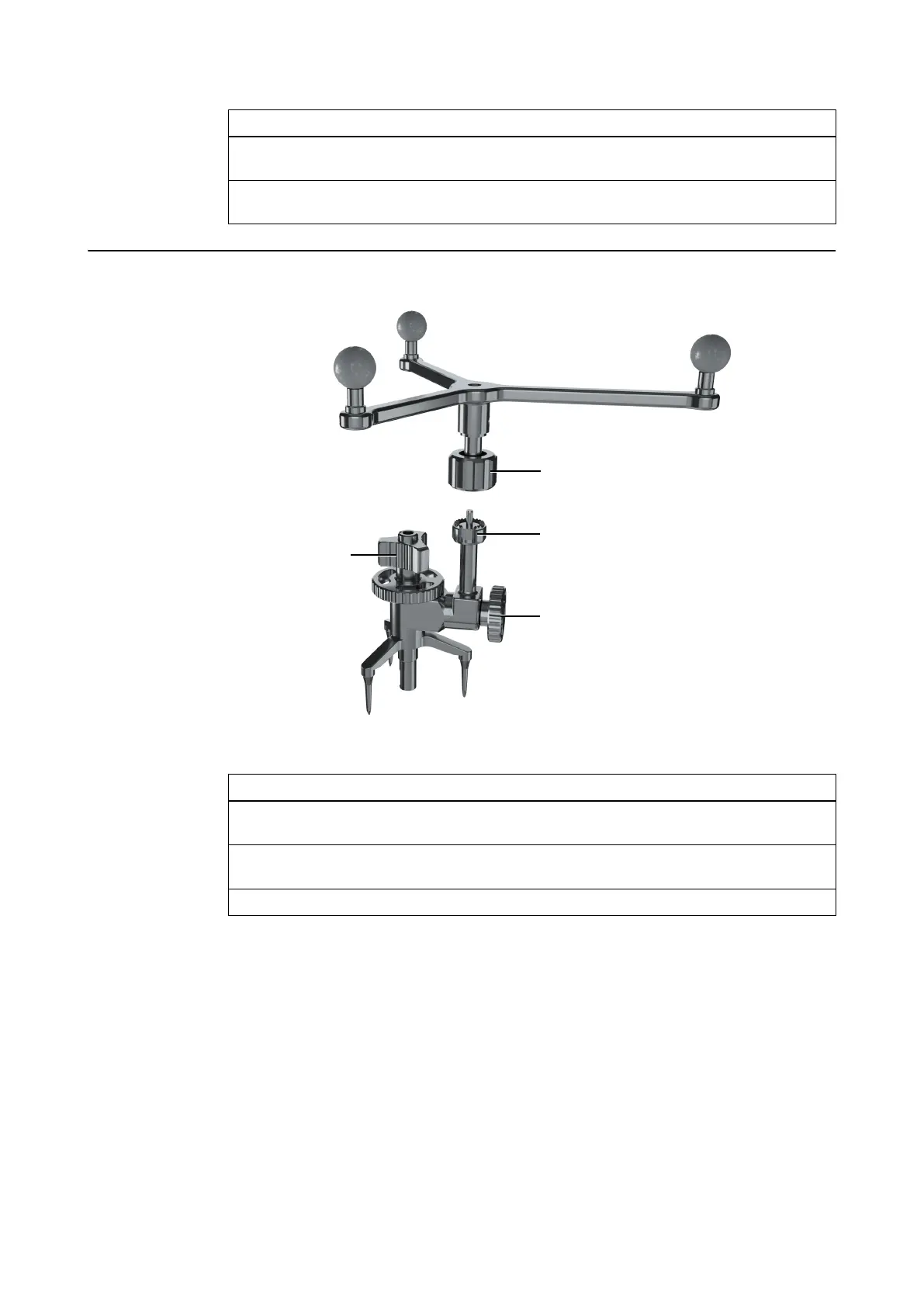
How to Attach the Unsterile Array
Figure 31
Step
1. Bring the unsterile Skull Reference Array down over the pin of the connector interface ③
and tighten the array cap nut ②.
2. Loosen the tube cap nut ① and the adjustment nut ④ to set the position of the array so
that it is visible to the camera.
3. Securely tighten both ① and ④ before starting registration.
NOTE: Do not unscrew any of the reference screws after patient registration. Only the array cap
nut may be unscrewed, to exchange the reference array.
REFERENCES
Instrument User Guide Rev. 2.6 Cranial/ENT Optical Tracking 71



 To Next Page