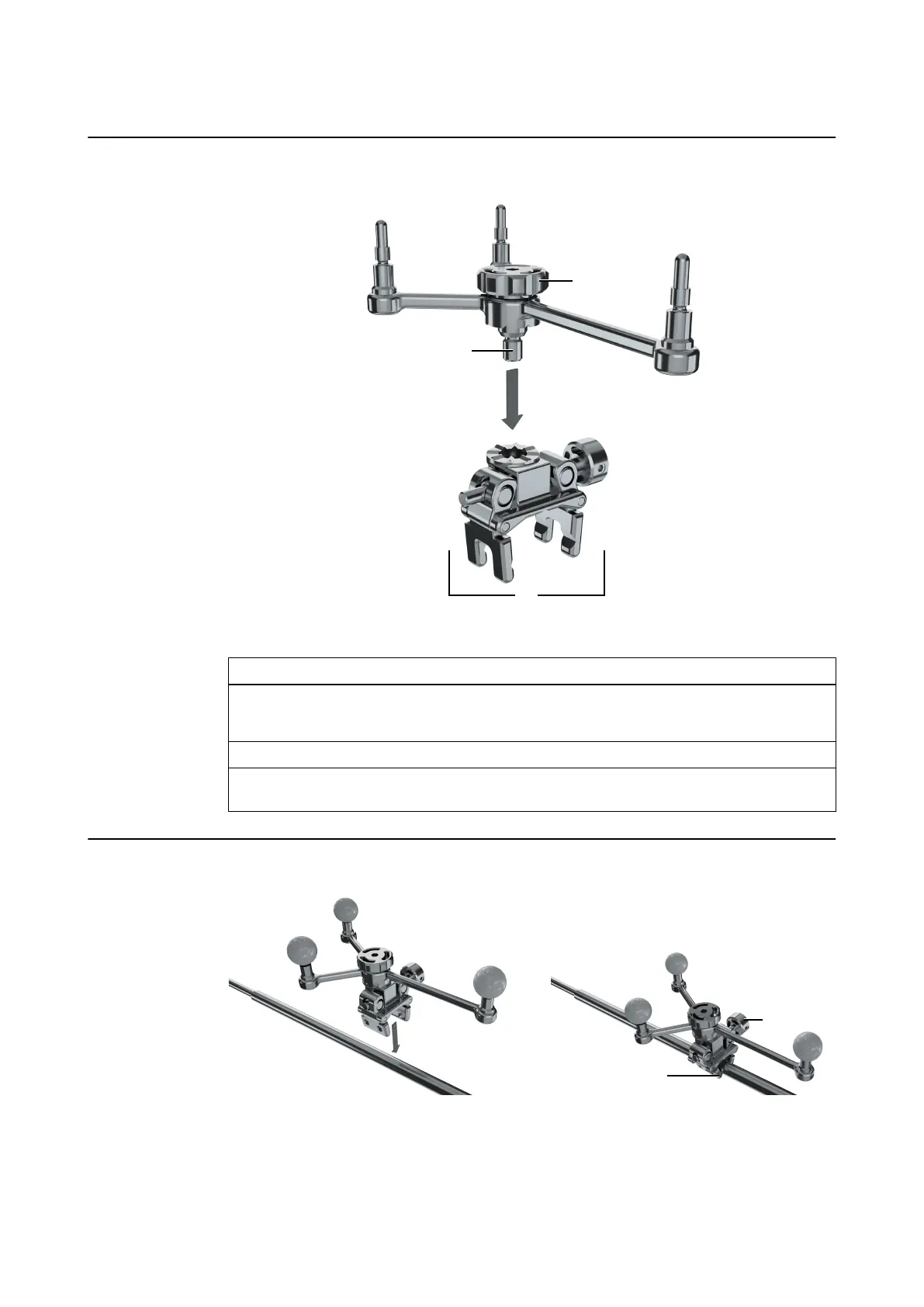
How to Attach the Array to the Instrument Adapter Clamp
Figure 36
Step
1. Select the required Instrument Adapter Clamp and Instrument Adapter Array.
NOTE: The larger the instrument, the larger the array you should use.
2. Insert the array stem ② into the clamp ① and align the teeth on both components.
3. Tighten the screw knob ③ by hand or by using the Tool for Instrument Adapter, ensur-
ing that the array is securely attached to the clamp.
How to Attach the Clamp to the Instrument
Figure 37
INSTRUMENT ADAPTERS
Instrument User Guide Rev. 2.6 Cranial/ENT Optical Tracking 77



 To Next Page