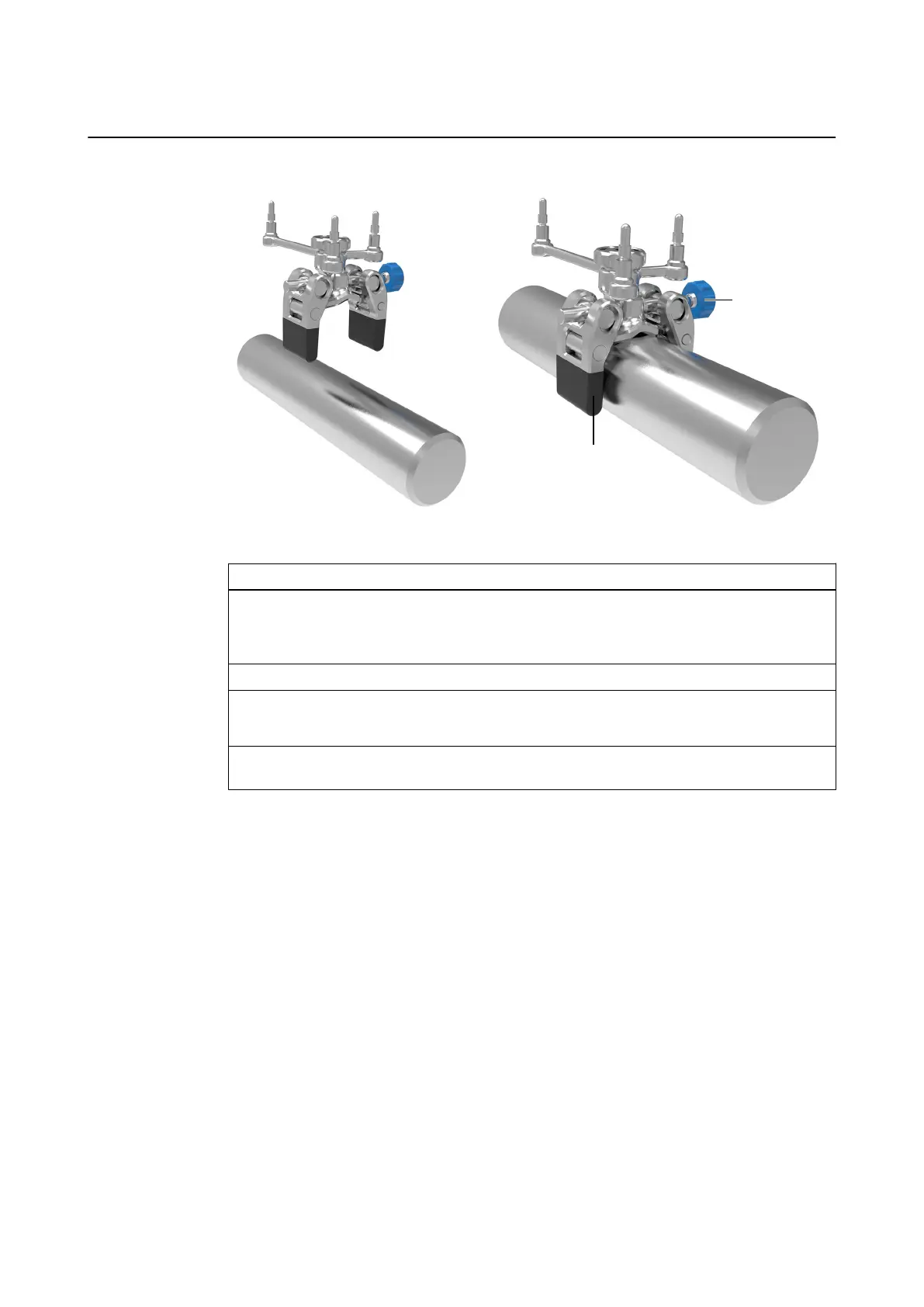
How to Attach the Clamp to the Instrument
Figure 44
Step
1. Fit the clamp ① over the instrument.
NOTE: For the highest tracking accuracy, attach the clamp as close to the instrument tip
as possible without touching the patient.
2. Attach the array so that the longest arm of the array is in line with the instrument axis.
3. Tighten the fixing knob ② by hand to secure the instrument adapter clamp.
NOTE: Use the screwdriver if needed.
4. Verify that the adapter is securely attached to the instrument, does not contact the patient
and does not hinder the physician.
INSTRUMENT ADAPTERS
Instrument User Guide Rev. 2.6 Cranial/ENT Optical Tracking 85



 To Next Page