90 Software User Guide Rev. 1.0 Kolibri cranial/ENT Ver. 2.7
z-touch Registration
How to Acquire
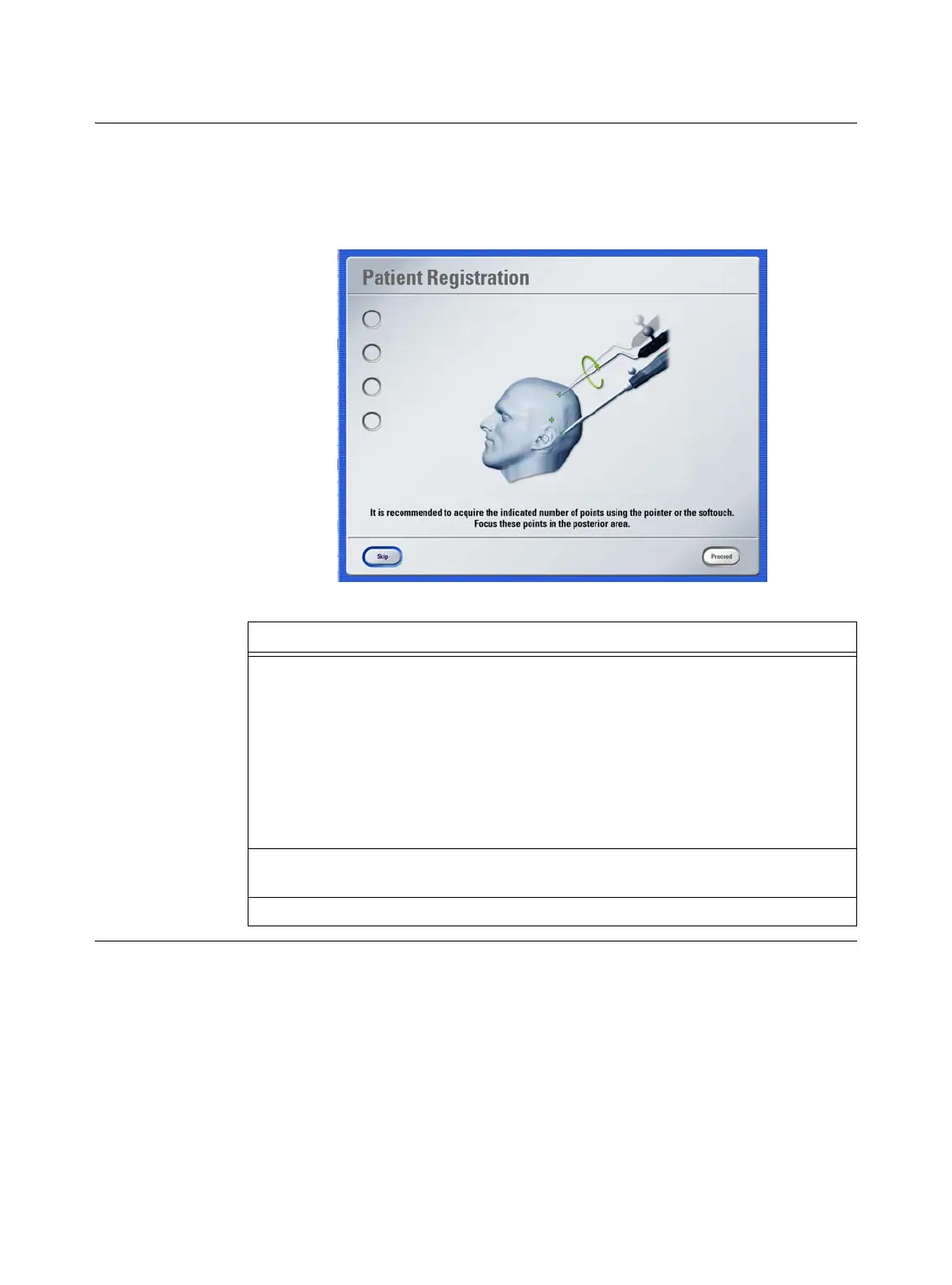
Additional Points
If you have not already acquired additional points with the pointer or
Softouch
, the soft-
ware prompts you to do so once sufficient points have been acquired with
z-touch
.
This step is important for successful
z-touch
registration, as it will help improve overall ac-
curacy. Although you can choose to skip this step, we recommend performing it.
Figure 26
Steps
1. The number of points that should be acquired is indicated by spheres on the left
side of the dialog. Make sure to acquire the points at the back of the skull.
• If you are using the pointer, hold pointer tip to a point on patient’s skull and
slowly pivot pointer while keeping the tip in place.
• If you are using
Softouch
, hold
Softouch
tip to a point and keep instrument
still during acquisition.
NOTE: Further information on additional point acquisition is provided on
page 99.
2. Press
Proceed
(enabled when sufficient points are acquired) to start the surface
matching calculation. The calculation may take a few moments.
3. Verify registration accuracy in the dialog that opens (see page 91).



 To Next Page