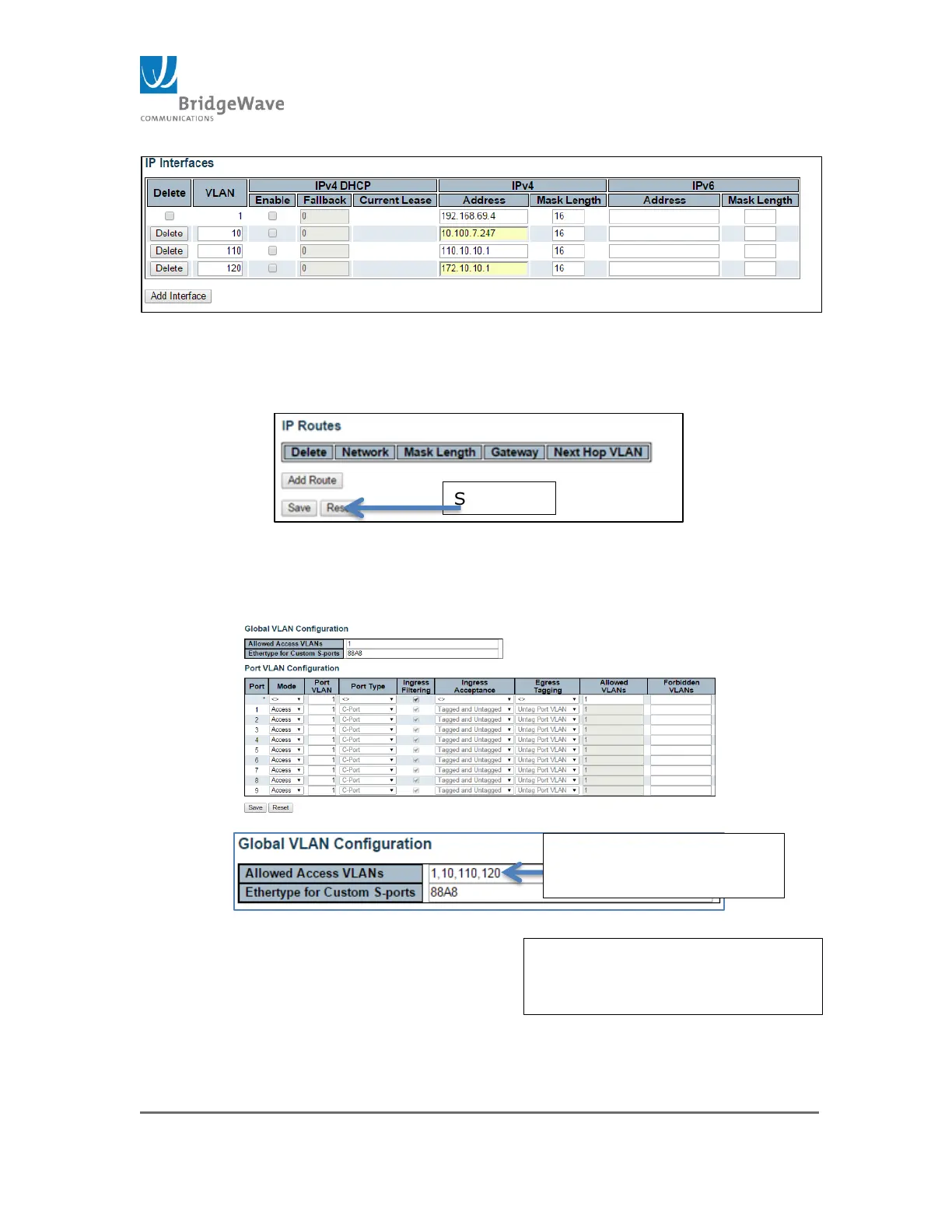
Figure 246: IP, Multiple Management Interfaces
In following example VLAN 10, 110 & 120 were added with their unique IP
addresses.
Figure 257: Save IP Configuration
2. Configured the port for VLAN access and allow the access to
each VLAN. Access this page: Switch>Configuration>VLANs
(This page displays the default settings)
Figure 268: VLAN Configuration
Entered new VLAN IDs to
allow them access
Ports 4, 5 and 6 are configured
to allow access to these new
VLAN IDs



 To Next Page