Updating FPGA/Modem Firmware using the GUI interface
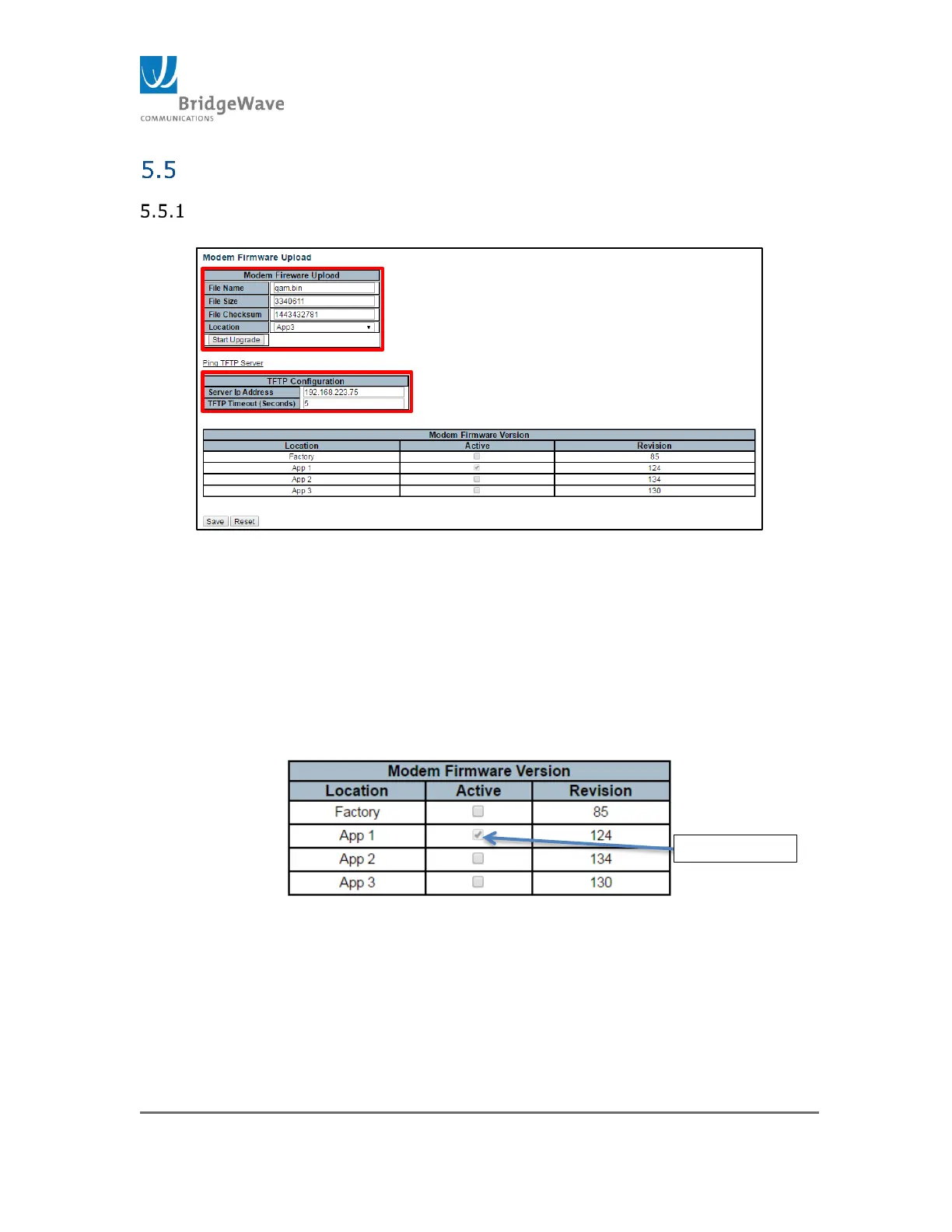
Updating the FPGA/Modem Firmware, click on Radio Functions>Modem
Firmware Upload to access the Modem Firmware Upload page:
Figure 69: Modem Firmware Upload
1. Enter the File Name; Example: qam.bin
2. Enter “File Size” and “File Checksum”. These values are
found in the “qam-checksum.txt” file that is included with
the new software code package.
3. Select the “Location”. This will be one of the other two
locations that is not currently Active or selected.
Figure 70: Modem Firmware Version Location
4. Enter the TFTP server IP address.
On this example the TFTP server is running under IP
address 192.168.223.75



 To Next Page