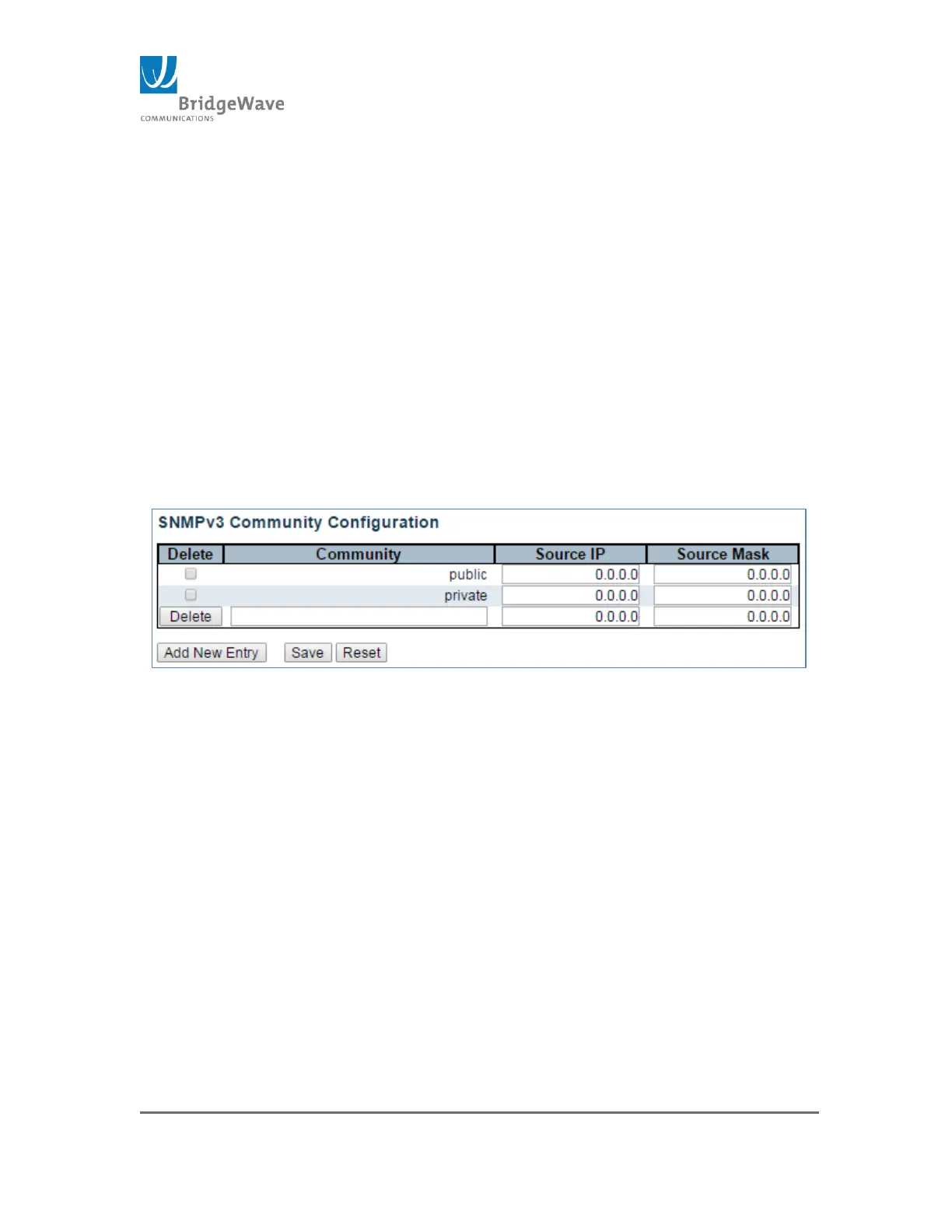
This page allows for the configuration of the SNMP v3 Community IP source
address for added security.
Delete: check to delete the entry. It will be deleted during the next
save.
Community: Indicates the community access string to permit access
to SNMPv3 agent. The allowed string length is 1 to 32, and the allowed
content is ASCII characters from 33 to 126. The community string will
be treated as security name and map a SNMPv1 or SNMPv2c
community string.
Source IP: Indicates the SNMP access source address. A particular
range of source addresses can be used to restrict source subnet when
combined with source mask.
Source Mask: Indicates the SNMP access source address mask.
Add New Entry Button: Adds a new community entry. When click, a
new entry is display. See image below:
Figure 43: SNMPv2 Community Configuration, New Entry
Save Button: This button must be click to save the new settings
before moving to another page.
Reset Button: If configuration has been applied but has not been
saved, clicking this button will reset the page back to previous settings.
Aggregation Static, Configuration Submenu
Selecting from the navigation pane
Switch>Configuration>Aggregation>Static will open the following screen:



 To Next Page