Selecting from the navigation pane Switch>Configuration>
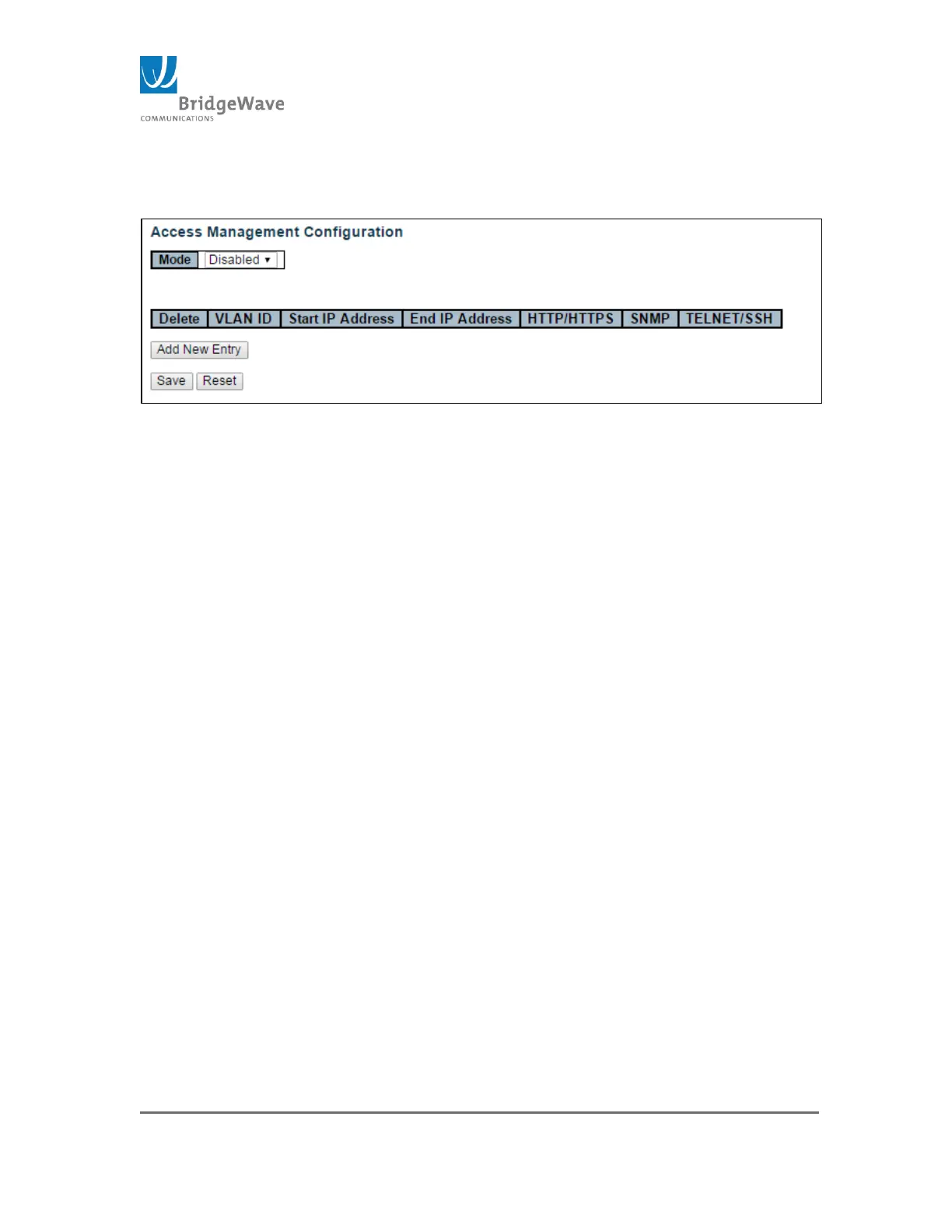
Security>Switch>Access Management will open the following screen:
Figure 37: Access Management Configuration Page
The configuration management table has a maximum of 16 entries. If the
application’s type matches any one of the access management entries, it will
allow access to the radio.
The configuration page allows the following setting:
Mode: Enable / Disable (Default setting)
Delete: Check this box to delete and existing Access Management
Configuration. It will be deleted during the next save
VLAN ID: Indicates the VLAN ID for the access management entry
Start IP address: Indicates the start IP address for the access
management entry
End IP address: Indicates the end IP address for the access
management entry
HTTP/HTTPS : Indicates that the host can access the unit from
HTTP/HTTPS interface if the host IP address matches the IP address
range provided in the entry
SNMP: Indicates that the host can access the switch from SNMP
interface if the host IP address matches the IP address range provided
in the entry
TELNET/SSH: Indicates that the host can access the switch from
TELNET/SSH interface if the host IP address matches the IP address
range provided in the entry
Add New Entry: Click to add a new access management entry.
Clicking this button open a new entry. The following figure illustrates
the “Add New Entry” button action:



 To Next Page