5-4
Basket Down Swtich:
1. See Motor Replacement, steps 1-3.
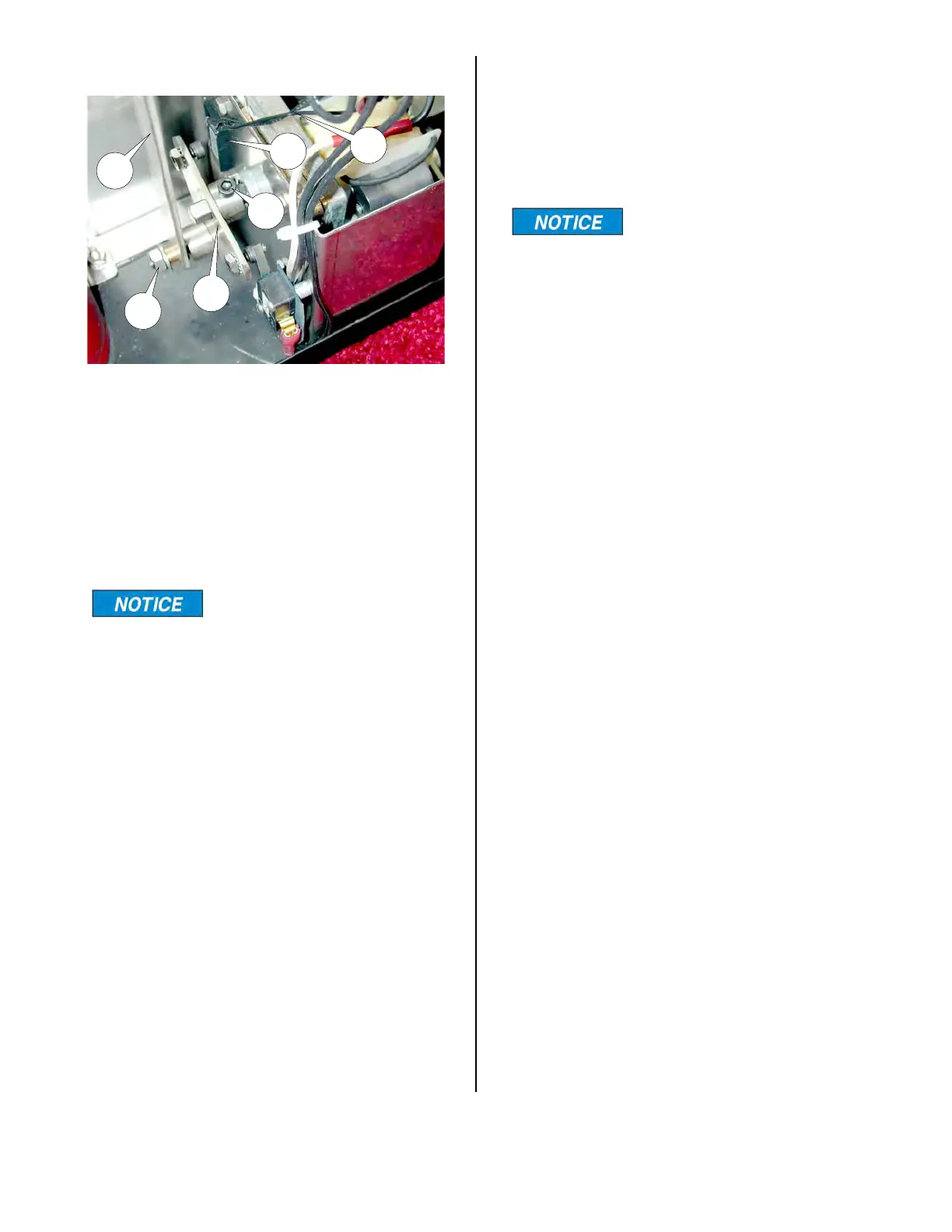
2. Disconnect Basket Lift connector arm
(9) by removing hex nut and washer
(10).
3. Loosen Basket Lift Cam (11) by loos-
ening set screw (12).
On reassembly make
sure the set screw is on a
flat of the motor shaft. Use Loctite “Blue”
to secure set screw threads.
4. Disconnect both switch wire leads
(20).
5. With Lift Cam (11) in the position
shown above, check across wire leads
(20). meter should indicate an open
circuit. If not, switch is faulty.
6. With Lift Cam (11) turned so set screw
(12) is pointing toward the floor (be
sure magnet is near switch (19), check
across wire leads (20). Meter should
indicate a closed circuit. If not, switch
is faulty.
Basket Down Switch Replacement:
1. See Motor Replacement, step 1-3.
19
20
9
10
11
12
2. Disconnect Basket Lift connector are
(9) from Lift Cam (11) by removing hex
nut and washer (10).
3. Loosen Basket Lift Cam (11) by loos-
ening set screw (12).
On reassembly make
sure that set screw is on
a flat of the motor shaft. Use Loctite
“Blue” to secure set screw threads.
4. Disconnect both switch wire leads
(20).
5. Remove mounting screws from switch
(19).
6. Reassemble in reverse order.
7. Check to be sure cam properly actu-
ates the switch after assembly.
broaster.com Manual #16501 7/06 rev 2/15



 To Next Page