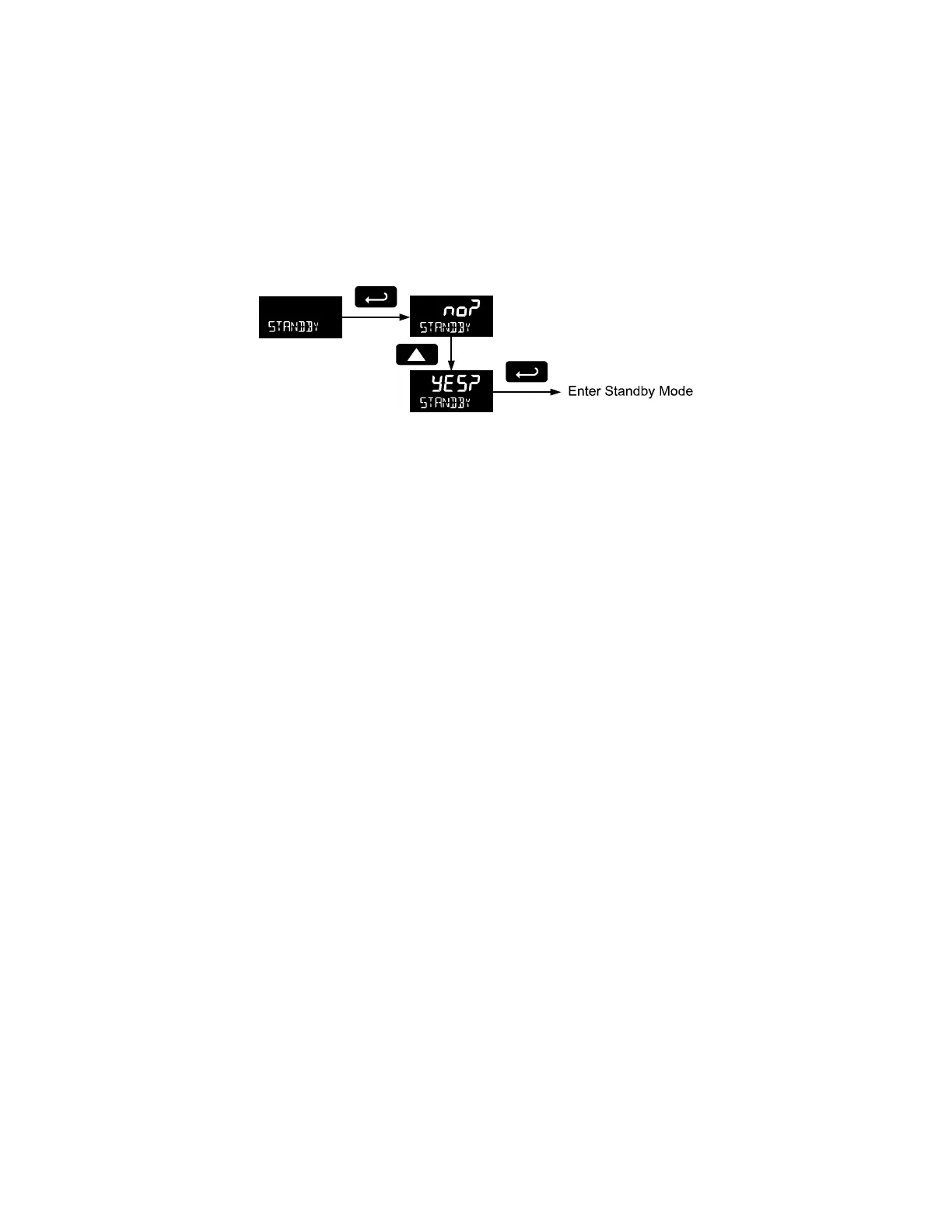
Standby Mode (STANDBY)
Standby mode is available on battery powered and battery backup models only.
The Standby menu is used to enter a power-saving standby mode that will turn off the display and
activate a low power mode for the through-glass buttons. Signal processing operations will continue to
run. This mode may be used to reduce power consumption and increase battery life when the meter is
not in use.
It may take up to 3 seconds for the meter to enter standby mode after confirming the flashing display with
the Enter button.
Wakeup the Meter (WAKEUP?)
To bring the meter out of standby mode, press any button and Wakeup (WAKEUP?) will flash. If using
Through-Glass buttons, it may be required to hold the button for several seconds.
Confirm that the meter should awaken to run mode by pressing the Enter key while WAKEUP? is
flashing. The meter will return to the normal run mode.



 To Next Page