EasyManua.ls Logo

Brother MFC-9180 - User Manual

Brother MFC-9180
163 pages
Print Icon
To Next Page IconTo Next Page
Loading...
MFC-9180
OWNER’S MANUAL

Table of Contents

Other manuals for Brother MFC-9180

Questions and Answers

  • F
    fhensleySep 14, 2025
    Why is there no dial tone on the external telephone’s handset connected to my Brother MFC-9180 All in One Printer?
    • F
      Faith CardenasSep 14, 2025
      Check telephone line cord connections at the Brother All in One Printer and wall socket. Check that the external telephone is connected to the machine correctly. Test the wall socket with another single line telephone. If no dial tone on the wall outlet, call your Telephone Company.
  • T
    Todd LivingstonAug 25, 2025
    How to fix 'CHANGE DRUM SOON' on Brother MFC-9180?
    • R
      Robin PayneAug 25, 2025
      The 'CHANGE DRUM SOON' message on your Brother All in One Printer means the drum unit is near the end of its life. If you are experiencing print quality issues, replace the drum unit with a new one.
  • B
    Bobby JonesAug 25, 2025
    What to do if my Brother MFC-9180 All in One Printer says 'TONER EMPTY'?
    • S
      sydneycameronAug 26, 2025
      If your Brother All in One Printer displays 'TONER EMPTY', it means that the toner is used up and printing is no longer possible, or the toner cartridge is not installed into the drum unit. Replace the toner cartridge with a new one, or install the toner cartridge into the drum unit. (See Replacing the Toner Cartridge, page 131.)
  • J
    jaredlopezAug 26, 2025
    How to resolve 'OUT OF MEMORY' error on Brother All in One Printer when printing?
    • M
      Michelle HarperAug 26, 2025
      If your Brother All in One Printer displays an 'OUT OF MEMORY' error when used as a printer, the machine memory capacity has been exceeded. If you have installed the Windows® driver, try again after setting the True Type mode to 'Print as Graphics' in the PRINT menu of your application software. Reduce the print resolution or reduce the complexity of your document.
  • M
    Michael FergusonSep 15, 2025
    Why does my Brother MFC-9180 All in One Printer's transmission verification print 'Results:NG'?
    • B
      barberjosephSep 15, 2025
      The 'Results:NG' message on your Brother All in One Printer's transmission verification likely indicates temporary noise or static on the phone line. Try sending the fax again. If the problem continues, call the Telephone Company to check your phone line.
  • A
    audrey38Sep 23, 2025
    Why do ghost images appear on printed pages from my Brother MFC-9180?
    • J
      Joseph NortonSep 23, 2025
      Adjust the print conditions by changing the Print Density setting. —OR—Rough surfaces or thick media can cause a ghost image.
  • W
    walkerjenniferSep 7, 2025
    What does 'CONNECTION FAIL' mean on my Brother MFC-9180?
    • M
      mkruegerSep 7, 2025
      The 'CONNECTION FAIL' message on your Brother All in One Printer means that you tried to poll a fax machine that is not in Polled Waiting mode. Verify the other party’s polling setup.
  • B
    Brenda CharlesSep 8, 2025
    What does 'NOT ASSIGNED' mean on my Brother All in One Printer?
    • J
      Jesus GrahamSep 8, 2025
      The 'NOT ASSIGNED' message on your Brother All in One Printer means that you tried to access a Speed Dial number that is not programmed. Set up the Speed Dial number. (See Storing Speed Dial Numbers, page 21.)
  • G
    gcampbellSep 2, 2025
    Why does my Brother MFC-9180 All in One Printer say 'COOLING DOWN WAIT FOR A WHILE'?
    • Y
      Yolanda WilsonSep 2, 2025
      The message 'COOLING DOWN WAIT FOR A WHILE' on your Brother All in One Printer indicates that the temperature of the drum unit or toner cartridge is too high. You must wait and allow the machine to resume printing when it is ready.
  • D
    Daniel SmithAug 31, 2025
    What does 'CHECK DRUM UNIT' mean on my Brother MFC-9180 All in One Printer and how to fix it?
    • H
      Heather GomezAug 31, 2025
      The 'CHECK DRUM UNIT' message on your Brother All in One Printer indicates that the drum unit is not installed. Reinstall the drum unit to resolve this issue.

Brother MFC-9180 Specifications

General Copier Specifications IconGeneral Copier Specifications
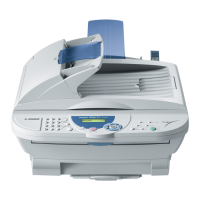
engine laser speed10 copies per minute
modem speed14, 400 bps
resolution600 x 300 dpi
Scanner Specifications IconScanner Specifications
optical resolution600 x 2, 400 dpi
interpolated resolution9, 600 x 9, 600 dpi
CPU speed100MHz
Memory and Capacity IconMemory and Capacity
total memory capacity8 MB
memory back-up4 days
ADF capacity30 sheets
Printer Specifications IconPrinter Specifications
print speed10 pages per minute
resolution600 x 600 dpi
paper capacity200 sheets
Fax Weights and Measures IconFax Weights and Measures
dimensions459mm width x 458mm depth x 354mm height
weight11 Kg
power consumption (sleep)15 w or less

Related product manuals