Extended functions
7
Logamatic 2107 controls - We reserve the right to make any changes due to technical modifications. 39
7.7 Setting the day and time
This chapter describes how to set the clock.
AUTOMATIC
11.15am
71
z Open flap
+
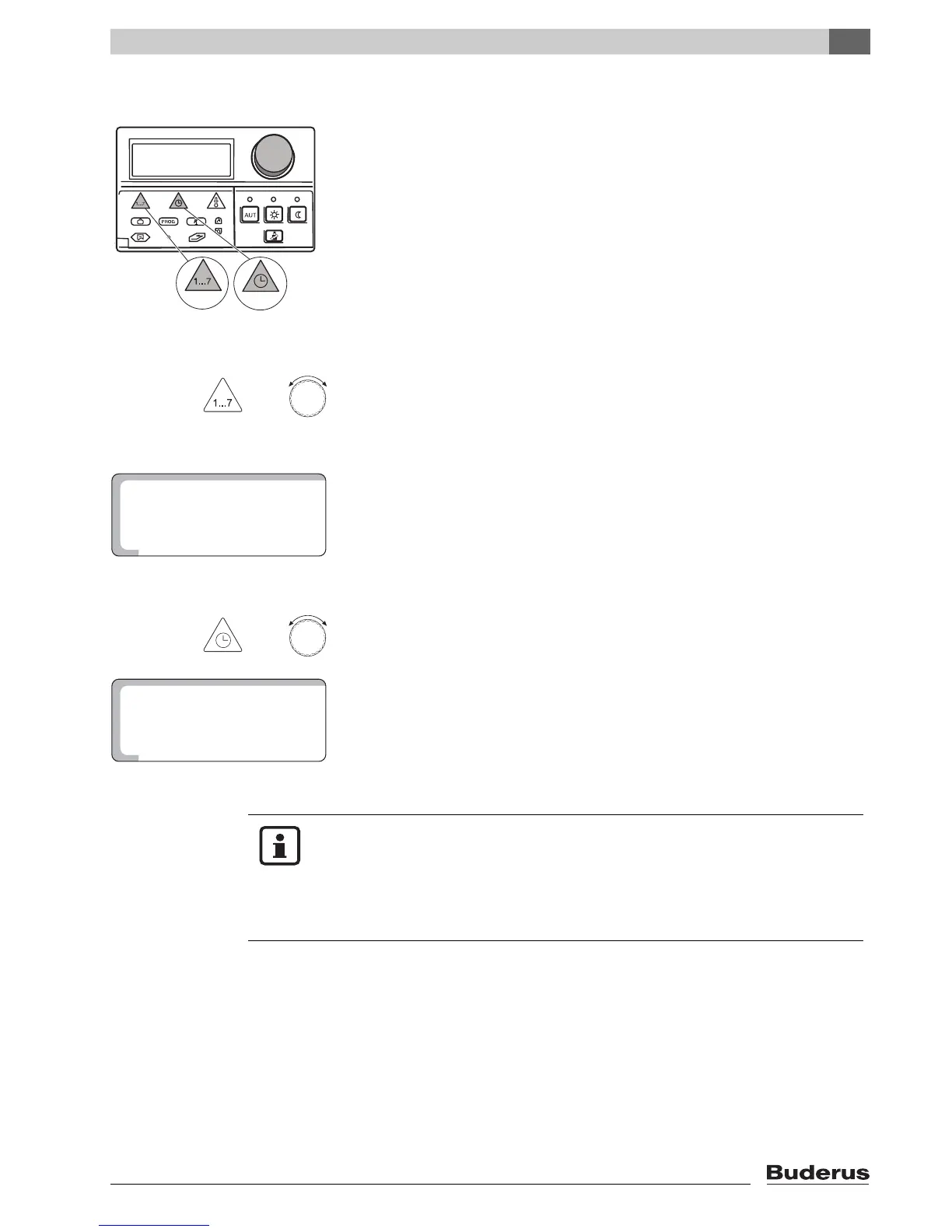
Hold down the "Day" key and turn the dial until the desired day of the week
appears (in this case "1" for "MONDAY").
Release the "Weekday" key.
Monday is thus stored and is indicated by the "1".
Monday = 1
Tuesday = 2
...
Sunday = 7
You can now enter the time.
+
Hold down the "Time" key and turn the dial until the desired time appears (in this
case "4.30pm").
Release the "Time" key to store your input.
USER NOTE
After a longer power failure, the "Day" and "Time" entries may flash.
If the flashing display agrees with the current day and time, press the "Time"
key once.
If this is not the case, please enter the time manually as described above.


 To Next Page