Using your LinkStation
LinkStation User Manual 66
4
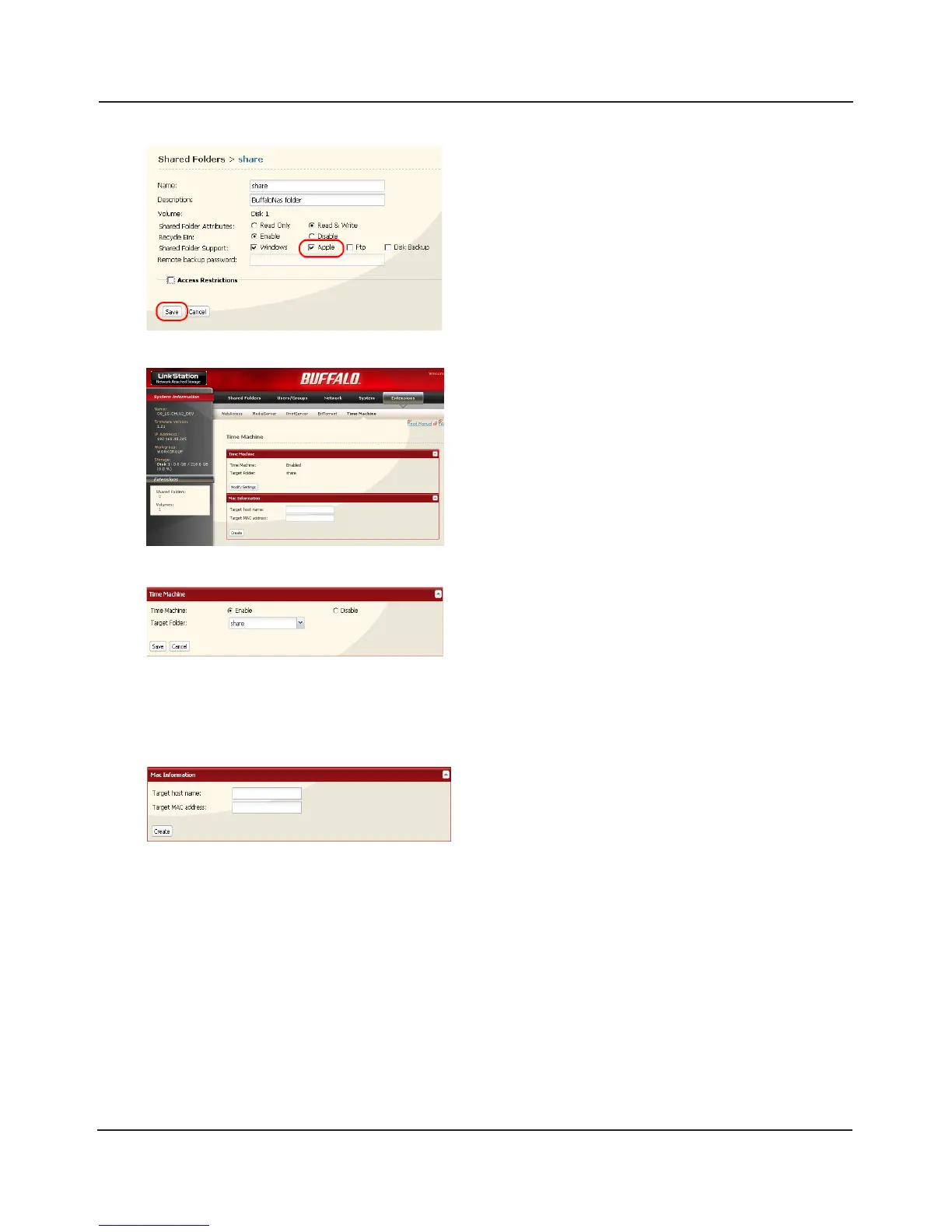
1 Select [Apple].
2 Click [Save].
5
6
7
1 Enter the [Target host name].
2 Enter the [Target MAC address].
3 Click [Create].
1 Click [Extensions] - [Time Machine].
2 Click [Modify Settings].
1 Select [Enable].
2 Select the shared folder that you chose in step 3.
3 Click [Save].















 To Next Page