Using your LinkStation
LinkStation User Manual 67
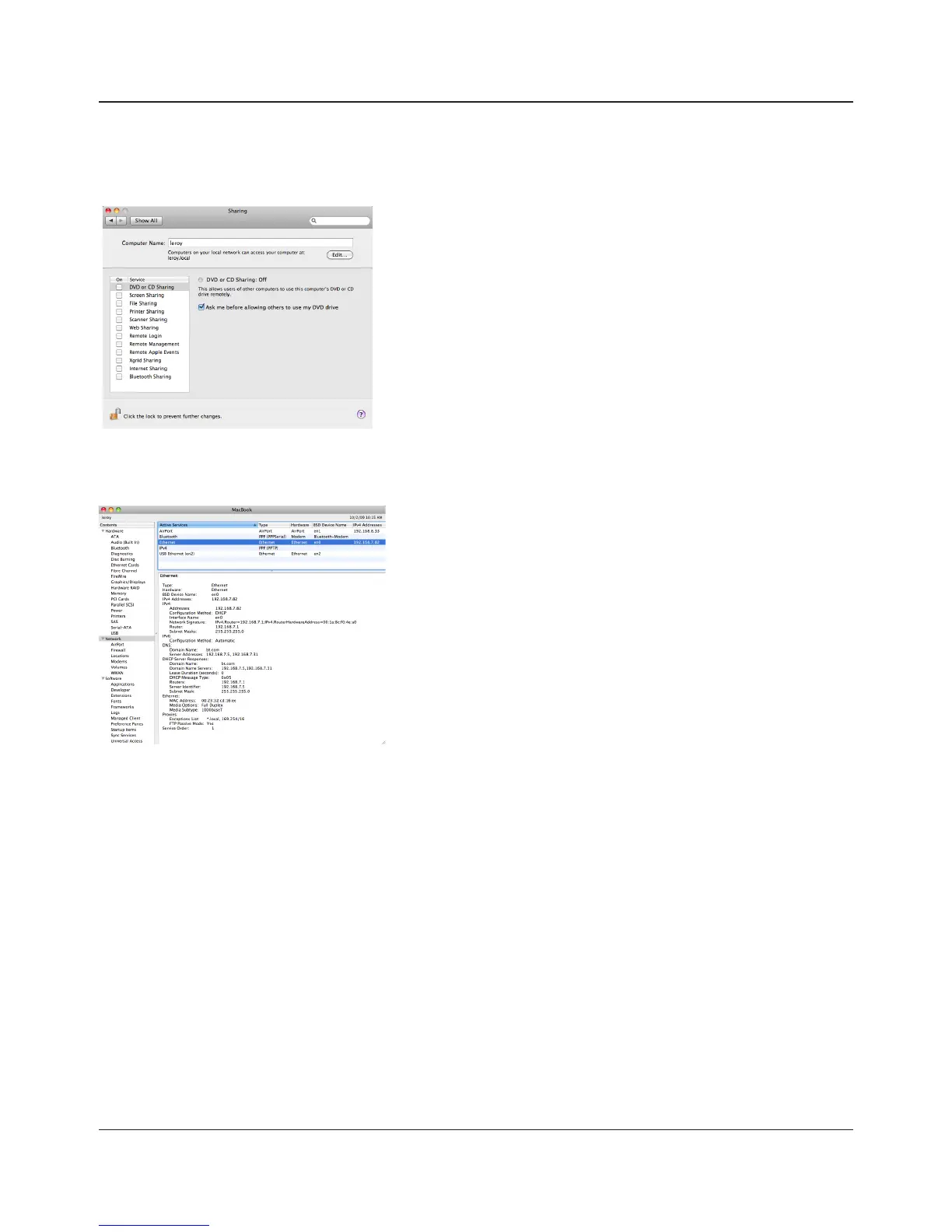
•You can nd the Mac’s host name under [Computer Name] in [System Preferences] -
[Sharing].
e.g.) If it is displayed as "bbbbbbbbbb.local", enter
"bbbbbbbbbb" for the host name. If it is
displayed as "cccccccccc.eee-ee.local", enter
"cccccccccc" for the host name. If it is displayed
as "dddddddddd.f-.jp", enter "dddddddddd"
for the host name.
1 Open [About This Mac] from the Apple menu and
click [More Info].
2 When the System Proler is open, click [Network] on
the menu at the left of the screen.
3 Select the MAC address for the device whose BSD
Device Name is [en0] under [Active Services].
Normally this will be listed below under “Ethernet
MAC Address”. Copy and paste it to [Target MAC
address].
•To verify the MAC address of the Mac:
The folder <Macintosh host name>_<Macintosh MAC address>.sparsebundle will be created
in the selected folder of the LinkStation. Be aware that changing this folder name or deleting
this folder will prevent Time Machine from using it as a backup destination.















 To Next Page