39
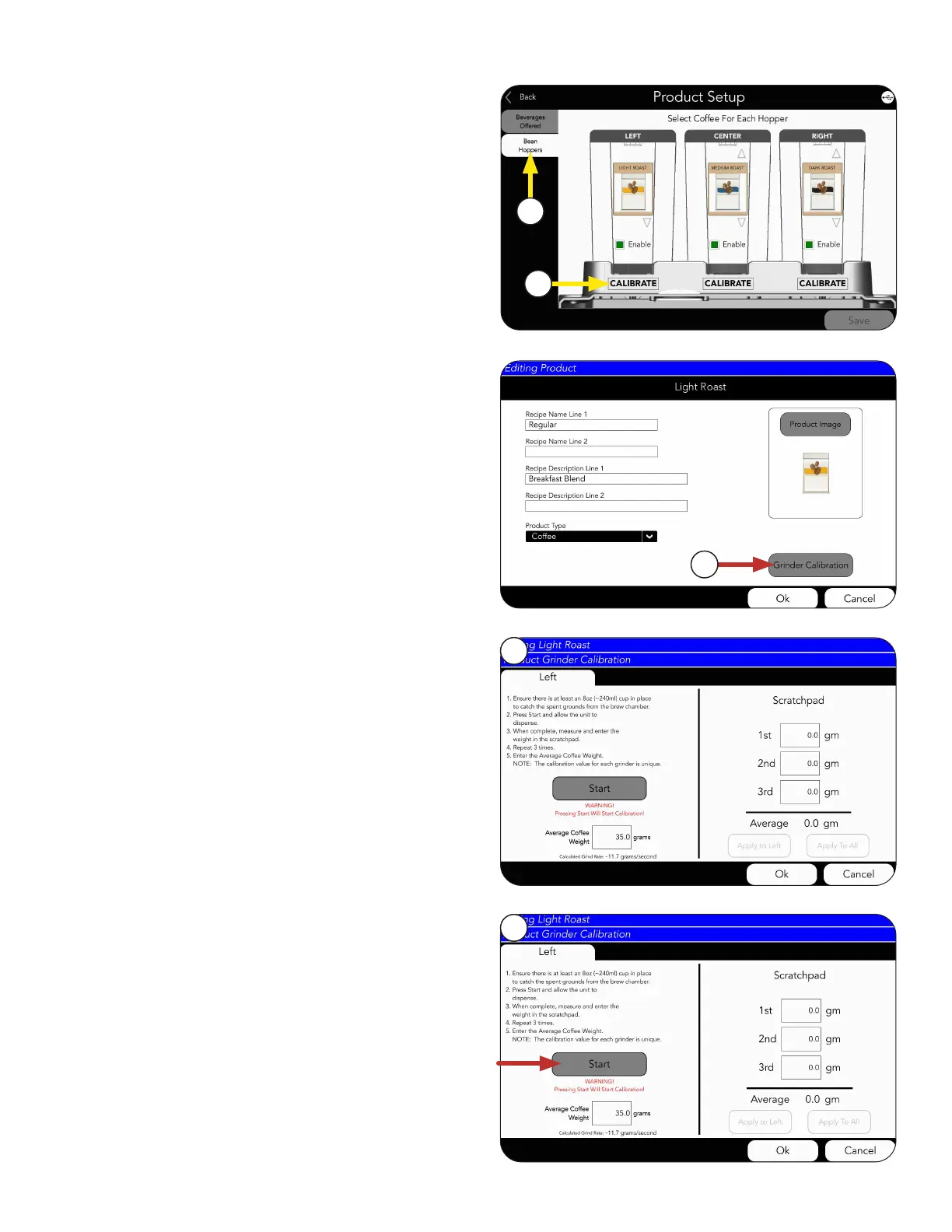
5. Next, touch the BEAN HOPPERS tab.
6. Choose a product to edit.
NOTE: We will use the “Light” as an example.
PRODUCT AND RECIPE SETUP
Grinder Calibration
NOTE: The GRINDER CALIBRATION button
can also be accessed from the PRODUCT tab
under Recipe setup.
8. After choosing a hopper to calibrate, the
calibration screen will appear
NOTE: Choosing the hopper during calibration
is simply telling the machine which grinder
to turn on. A unique calibration is stored for
each product.
9. Next, press the START button to prime the
grinder with beans.
WARNING: All three hoppers must be locked in
position before starting.
continued >
7
8
9
5
6



 To Next Page