EasyManua.ls Logo

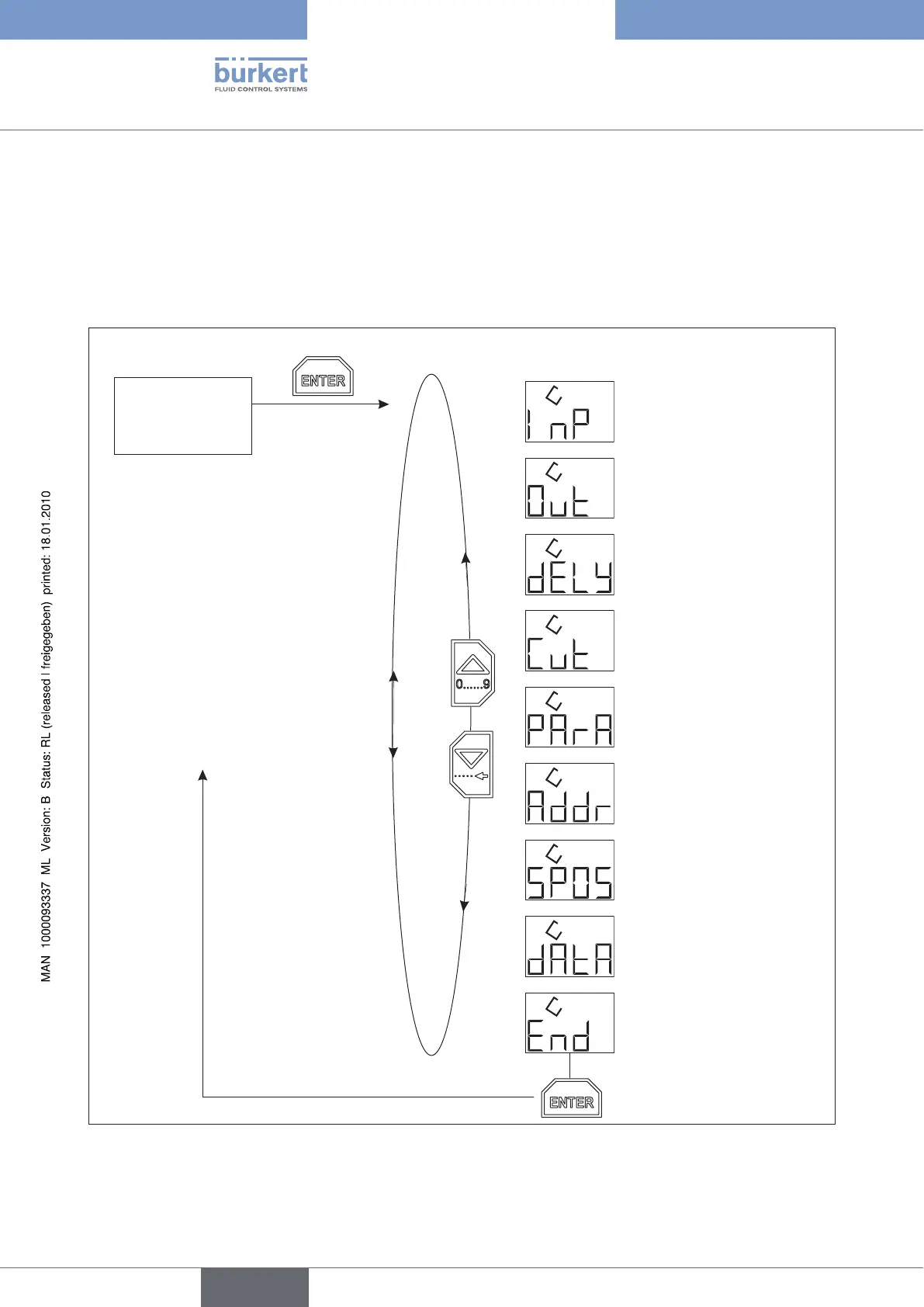
Burkert 8605 - Menu Of The Configuration Mode

Burkert 8605
118 pages
Print Icon
To Next Page IconTo Next Page
To Previous Page IconTo Previous Page
Loading...
22
Configuration
A sub-menu appears on the display.
You can switch between the sub-menu items by pressing the arrow keys and make the desired settings.
Confirm the desired setting by pressing the Enter key.

3 sec
Display mode

Valve settings

Ramp function

Selection of the
input signal

Settings Current
control

Safety setting

Interface address

Zero point cut off

Upload and Download
(only
Cable plug version)

Back to Display
mode
Menu of the configuration modeFigure 14:
english


Table of Contents

Other manuals for Burkert 8605

Related product manuals