13
Operation
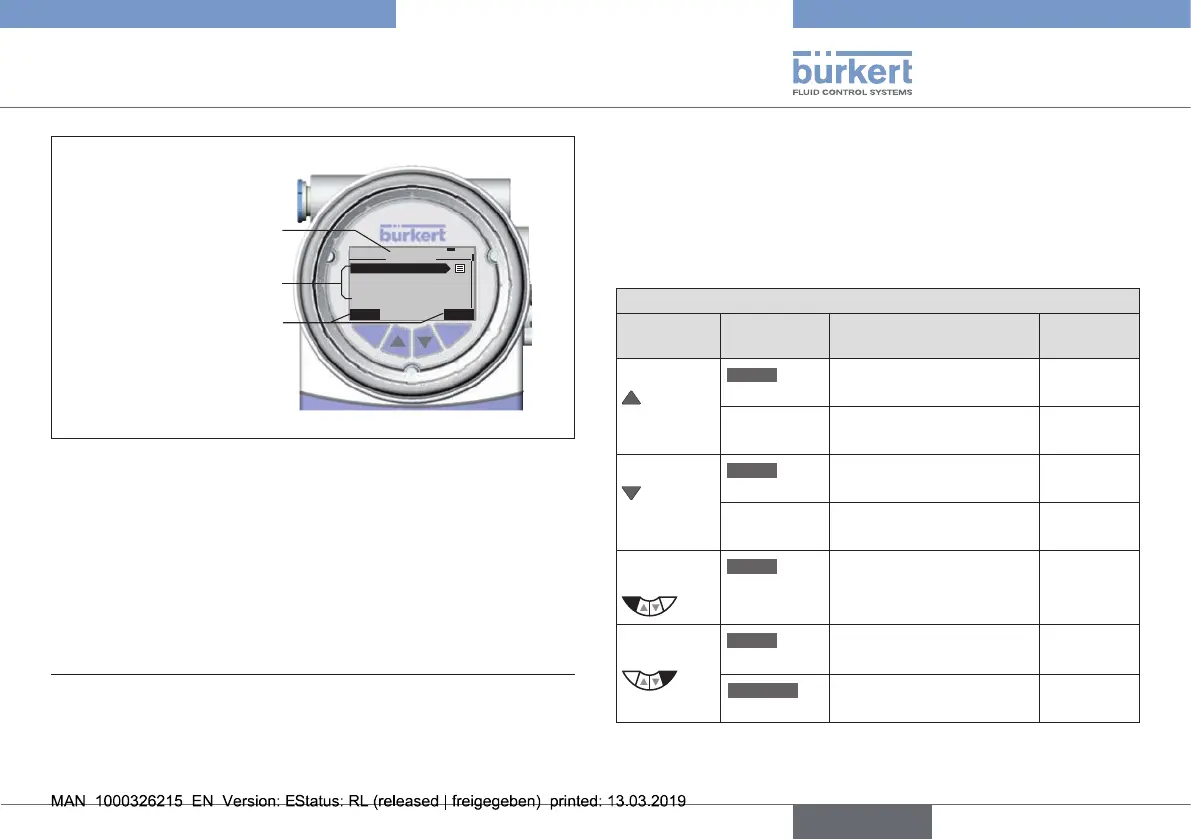
Submenu
Designationforthe
function
ofthekeys
Display elements of
the setting level:
Menu designation
EXIT ENTER
7
MAIN
INPUT
X.TUNE
BUS.COMM
ADD.FUNCTION
Fig. 6: Display elements of the setting level
Thedisplayisadjustedtothesetfunctionsandoperatinglevels.
Inprinciple,adistinctioncanbemadebetweenthedisplayview
fortheprocesslevelandthesettinglevel.
Whentheoperatingvoltagehasbeenapplied,theprocesslevel
is displayed.
3) The process values which can be displayed in the AUTOMATIC oper-
ating state depend on type.
A detailed description can be found in the operating instructions for
type 8692/8693.
7.2 Function of the keys
Thefunctionofthe4keysinthecontrolelddiersdepending
ontheoperatingstate(AUTOMATICorMANUAL)andoperating
level(processlevelorsettinglevel).
Thefunctionofthekeysisdisplayedinthegraytexteldwhich
isabovethekey.
Function of the keys on the process level:
Key
Function of
the keys
Description of the
function
Operating
state
Arrowkey
MENU
OPN
Manualopeningofthe
actuator
MANUAL
Changethedisplayedvalue
(e.g.POS-CMD-TEMP-...)
AUTOMATIC
Arrowkey
MENU
CLS
Manualclosingofthe
actuator
MANUAL
Changethedisplayedvalue
(e.g.POS-CMD-TEMP-...)
AUTOMATIC
Selection
key
MENU
MENU
Changetothesettinglevel
Note:Presskeyfor
approx.3s.
AUTOMATIC
orMANUAL
Selection
key
MENU
AUTO
ReturntoAUTOMATIC
operating state
MANUAL
MENU
MANUAL
ChangetoMANUAL
operating state
AUTOMATIC
english
Type 8692, 8693 REV.2



 To Next Page