34
EtherNet/IP, PROFINET and ModbusTCP
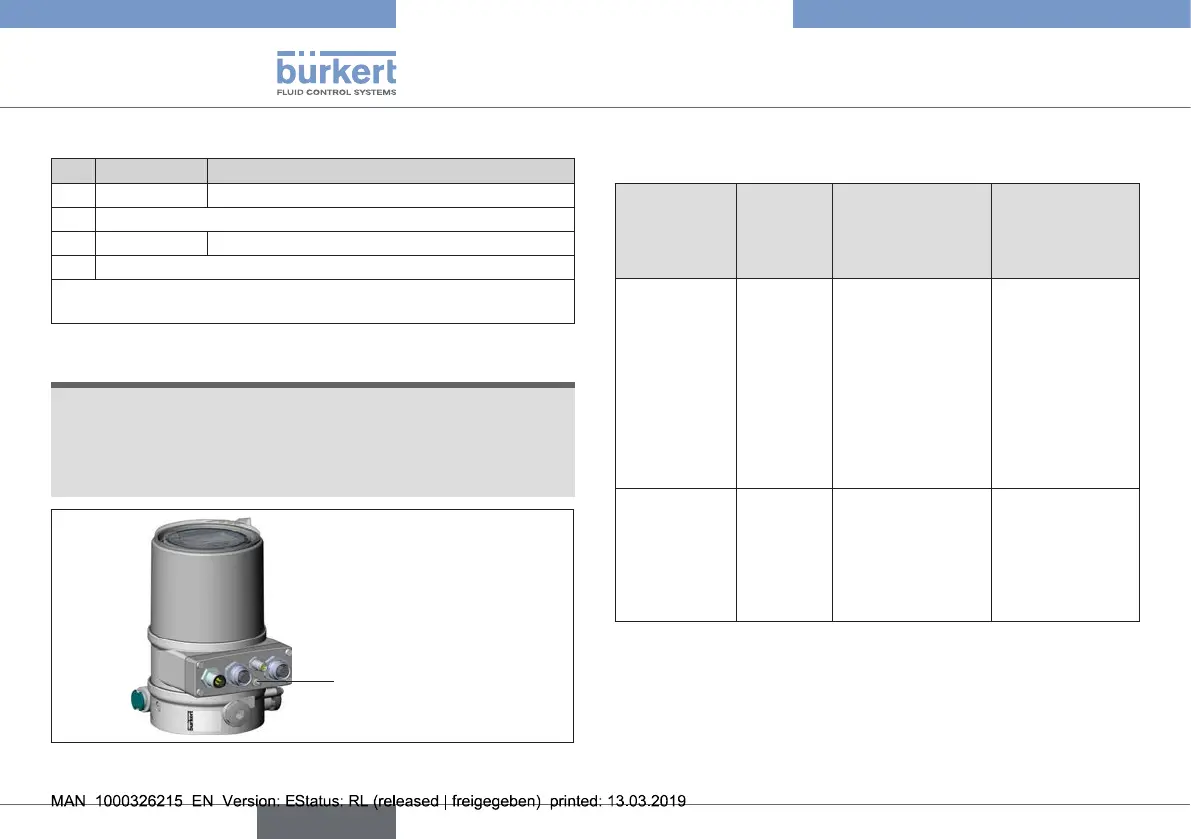
X6-M12circularconnector,4-pole:
Pin Wire color* Assignment
1 brown
Operatingvoltage+24VDC
2 Notassigned
3 blue OperatingvoltageGND
4 Notassigned
*Theindicatedcolorsrefertotheconnectioncableavailableasan
accessory(918038).
Tab. 14: X6 - M12 circular connector, 4-pole (operating voltage)
NOTE
To ensure electromagnetic compatibility (EMC), use a
shielded Ethernet cable. Ground the cable shield on both
sides, on each of the connected devices.
For the grounding use a short line (max. 1 m) with a cross-
section of at least 1.5 mm
2
.
FEfunctionalearth
Fig. 17: Functional earth
13.5 Bus status display
Thebusstatusisindicatedonthedisplayonthedevice.
Display
(isdisplayed
approx.every
3seconds)
Device
state
Explanation Troubleshooting
BUS no
connection
Online,
Nocon-
nection
tothe
master.
Deviceiscon-
nected correctly
tothebus,the
networkaccess
procedurehas
endedwithout
errors,however
thereisnoestab-
lishedconnection
tothemaster.
Newconnection
establishedby
master.
BUS
critical err
Critical
busfault.
Otherdevicewith
thesameaddress
inthenetwork.
BUS oine due
tocommunication
problems.
Changeaddress
ofthedeviceand
restartdevice.
Fault analysis in
thenetworkwith
abusmonitor.
Tab. 15: Bus status display; EtherNet
english
Type 8692, 8693 REV.2



 To Next Page