28
Start-up
12 START-UP
Adetaileddescriptionofthestart-upandoperatingpro-
cedurescanbefoundatourhomepageintheoperating
instructionsfortype8692/8693.
12.1 Safety instructions
WARNING
Risk of injury from improper operation.
Improperoperationmayresultininjuriesaswellasdamageto
thedeviceandtheareaaroundit.
▶ Beforestart-up,ensurethattheoperatingpersonnelare
familiarwithandcompletelyunderstandthecontentsofthe
operating instructions.
▶ Observethesafetyinstructionsandintendeduse.
▶ Onlyadequatelytrainedpersonnelmaystartuptheequip-
ment/thedevice.
12.2 Start-up type 8692
12.2.1 Specifying the basic settings
Thebasicsettingsaremadeonthesettinglevel.
Toswitchfromtheprocessleveltothesettinglevel,press
the
MENU
keyforapprox.3seconds.
Forstartingupyoumustspecifythefollowingbasicsettings:
• Settingtheinputsignal(INPUT)
• Automaticadjustmentofthepositioncontroller(X.TUNE)
Setting the input signal (INPUT)
Thissettingisusedtoselecttheinputsignalfortheset-point
value.
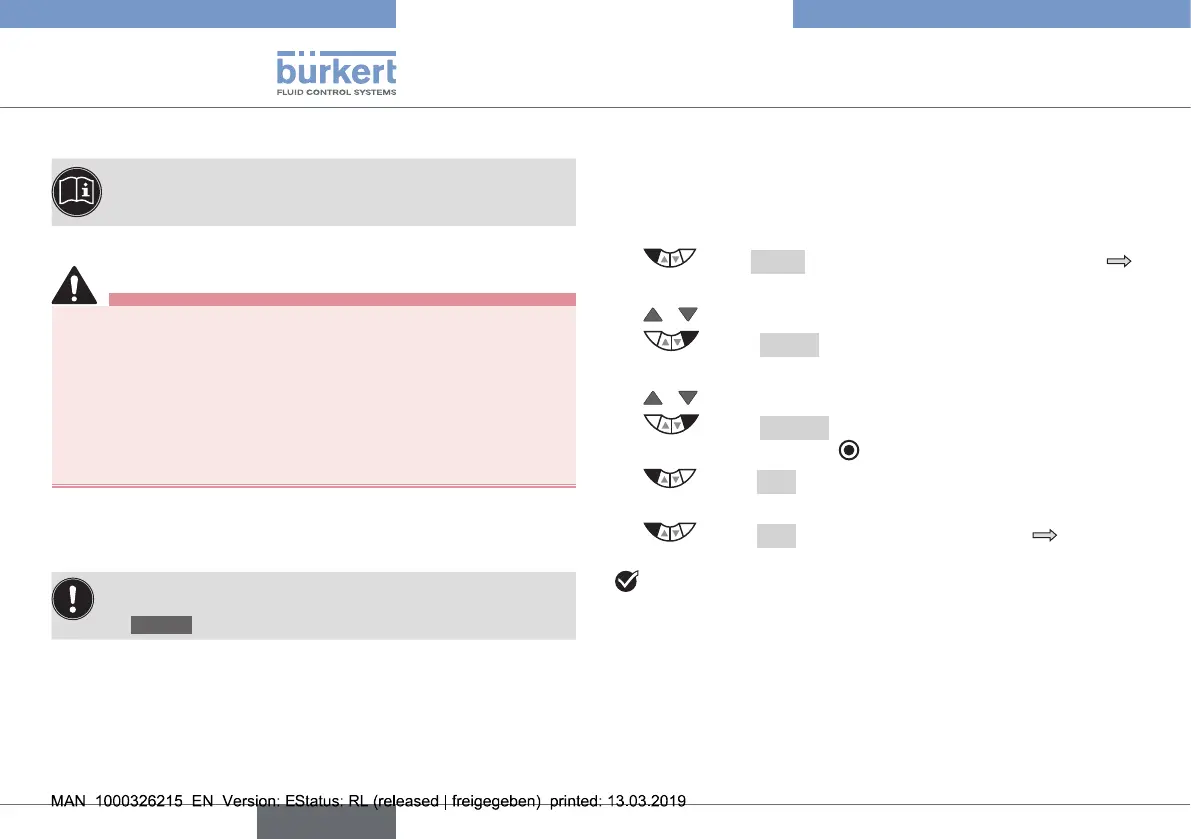
Settheinputsignalasfollows:
→ Press MENUfor3s.Switchingfromprocesslevel
settinglevel.
→ / Select INPUT.
→ Select ENTER.ThepossibleinputsignalsforINPUT
are displayed.
→ / Select input signal (4...20mA, 0...20mA, ...).
→ Select SELECT.Theselectedinputsignalisnow
markedbyalledcircle .
→ Select EXIT.
Returntothemainmenu(MAIN).
→ Select EXIT.Switchingfromsettinglevel process
level.
Youhaveenteredtheoperatingmodeofthevalveactuator.
english
Type 8692, 8693 REV.2



 To Next Page