16
Operating levels
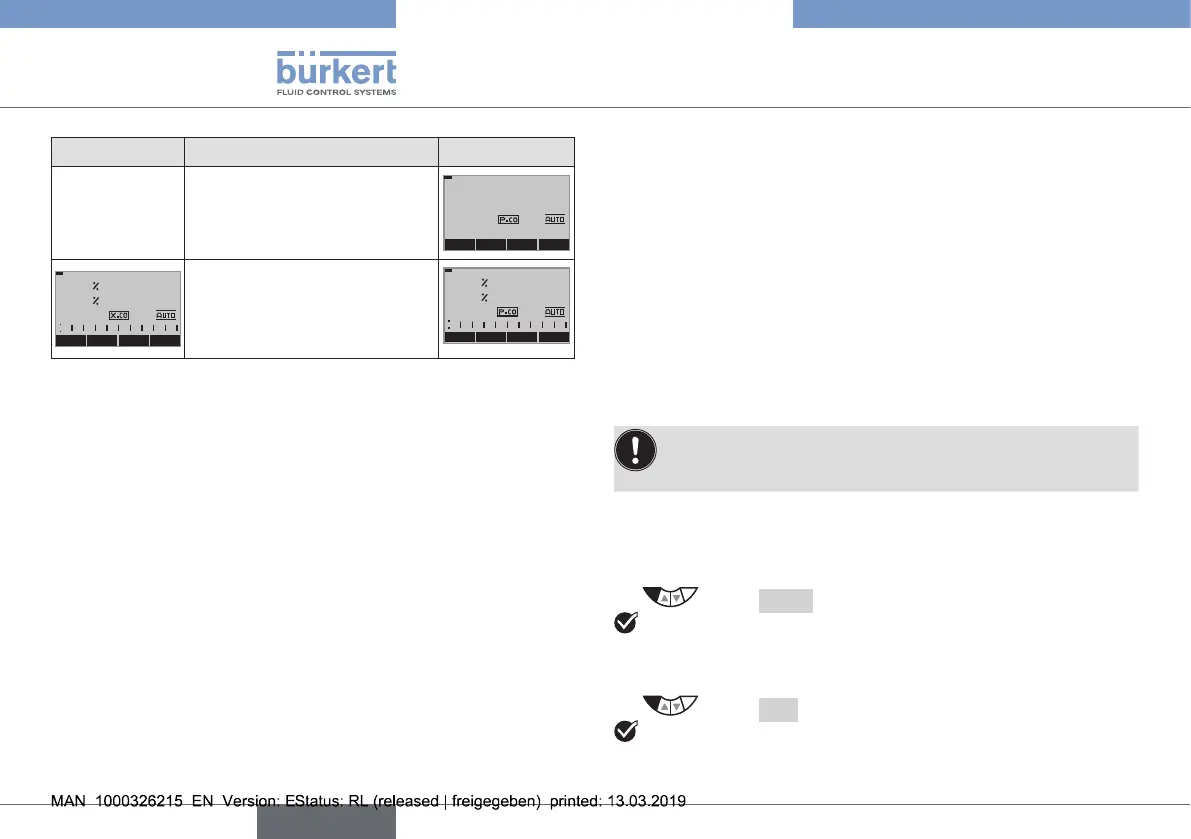
Type 8692 Description of the display Type 8693
Automaticlinearizationofthe
processcharacteristics
MENU
P.TUNE
CMD/POS
RUN
P.LIN
MENU
X.TUNE
POS MANU
0.0
CMD
POS
0.0
Simultaneousdisplayofthe
set-pointpositionandthe
actualpositionofthevalve
actuator(0...100%)
MENU P.LIN SP/PV MANU
0.0
CMD
POS
0.0
8.3 Mastercode
Operationofthedevicecanbelockedviaafreelyselectableuser
code.Inaddition,thereisanon-changeablemastercodewith
whichyoucanperformalloperatoractionsonthedevice.This
4-digitmastercodecanbefoundonthelastpagesoftheprinted
briefinstructionswhichareenclosedwitheachdevice.
Ifrequired,cutoutthecodeandkeepitseparatefromthese
operating instructions.
9 OPERATING LEVELS
Thereistheprocesslevelandthesettinglevelfortheoperation
andsettingoftype8692/8693.
Process level:
Therunningprocessisdisplayedandoperatedonthislevel.
Operatingstate: AUTOMATIC –Displayingtheprocessdata
MANUAL –Manuallyopeningandclosing
thevalve
Setting level:
Thebasicsettingsfortheprocessaremadeonthesettinglevel.
–Inputtingtheoperatingparameters
–Activatingauxiliaryfunctions
If the device is in the AUTOMATIC operating state when
changingtothesettinglevel,theprocesscontinuesrunning
duringthesetting.
9.1 Switching between the operating
levels
Switchtothesettinglevelasfollows:
→ Select MENUandpressfor3seconds.
Youareonthesettinglevel.
Switchtotheprocesslevelasfollows:
→ Select EXIT.
Youareontheprocesslevel.
english
Type 8692, 8693 REV.2



 To Next Page