GasAlertMax
User Manual
8
D1430/2 English
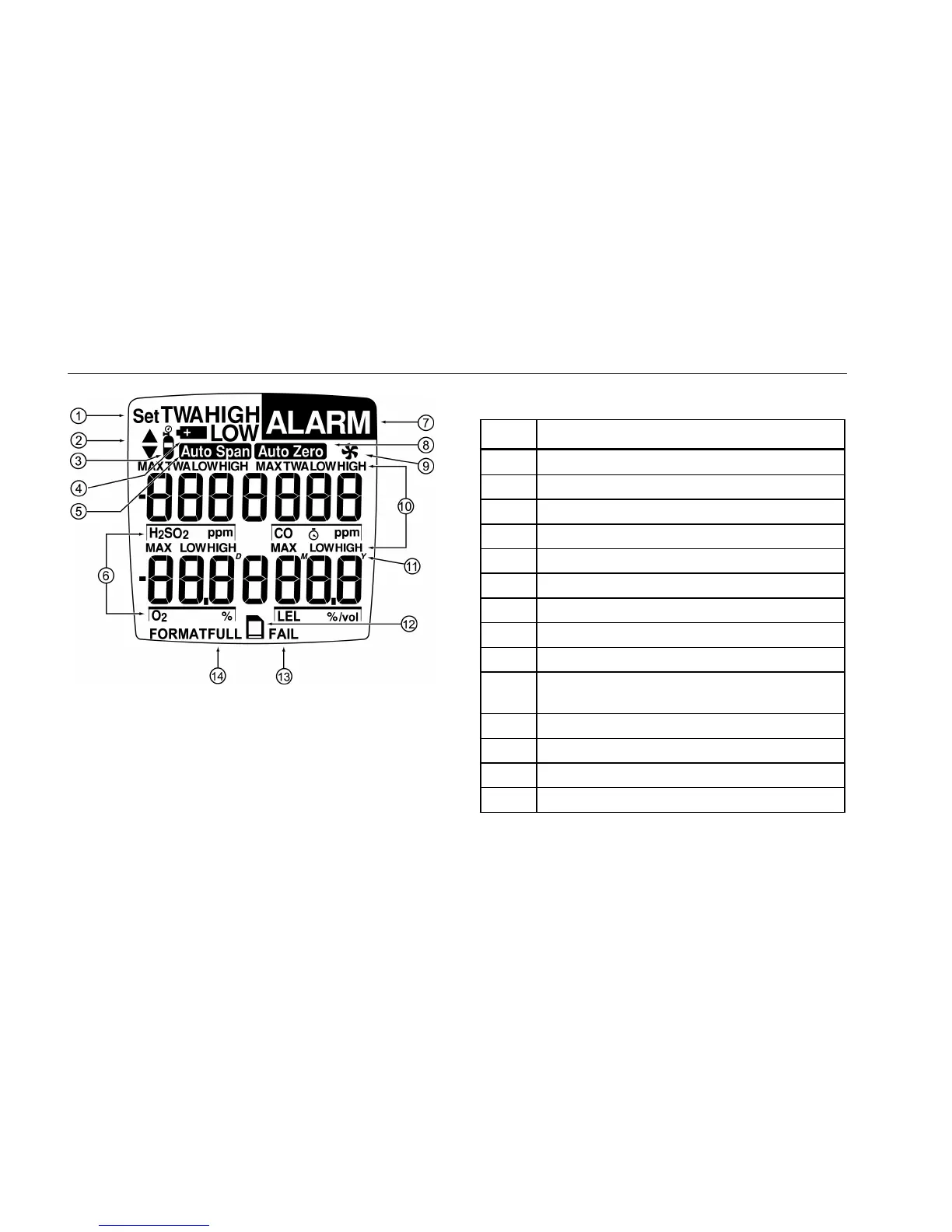
Figure 2. Display Elements
Note
The display backlight automatically activates for
10 seconds whenever there is insufficient light to
view the display and during alarm conditions. Any
pushbutton reactivates the backlight.
Table 4. Display Elements
Item Function
A Set Value
B Increment or Decrement Value
C Gas Cylinder
D Battery
E Automatically Span the Sensor
F Gas Identifier Bars
G Alarm Setpoint or Alarm
H Automatically Zero the Sensor
I Pump
J Multi-Gas Alarm Condition or
View TWA and Maximum Gas Exposure
K Real Time Calendar (Date, Month, Year)
L Optional Datalogger Card Indicator
M Optional Datalogger FAIL Indicator
N Other Symbols – future use



 To Next Page