GasAlertMax
User Manual
40
D1430/2 English
User Options
UpGrade a 2 or 3 Gas Unit
A GAMAX3-2 (2-gas: O
2
, LEL) or GAMAX3-3H (3-gas O
2
,
LEL, H
2
S) can be upgraded in the field to a 3 or 4-gas unit.
Install the desired H
2
S or Twin Tox (CO/H
2
S) sensor (this
must be done outside the potentially explosive atmosphere).
Then, in the User Option’s Sensor Menu enable the newly
installed sensor(s).
Sensor Enable or Disable
WWarning
Disabling an installed sensor configures the
detector to a one, two, or three gas unit. No
protection is now provided for the gas targeted
by that sensor(s).
Disabling a sensor should be performed with extreme
caution. In the event a sensor fails, Sensor Disable can be
used to turn off the sensor fail alarm. The sensor should be
replaced and enabled as soon as possible.
To disable a Sensor enter the User Options Menu (page 14).
Disabling/Enabling a Sensor
Select the sensor H
2
S, CO, LEL, or O
2
to be enabled or
disabled. The detector will function normally with remaining
enabled sensors. The sensor may be enabled again, at any
time.
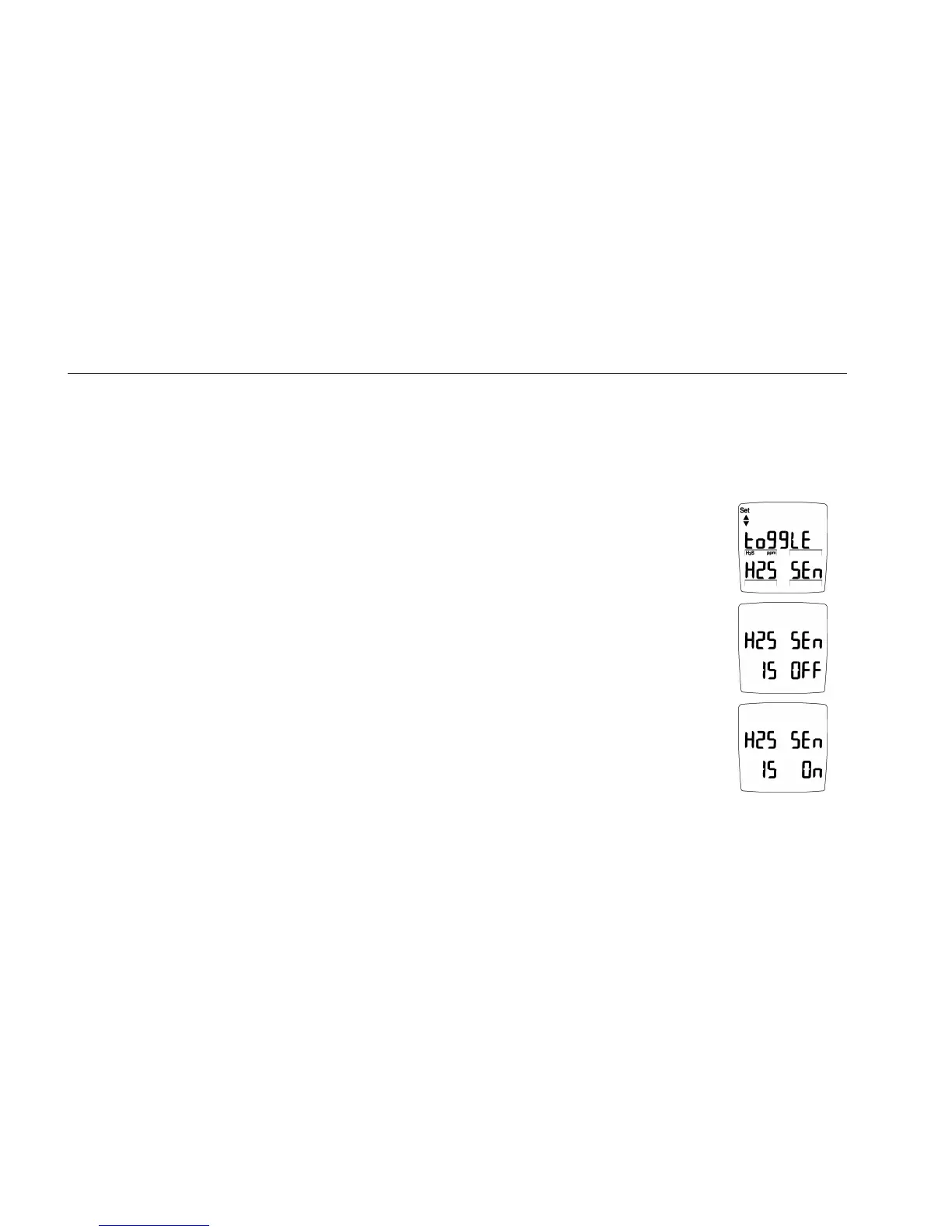
To disable (or enable) the H
2
S
sensor reading, press B when the
display advises:
The display then advises the H
2
S
Sensor is OFF.
To enable H
2
S sensor repeat above
sequence. The display advises H
2
S
Sensor is ON.
Repeat the sequence for CO, LEL (combustible) and O
2
.



 To Next Page