GasAlertMax
User Manual
16
D1430/2 English
Alarms
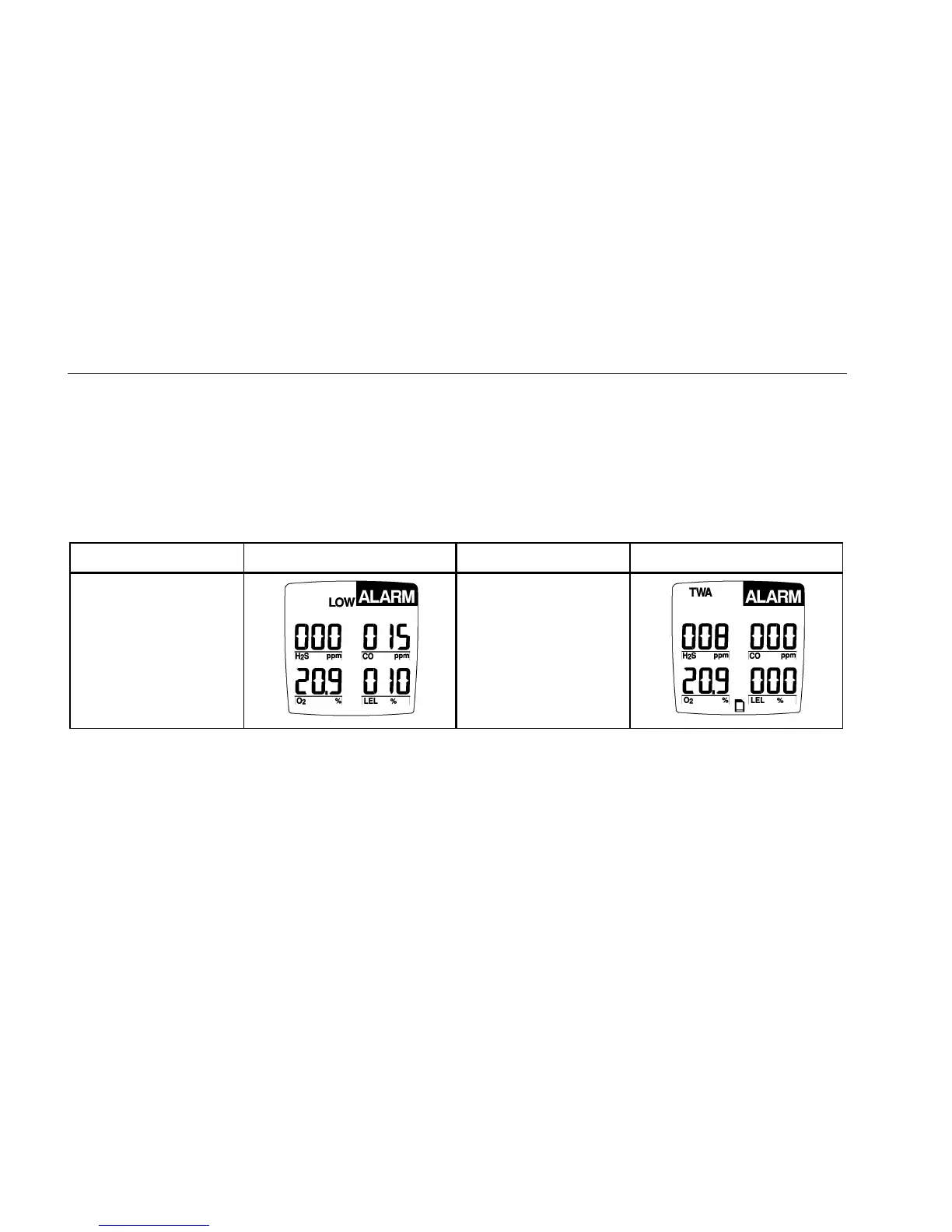
Table 6 describes the detector alarms and shows how the
display looks for each alarm.
Table 7 describes the computed gas exposures.
During an alarm condition, the detector activates the
backlight and the display shows the current ambient gas
reading.
The High Alarm overrides a TWA Alarm and a TWA Alarm
overrides a Low Alarm.
Table 6. Alarms
Alarms Display Alarms Display
Low Alarm:
• Slow modulating tone
and flash.
• ALARM and target
gas bar flash.
TWA Alarm:
• Fast modulating tone
and flash.
• ALARM and target
gas bar flash.
Latching Alarm User Option:
If the Latched Alarm function is turned ON, the audible and visual alarms continue to sound and
flash until the Low or High Alarm condition is acknowledged. Press B to deactivate the audible and visual alarms when the current
ambient gas reading falls below the low alarm level. The alarms cannot be deactivated if an alarm condition is still present.
A TWA alarm condition will not reset.



 To Next Page