GasAlertMax
Replacing a Sensor, Pump or Pump Filter
39
D1430/2 English
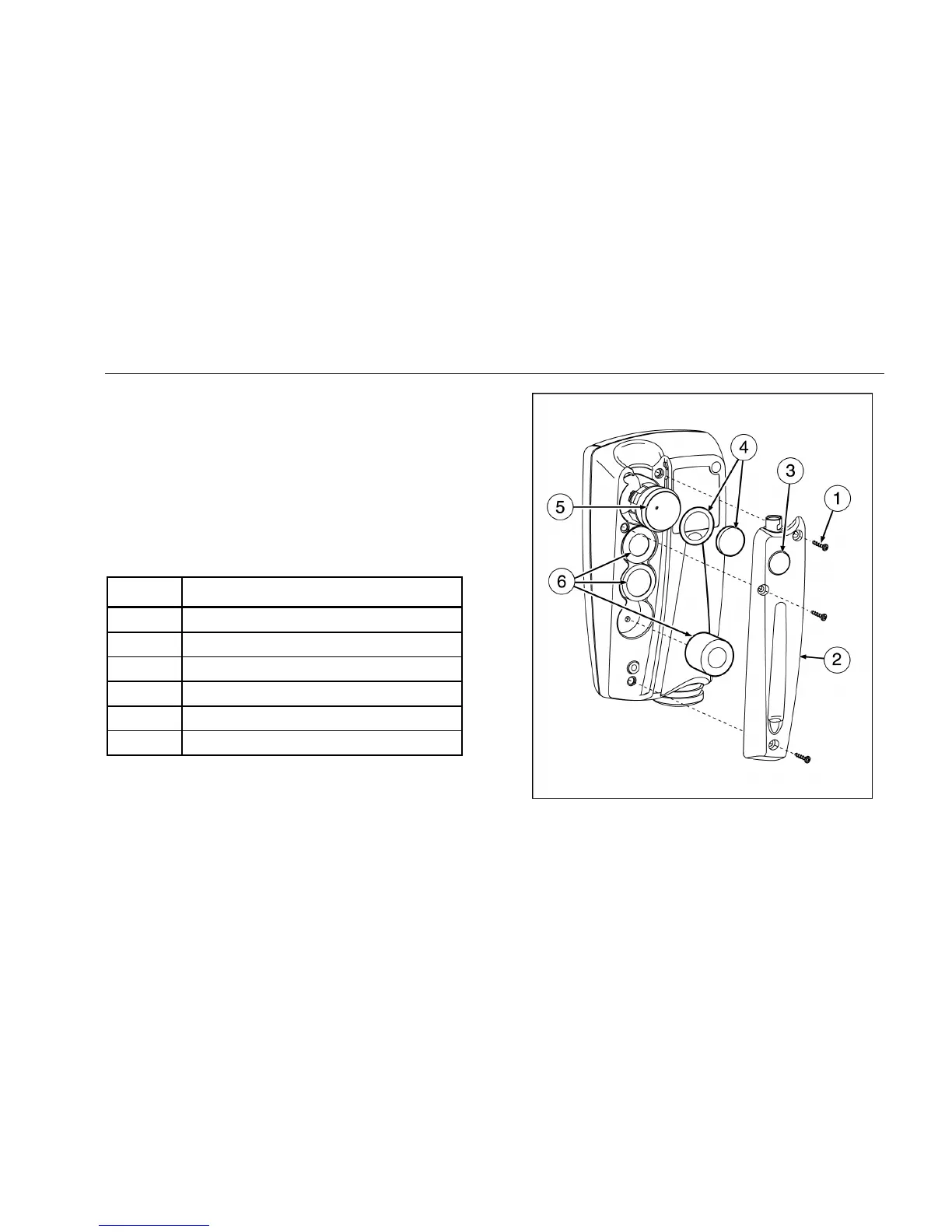
Table 12 and Figure 5 illustrate how to replace a sensor or
pump filter. If the detector is on, shut down the detector. Use
a Phillips head screwdriver to loosen and tighten any screws.
Do not use excessive force when removing or inserting the
sensor, or the sensor may be damaged. Gently rocking the
sensor back and forth may help free a tightly held sensor.
Insert new sensor in the corresponding labeled compartment.
Table 12. Replacing a Sensor, Pump or Pump Filter
Item Description
A Detector Back Screws
B Sensor and Pump Cover
C Pump Filter Window
D Pump Filter and O-Ring
E Pump
F Sensors
Figure 5. Replacing a Sensor, Pump or Pump Filter



 To Next Page