GasAlertMax
User Manual
10
D1430/2 English
Activating the Detector
The detector must be activated before entering a potentially
explosive area.
⇒ To activate the detector, press F in a normal
atmosphere (20.9% oxygen).
Self-Test
The detector performs the actions in steps 1-9. Manually
check that all actions occur.
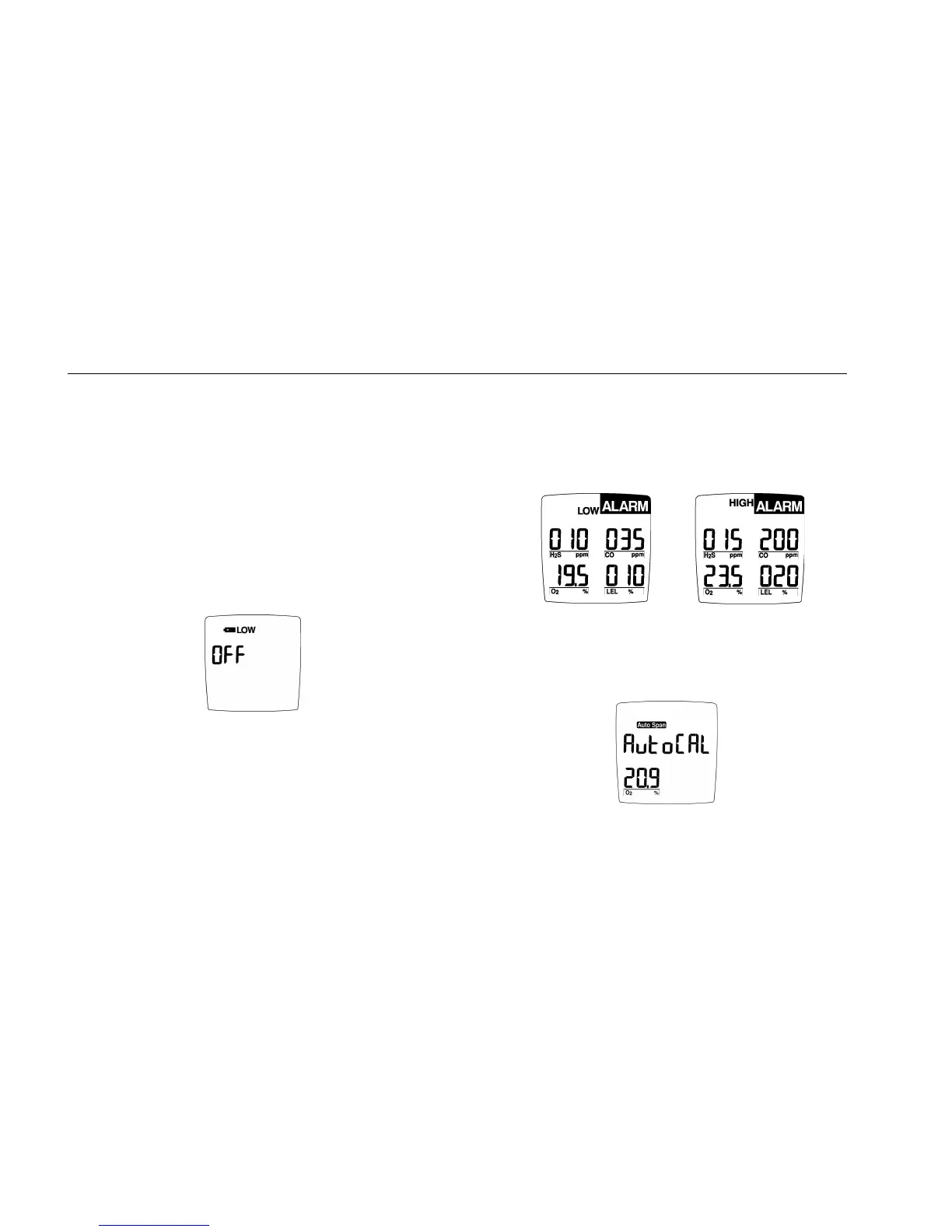
1. If the battery is low, I LOW flashes, the display
reads OFF. Replace the battery and restart the
detector.
2. The display shows all elements.
3. The detector beeps and flashes.
4. The detector briefly turns on the backlight.
User Downloadable model only (5 and 6)
5. The detector tests data card. Display advises if
card is present and ready for use (page 11).
6. The display shows the time, day and date.
7. The display shows the Low and High Alarm
setpoints.
Note: The alarm setpoints on a shipped detector
may vary by region. See Resetting Gas Alarm
Setpoints.
8. The display reads tESt (test) as the detector tests
the sensors.
9. The oxygen sensor is calibrated automatically.
If the detector fails steps 1-9, see the section, “If the Detector
Does Not Work.”



 To Next Page