Appendix A
Excel Datalog Manager (E.D.M.)
E
D1430/2 English
5. Filter: This step allows the user to filter the original files
down to a convenient, manageable size without losing any
critical information.
Select all logged data, or select to include only every 2, 3 or
etc. entry without losing any critical information.
Once finished click ‘Next’.
Note:
This option does not remove or delete data from the
original data file or any archived file; only the final
Excel workbook is affected. ALL Records involving
alarm conditions, failures, calibrations, battery
warnings or other important events will not be
filtered and will appear in the final Excel Workbook
in their entirety. If the confidence beep is used on
the datalogging instrument, this step has no effect;
E.D.M. will not filter out records where the
confidence beep is active.
6. Finish: Click on ‘Finish’ to import the data into Excel
and open the finished Excel data workbook.
Note
The data file may take several minutes to transfer, read and
sort in E.D.M.
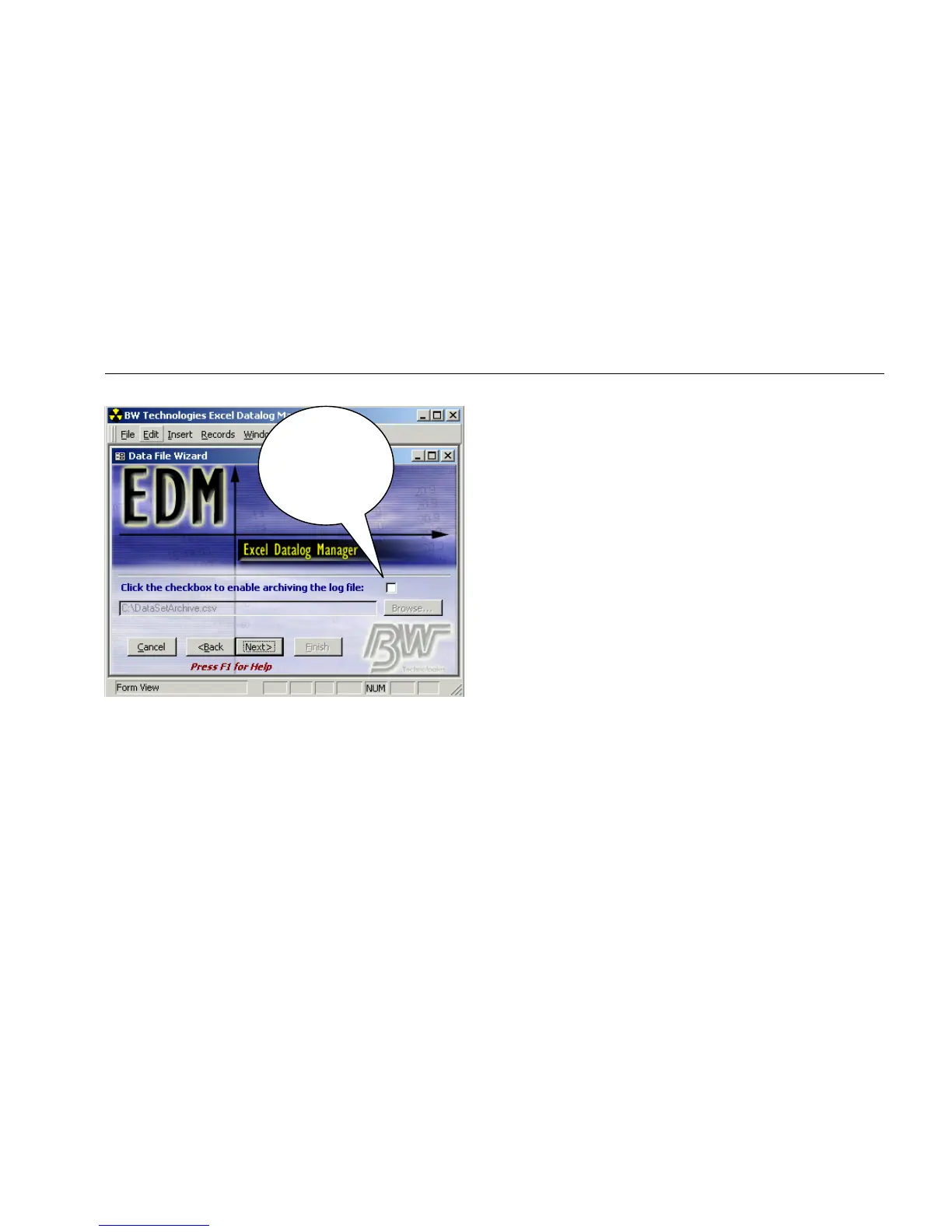
Click box, to
create a backup
file. Click ‘Browse’
to choose a file
location.



 To Next Page