R700
AF
10 11 ES TS 1 2 3 3P 4 5 7 CX CY CZ
CAME
ACCESS CONTROL
3'.$
Page
6 - Manual code:
FA00321-EN vers.
1 02/2017 © CAME S.p.A. - The data and information shown in this manual are to be considered subject to change at any time and without the need for any advance warning.
Command devices
Antenna with RG58 cable
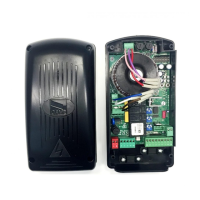
Insert the decoding card (R700) for the
TSP00 sensor or LT001 card reader to be
recognised.
⚠
Before inserting any plug-in card (e.g. AF, R700), LINE VOLTAGE MUST BE DISCONNECTED. If installed, disconnect the
batteries.
Insert the AF card to control the
automation via a transmitter.
Stop button (NC contact). Button to stop gate while excluding the
automatic closing cycle. For movement to resume you must press
the command button or another command device.
If the contact is unused, select [Disabled] from the [Total
Stop] function in the [FUNCTIONS] menu.
OPENING function from command device (NO contact).
OPEN-STOP-CLOSE-STOP sequential function /
OPEN-CLOSE-INVERT (step-by-step) from command
device (NO contact).
See function [Cmd 2-7] in the [FUNCTIONS] menu.
PARTIAL or PEDESTRIAN OPENING function from
command device (NO contact).
See function [Cmd 2-3P] in the [FUNCTIONS] menu.
CLOSING function from command device (NO contact).
TSP00 - Transponder sensor
LT001 - Magnetic card reader
Black
Red


 To Next Page
 Loading...