DC10 E, DC20 E
SERVICE MODE / ADJUSTMENT
5
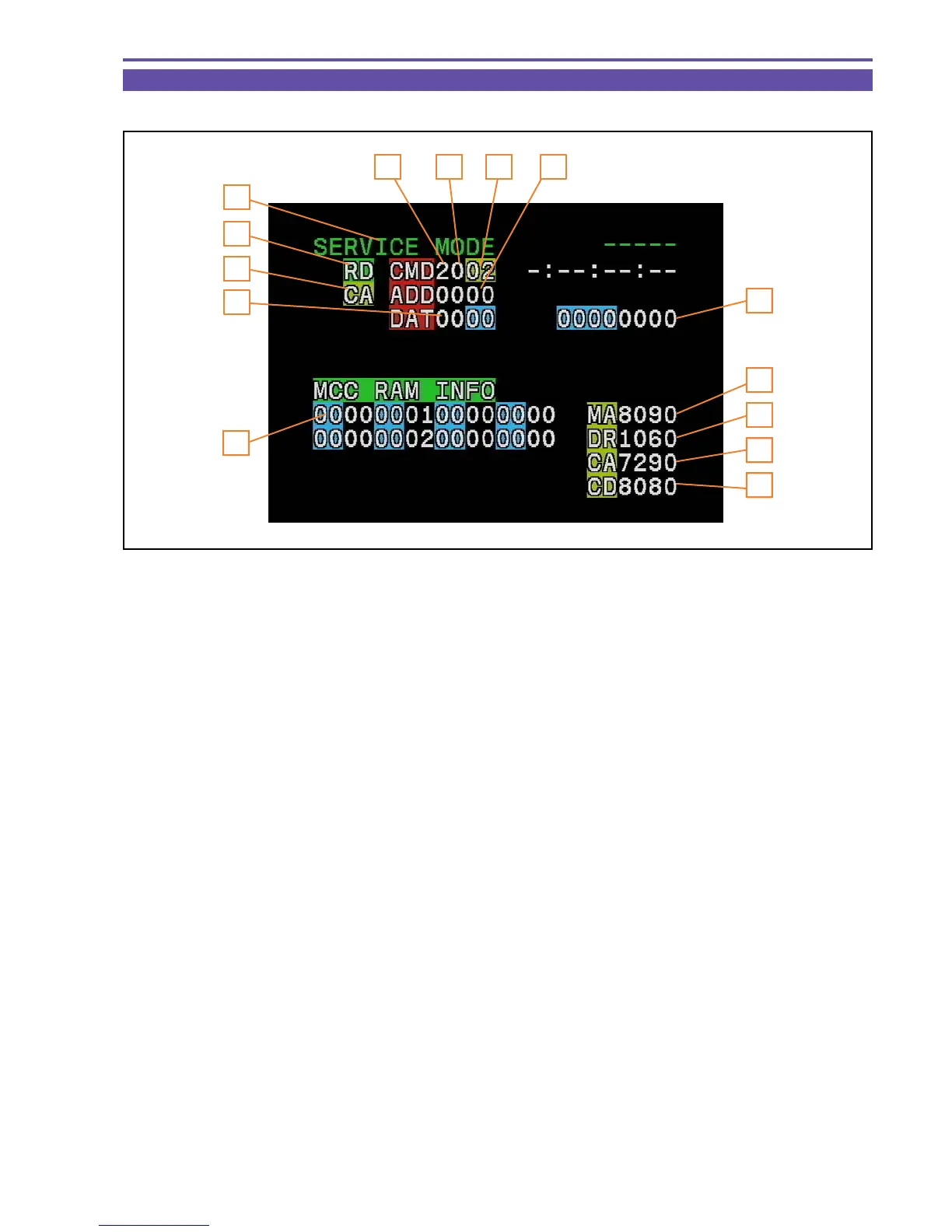
3-4 Indication in Service Mode
Shown below are the indications in the service mode.
1. Indicates that the service mode is currently selected. (“SERV”)
2. MODE : Indicates the MODE currently selected. (RD/WR/ST)
3. Indicates for which block the command is specified. (MA,MD, CA, CD, etc.)
4. CS : Indicates the Chip Select currently specified. (0~F)
5. Function : Indicates the Function currently selected. (00~FF)
6. ADDR : Indicates the ADDRESS currently selected. (0000~FFFF)
7. DT : Indicate, in hexadecimal representation, the DATA currently being read or set. (00~FF)
8. Indicates the version of the MAIN program in the BACK END MI-COM.
9. Indicates the version of the FRONT END.
10. Indicates the version of the CCM MI-COM.
11. Indicates the version of the flash memory program mounted outside the CCM MI-COM.
12. Indicates the error rate.
13. Data Write status (00: READ mode, 04 : Write preparation, OC : Write execution)
14. ST : Adjustment status (02: During adjustment, 05: OK in adjustment result, 09: NG in adjustment result)*
* A numeric value to be indicated varies depending on the adjustment item concerned.
Fig. 6
1
4
2
3
5 6
7
12
8
9
10
11
13
14



 To Next Page