DC10 E, DC20 E
SERVICE MODE / ADJUSTMENT
36
5-7 Recorder Section Adjustment
Preparation)
(1) Carry out setup/check in the product state.
5-7-1 Playback error rate check
MODE Playing back DVD-R Reference disc PAL (DY9-1408-000)
SPEC. Error rate 3.3 × 10
-3
or less
Procedure)
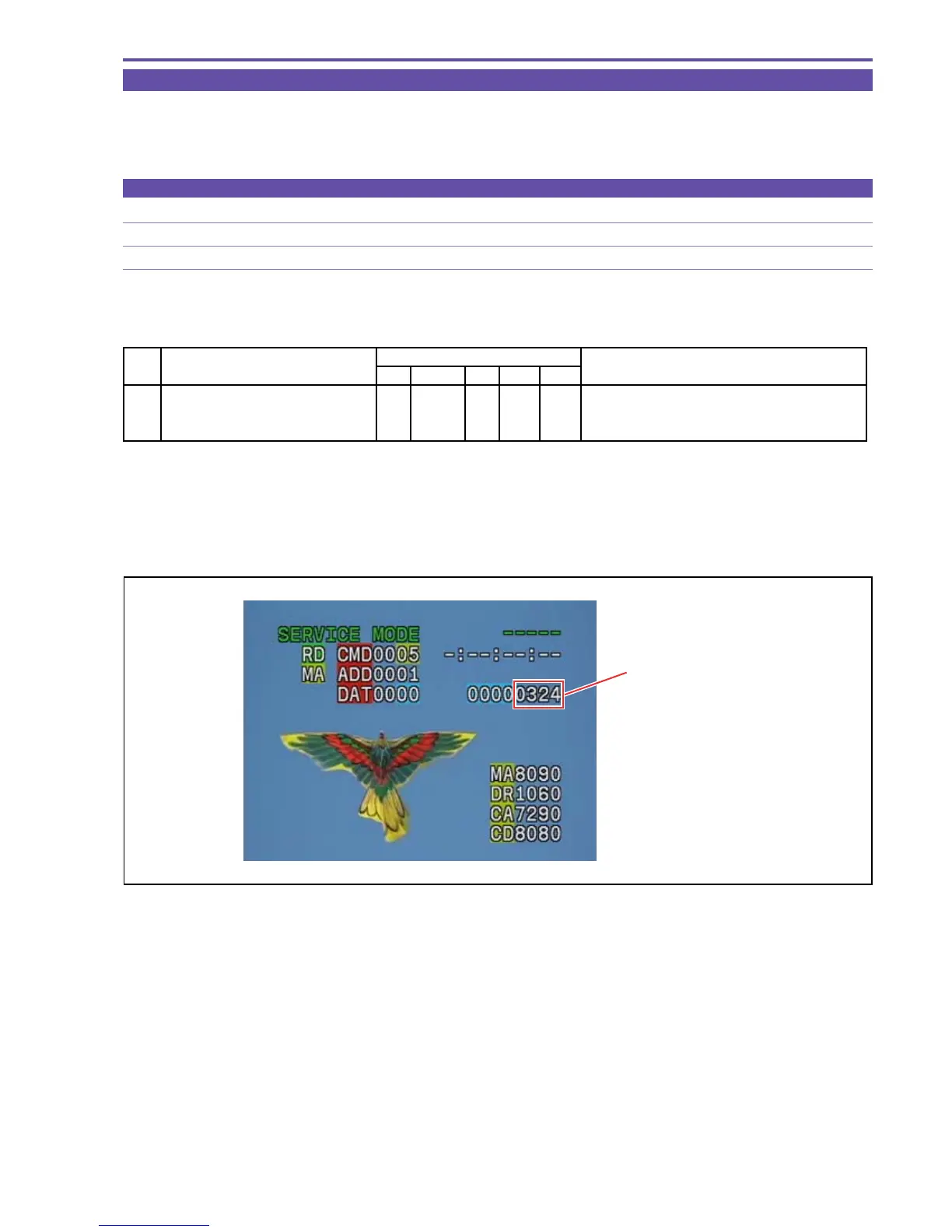
(1) While playing back the reference disc, carry out error rate check referring to the table shown below.
Note)
* It takes 7 to 20 seconds to indicate an error rate, because it is calculated from large amount of data.
* To measure an error rate again, it is once required to stop the playback.
If the result of the error rate check is NG, perform recheck according to 2-3-1 “Flowchart for Playback Image Error Check” in
Service Hint.
STEP PROCEDURE MONITOR Microcomputer operation
SWP (AUTO) CS Function MD ADDR DT
1 1) Make the setting shown at right. 0 05 ST 0001 01
2) Perform storing.
↑↑
WR
↑↑
(press the PAUSE button.)
↑↑
RD
↑00
Error rate indication.
Fig. 24
Error rate indication



 To Next Page