EasyManua.ls Logo

Canon EOS 50 E - Page 103

Canon EOS 50 E
207 pages
Print Icon
To Next Page IconTo Next Page
To Previous Page IconTo Previous Page
Loading...
Part
3:
Repair
Information
I NOTE
II
:
Panorama
Switch
Installation
(EOS
55
only)
Install
the
mirror
box
before
installing
the
Panorama
Switch. If
the
switch
is
installed
on
the
mirror
box
and
then
the
box
is
installed
in
the
body,
the
switch
may
be
bent.
I NOTE
II
: Mirror Box
Unit
(1)
Mirror Box Removal
1.
Remove
the
flash
connecting
flex,
which
is
mounted
on
the
main
flex.
2. Remove
the
motor
leads.
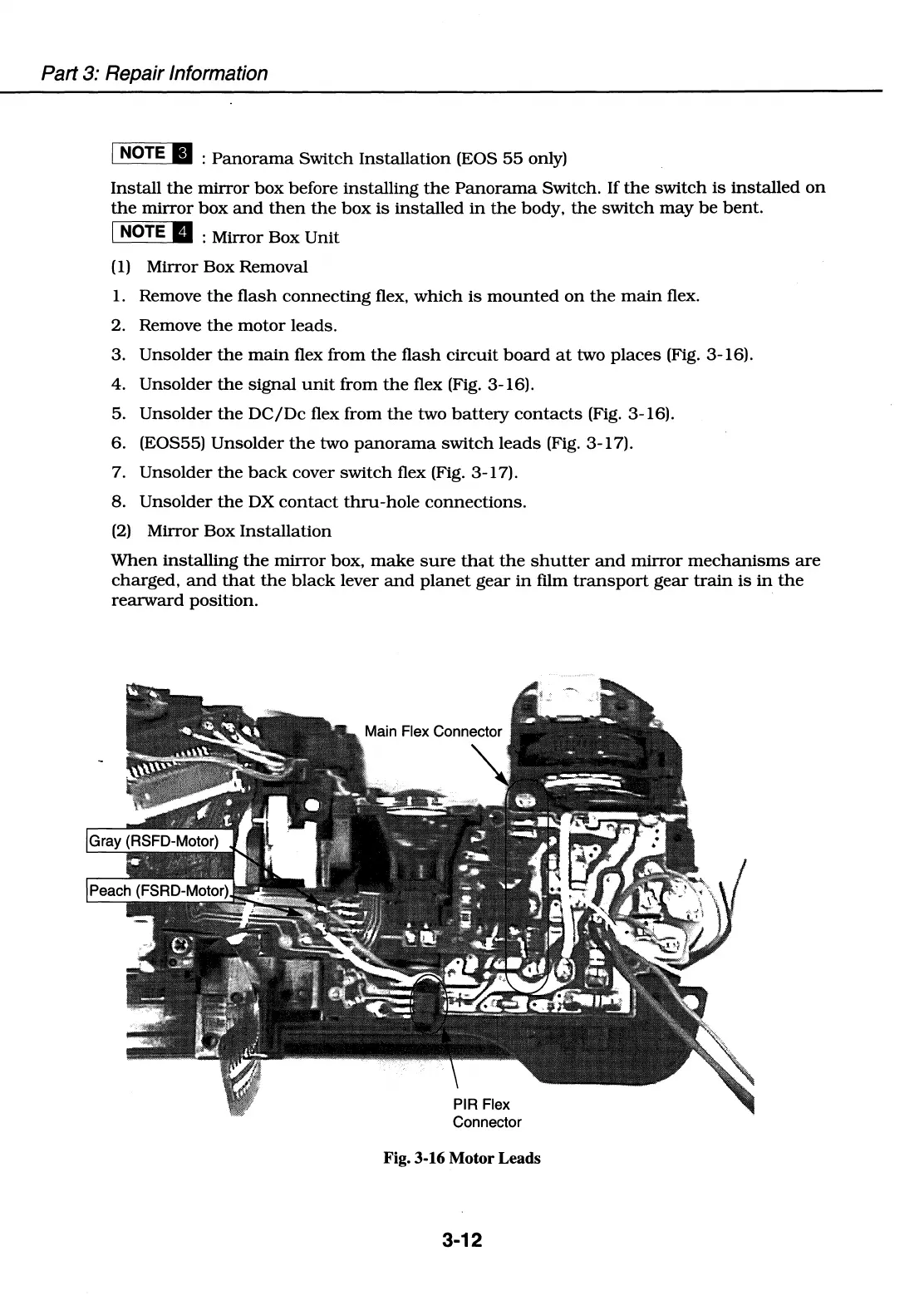
3.
Unsolder
the
main
flex
from
the
flash
circuit
board
at
two
places
(Fig. 3-16).
4.
Unsolder
the
signal
unit
from
the
flex (Fig. 3-16).
5.
Unsolder
the
DC/De
flex from
the
two
battery
contacts
(Fig. 3-16).
6. (EOS55)
Unsolder
the
two
panorama
switch
leads
(Fig. 3-17).
7.
Unsolder
the
back
cover
switch
flex (Fig. 3-17).
8.
Unsolder
the
DX
contact
thru-hole
connections.
(2)
Mirror
Box
Installation
When
installing
the
mirror
box,
make
sure
that
the
shutter
and
mirror
mechanisms
are
charged,
and
that
the
black
lever
and
planet
gear
in
film
transport
gear
train
is
in
the
rearward
position.
Connector
Fig. 3-16 Motor Leads
3-12

Table of Contents

Related product manuals