93
S Selecting the AF AreaN
You can manually select the AF point or zone. If 19-point automatic
selection AF + AI Servo AF has been set, you can select any position
where AI Servo AF is to start.
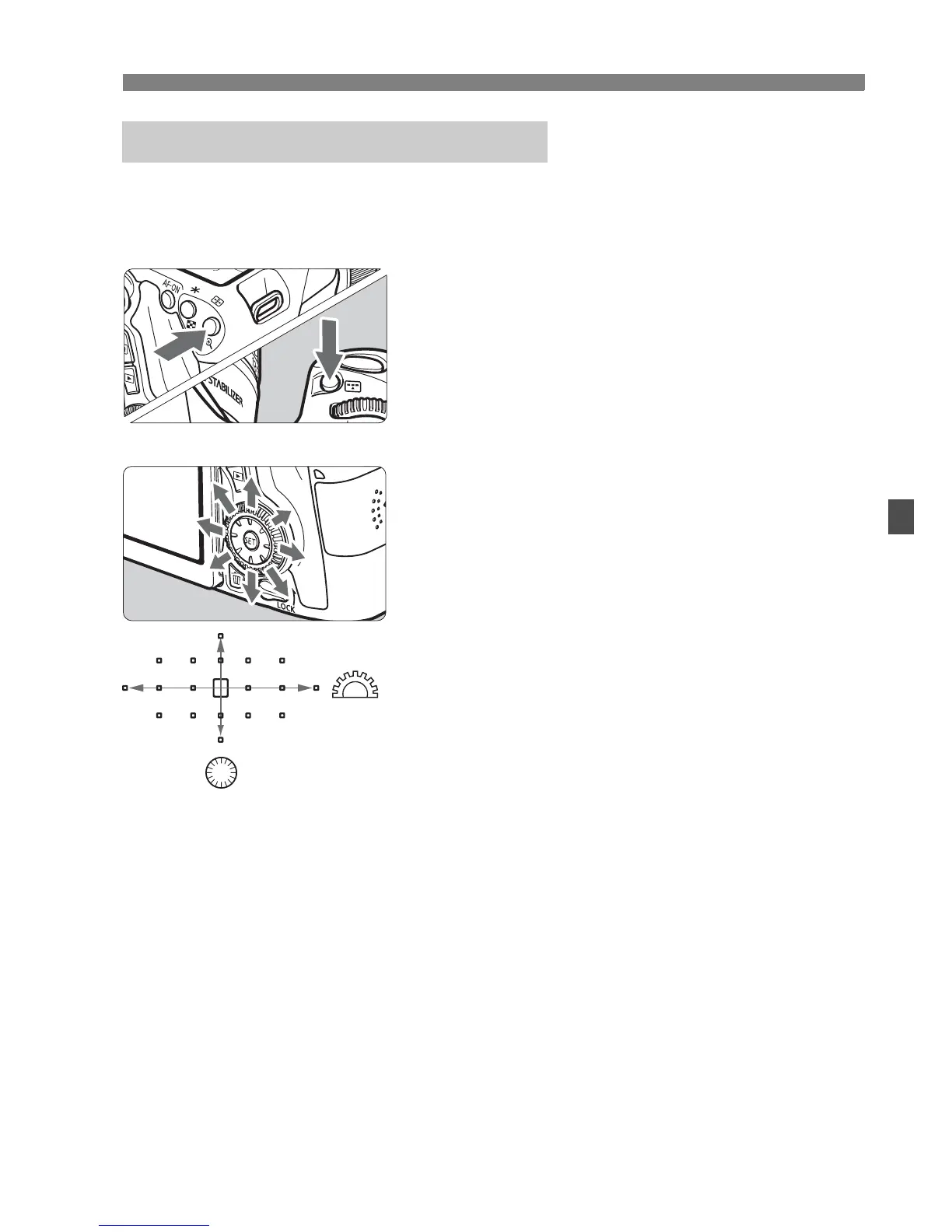
1
Press the <S> or <B> button.
(9)
X The AF points will be displayed in the
viewfinder.
In the Zone AF mode, the selected
zone will be displayed.
2
Select an AF point.
The AF point selection will change in
the direction you tilt <9>. If you
press <0>, the center AF point (or
center zone) will be selected.
You can also select a horizontal AF
point by turning the <6> dial and
select a vertical AF point by turning
the <5> dial.
In the Zone AF mode, turning the
<6> or <5> dial will change the
zone in a looping sequence.
Selecting the AF Point Manually



 To Next Page