45
Advanced
Functions
E
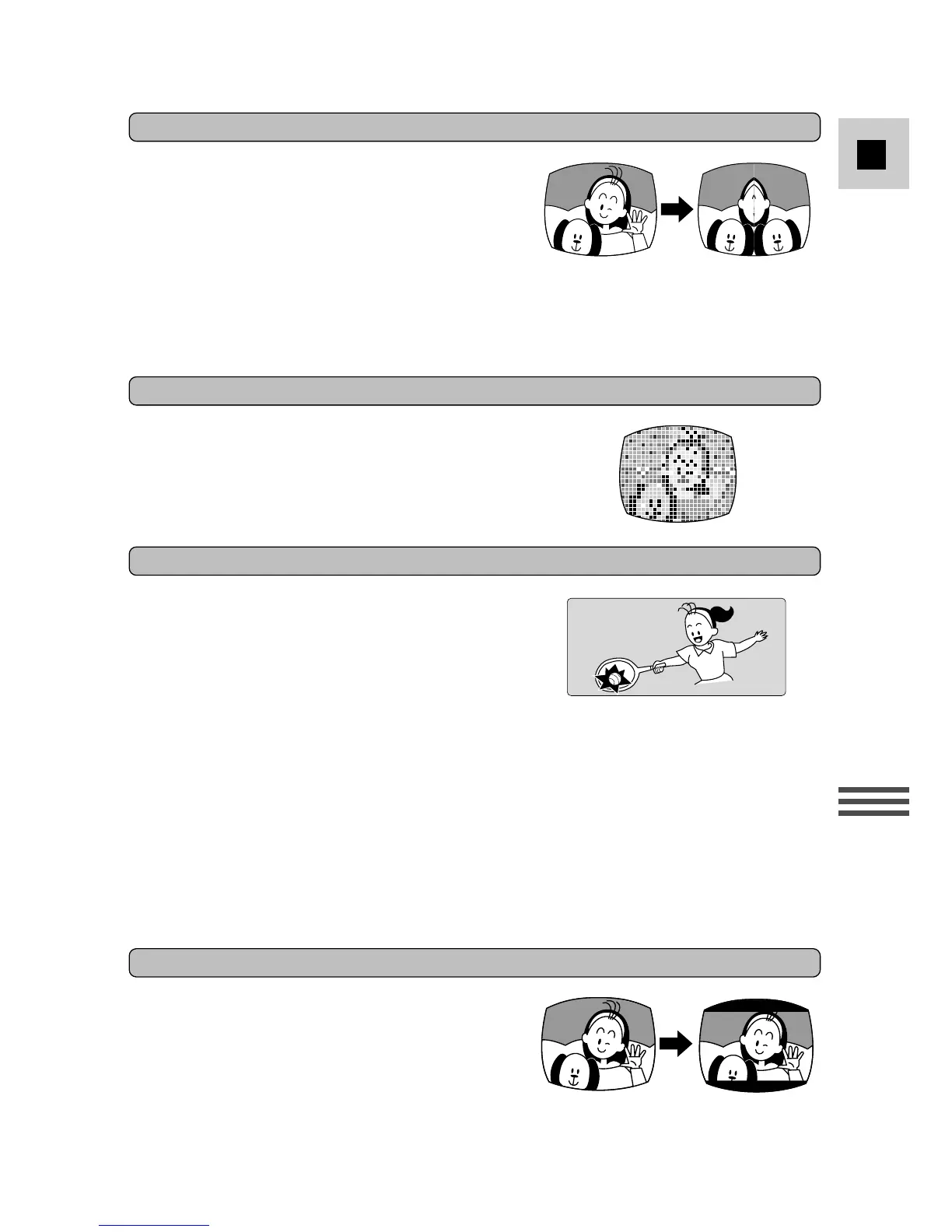
Enlarges various pixels. The image is made up
of noticeable squares of colour, giving a
mosaic-like effect.
Mosaic*
The image will be as if you have placed a
mirror in the middle of the screen.
• G15Hi/G20Hi : If you select Mirror after the
image stabilizer has already been turned on,
the image stabilizer automatically turns off
and i flashes and then disappears after 4
seconds. Accordingly, if Mirror is turned on
first, the image stabilizer becomes
inoperable.
Mirror*
Produce images in the 16:9 format for
playback on widescreen TVs.
• G15Hi/G20Hi : If you select the 16:9 format
after the image stabilizer has already been
turned on, the image stabilizer automatically
turns off and i flashes and then disappears
after 4 seconds. Accordingly, if the 16:9
format is turned on first, the image stabilizer
becomes inoperable.
• If you play back a recording made for 16:9
on a normal TV screen, the image will
appear to be vertically “squashed”
(compressed).
• The image quality is lower when the 16:9 is
activated.
16:9*
Makes the image with the same proportions as
a cinema screen. The top and bottom of the
screen are black, giving the effect of a film
being broadcast on TV in the ‘letterbox’
format.
Cinema*



 To Next Page