Printing will now begin.
1 Open the Print dialog box.
See Opening the Print Dialog Box
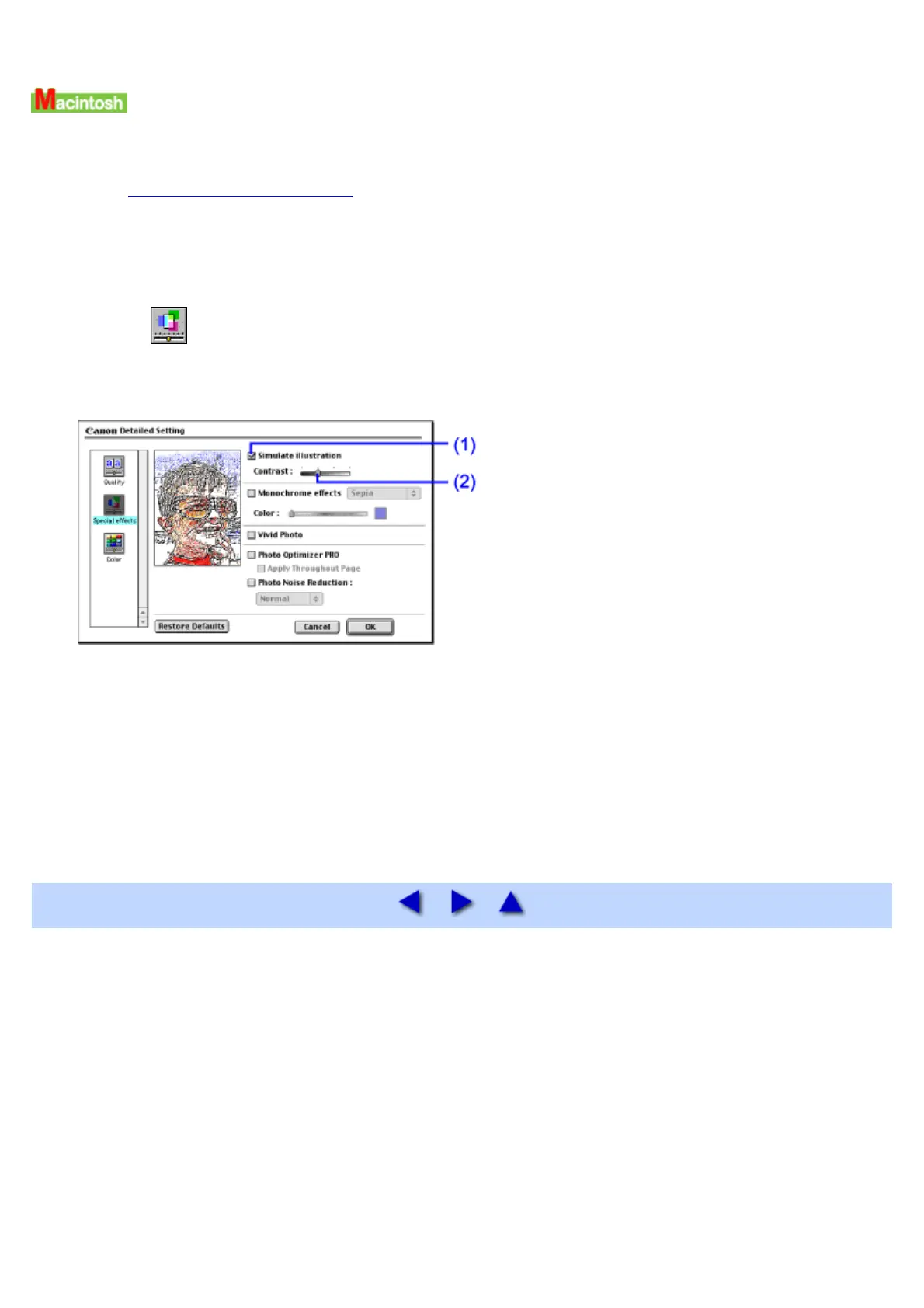
2 Select Manual from the Print Mode, and click Details....
The Detailed Setting dialog box opens.
3 Click (Special effects).
4 Specify the Simulate Illustration setting.
(1) Select this check box.
(2) Move this slide bar to adjust Contrast.
5 Click OK.
6 Click Print in the Print dialog box.
Printing will now begin.


 To Next Page