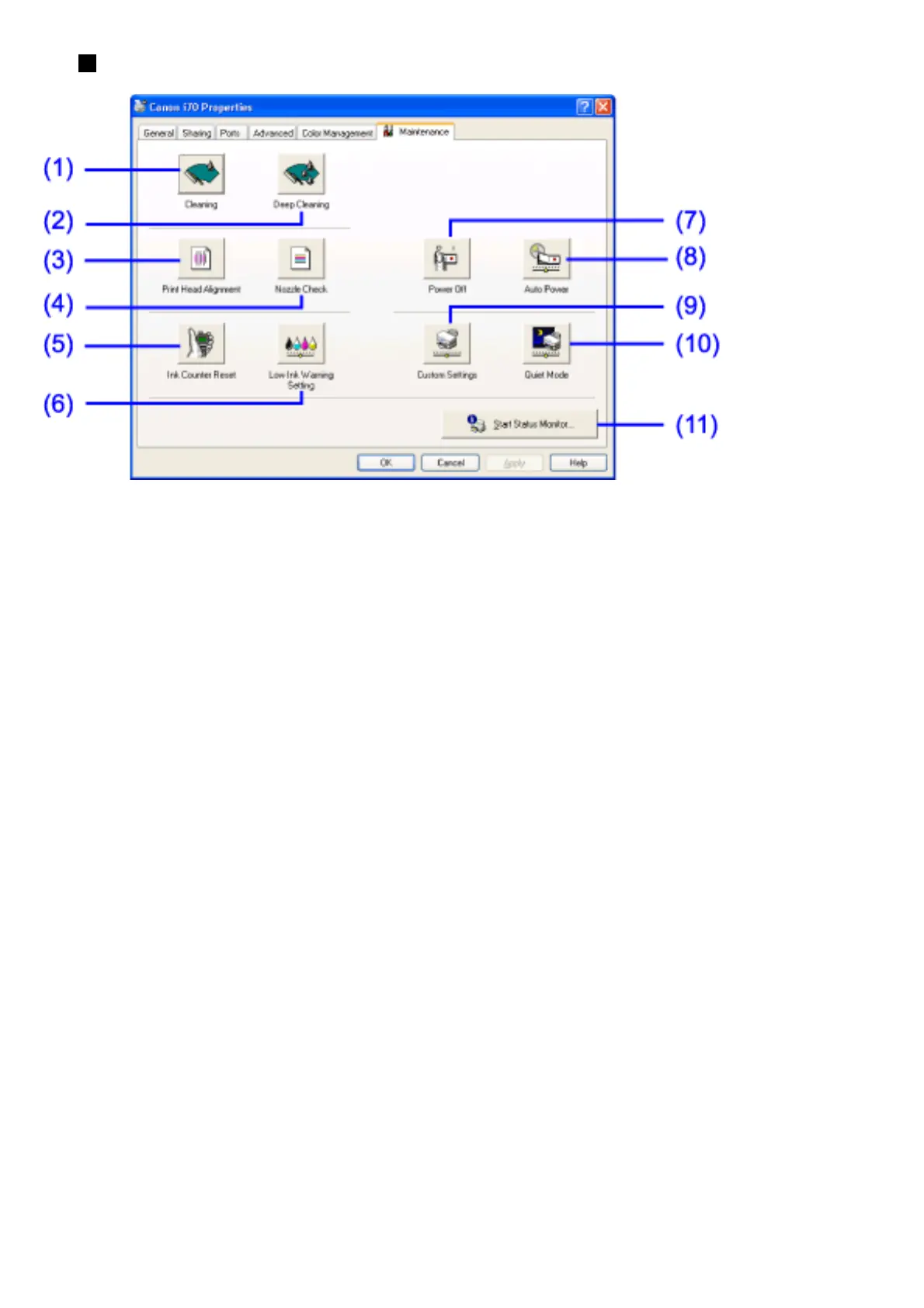
Maintenance Tab
(1) Cleaning
Click to start print head cleaning.
Refer to your Quick Start Guide for instructions on Print Head Cleaning.
(2) Deep Cleaning
Click to start print head deep cleaning.
Use this function only if Cleaning has not improved the print quality.
Refer to your Quick Start Guide for instructions on Print Head Deep
Cleaning.
(3) Print Head Alignment
Aligns the print head.
Refer to your Quick Start Guide for instructions on Print Head
Alignment.
(4) Nozzle Check
Prints the nozzle check pattern to ensure the print head nozzles are ejecting
ink properly.
Refer to your Quick Start Guide for instructions on how to print a Nozzle
Check Pattern.
(5) Ink Counter Reset


 To Next Page